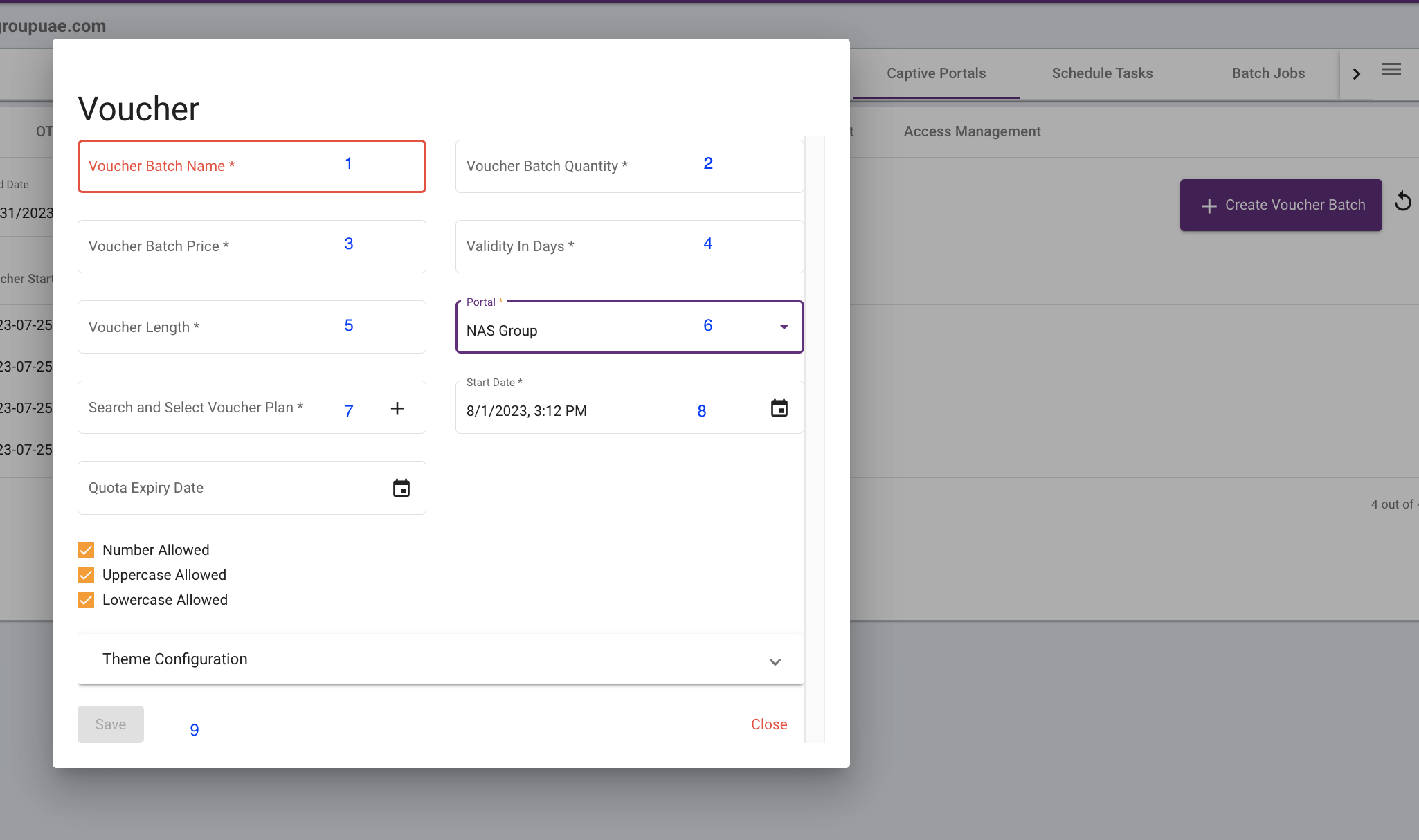
 Voucher Batch Name – This should typically be an identifier of the type of voucher
- Voucher Batch Quantity – feed in a number of vouchers required
- Voucher Batch Price – Enter 0
- Validity of Days – This is the number of days we want the voucher codes to be valid.
- Voucher Length – 5 or 6 digits depending on the requirement.
- Portal – This should be the captive portal on which the vouchers are going to be used. Your Case – Nas Group
- Search and Select Voucher Plan – Start typing the Name of the Vouchers plans that are created. For Eg., type Voucher you will see the options and then choose the appropriate plans.
- Start Date – This date can be today’s date or a future date when you want the voucher to be started
- Click Save
Create Voucher – placeholder


Updated on August 1, 2023