SCENARIO : Create Security Group
CATEGORY : Captive Portals
Purpose / Use Case : A security group is a virtual firewall that controls inbound and outbound traffic to resources, ensuring only authorized access.
Security group is collection of multiple policy has been created and it’s attached to WLAN/LAN.
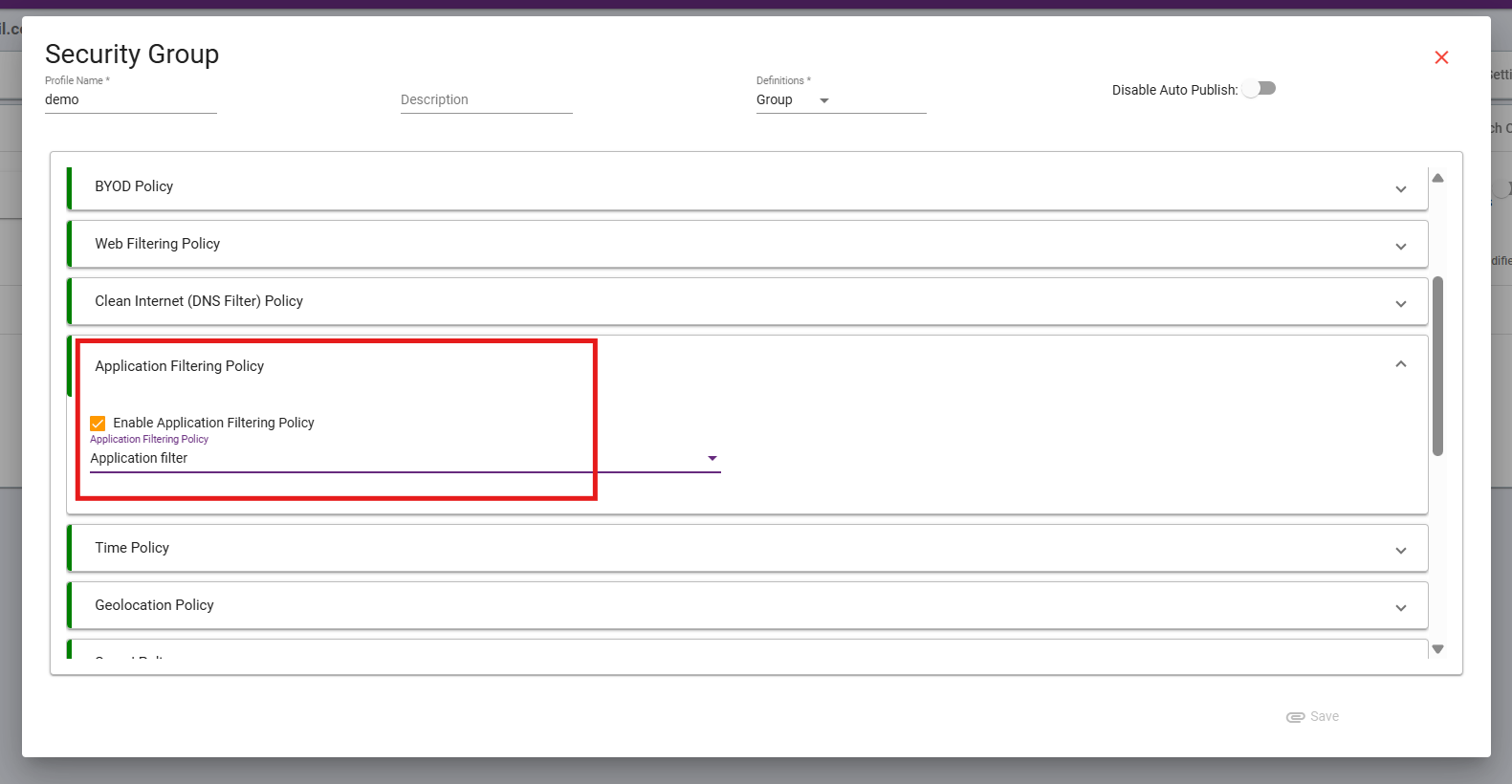
in this case “Application Filter” policy has been created. so it can be use at attached security group.
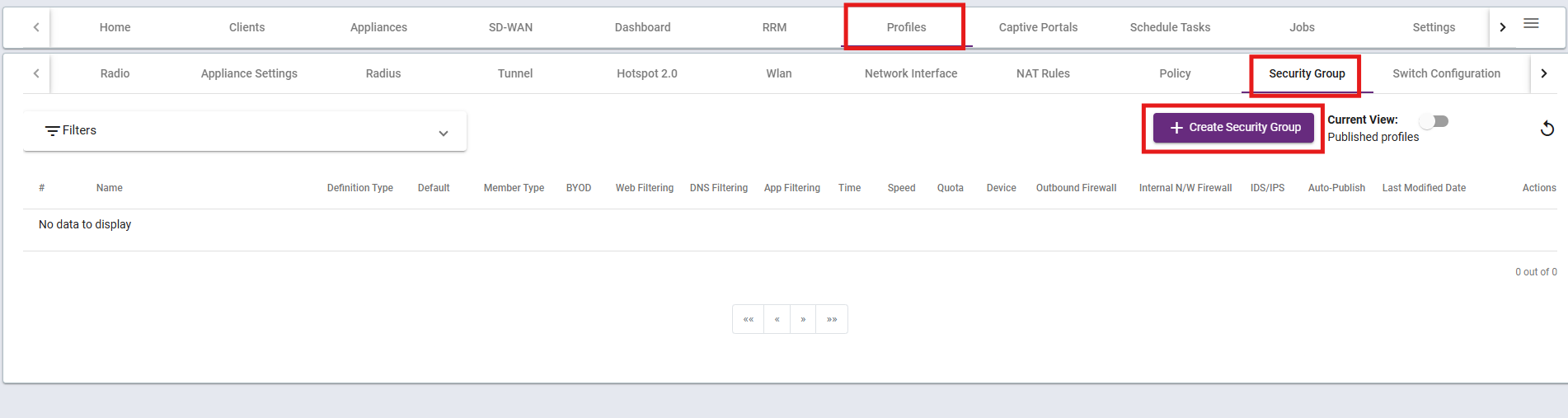
Step 1: Create Security group and attach Policy.
Go to Profiles, then navigate to Policy, and click on Create Policy.
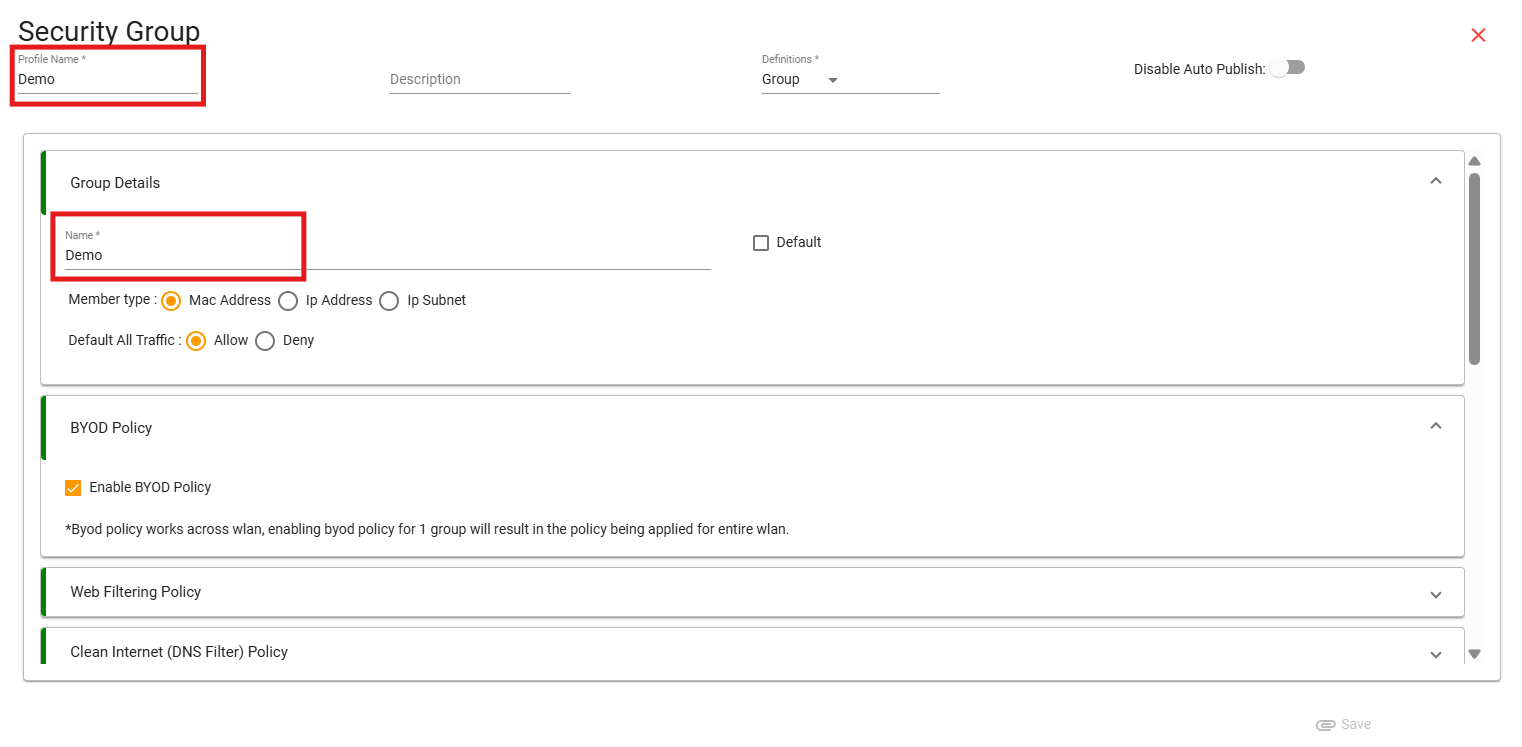
Step 2: Enter Profile name and Policy name, Select Definition as Group and select Default.
Step 3: Scroll down, select Application Filtering Policy, and then Enable the policy and attech policy.
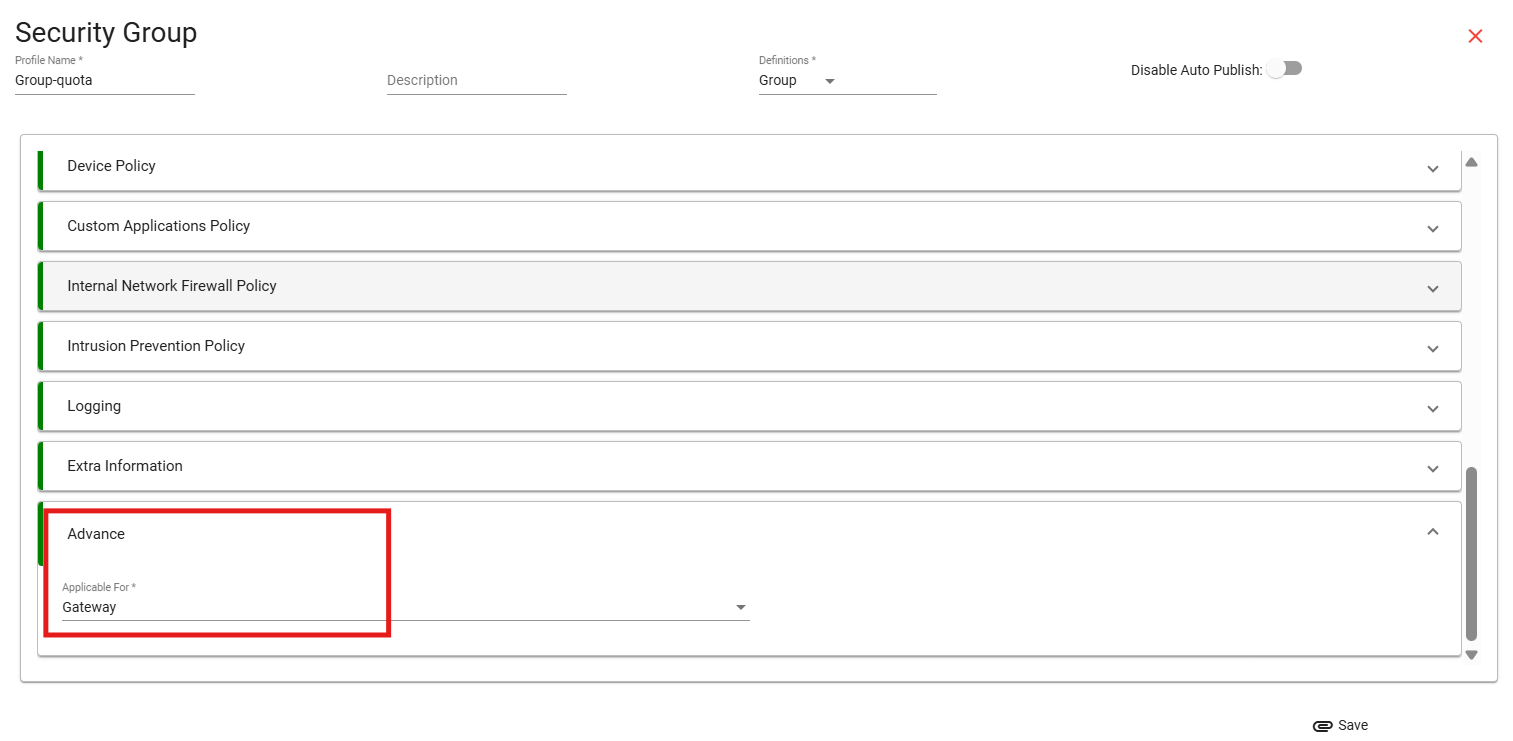
Step 4: Scroll down at the end and select applicable for gateway as this policy is going to be applied on ray gateway device and click on save.
Step 5: Attach Security group to WLAN.
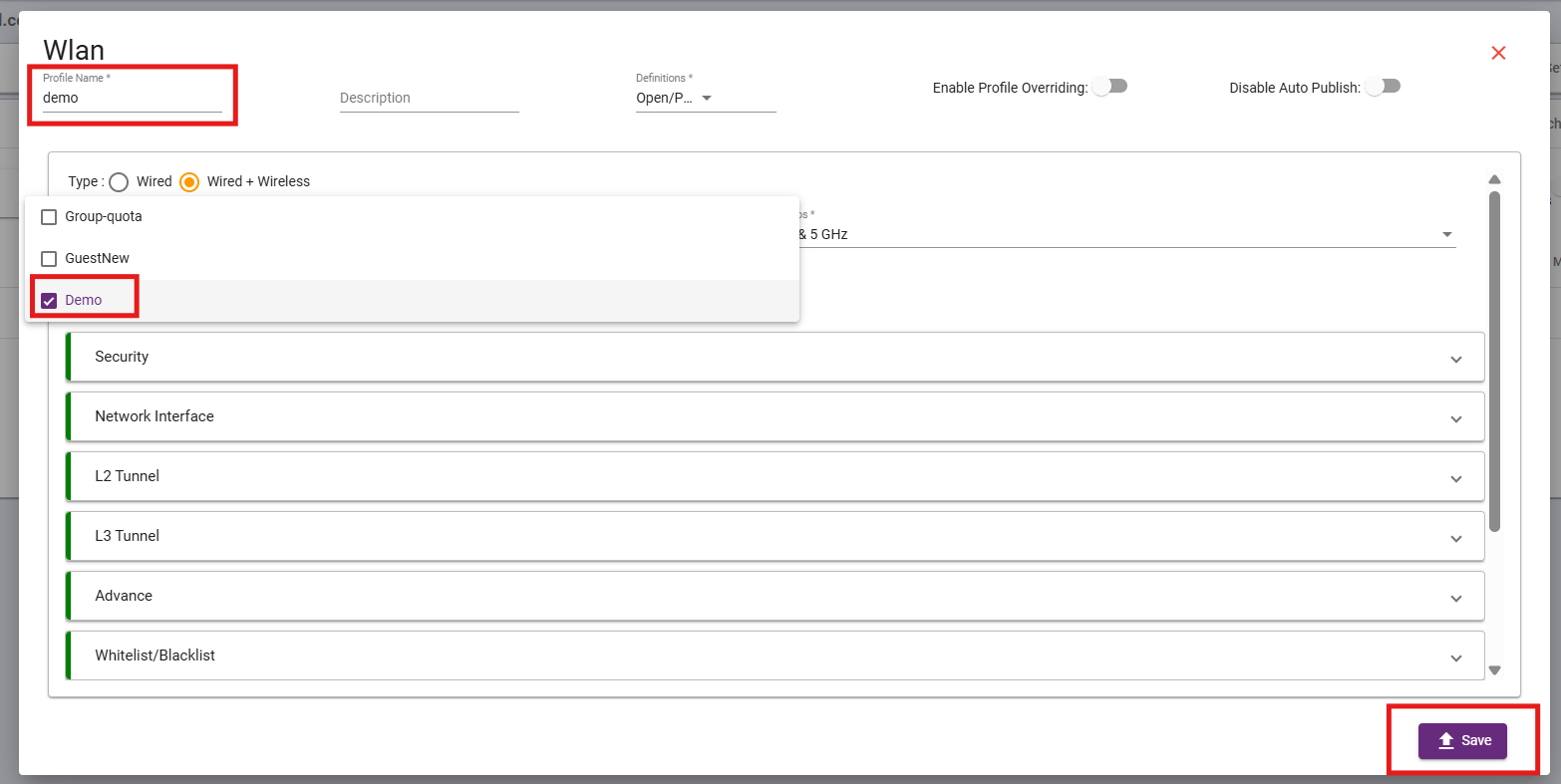
And click on save, once publish it will take few minutes to apply settings on device and take effect.


