If you are currently experiencing connectivity issues with Apple devices. While other devices are functioning correctly, Apple devices are consistently connecting and disconnecting, sometimes devices connect to the SSID but do not transfer the data.
How to troubleshoot the issue
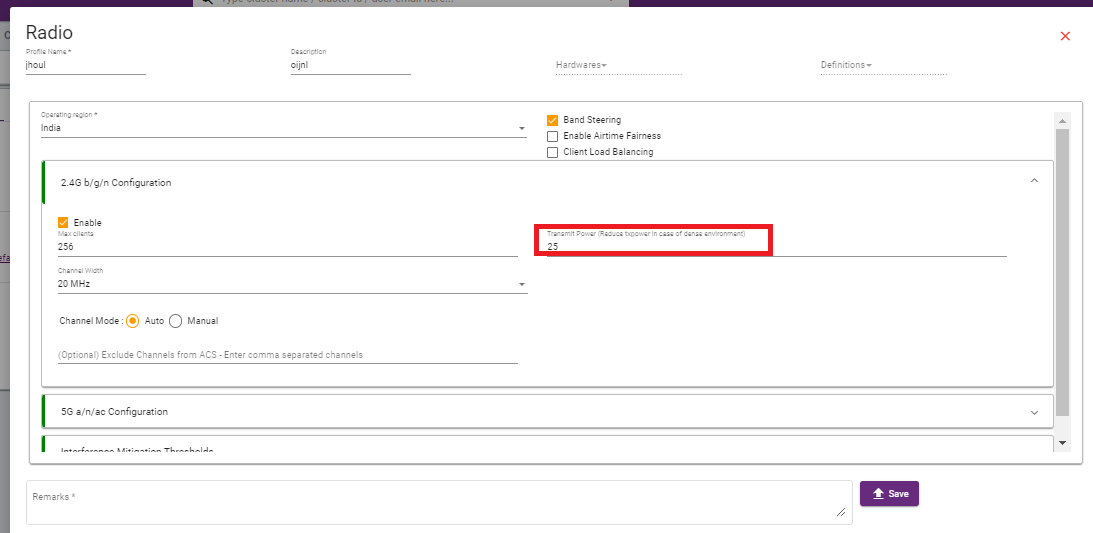
RAY.Life allows you to do initial troubleshooting as an administrator on the RAY controller by changing the transmission power.
The transmission power of an access point affects the coverage area and signal strength of the wireless network. Higher transmission power can result in a larger coverage area, but it can also lead to interference with neighboring networks. Lower transmission power may reduce interference but limit the coverage area.
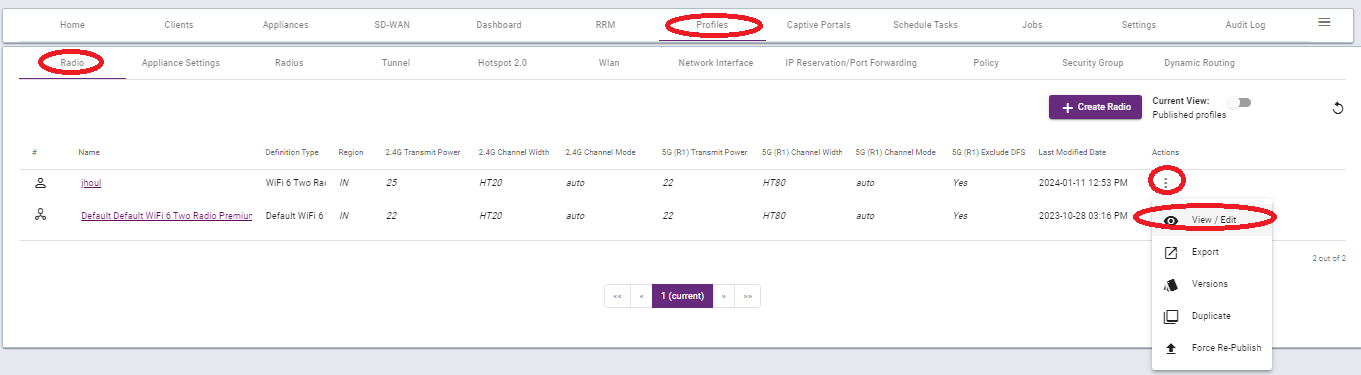
To change TX power go to Profile >>Radio>>click on the three dots below the action >>view/edit
To learn more kindly follow the below link
Thank you,
Ray support Team