#
What It Does #
Band Steering is a feature that encourages dual-band capable client devices (devices that support both 2.4 GHz and 5 GHz) to connect to the 5 GHz band instead of the more crowded 2.4 GHz band.
It helps distribute wireless clients more efficiently across available bands, improving speed and reducing congestion.
How It Works #
When a client connects, the access point checks if the device supports 5 GHz. If it does:
-
The AP may delay or ignore 2.4 GHz probe requests from that device.
-
This nudges the device to connect to 5 GHz, where it will likely get better performance.
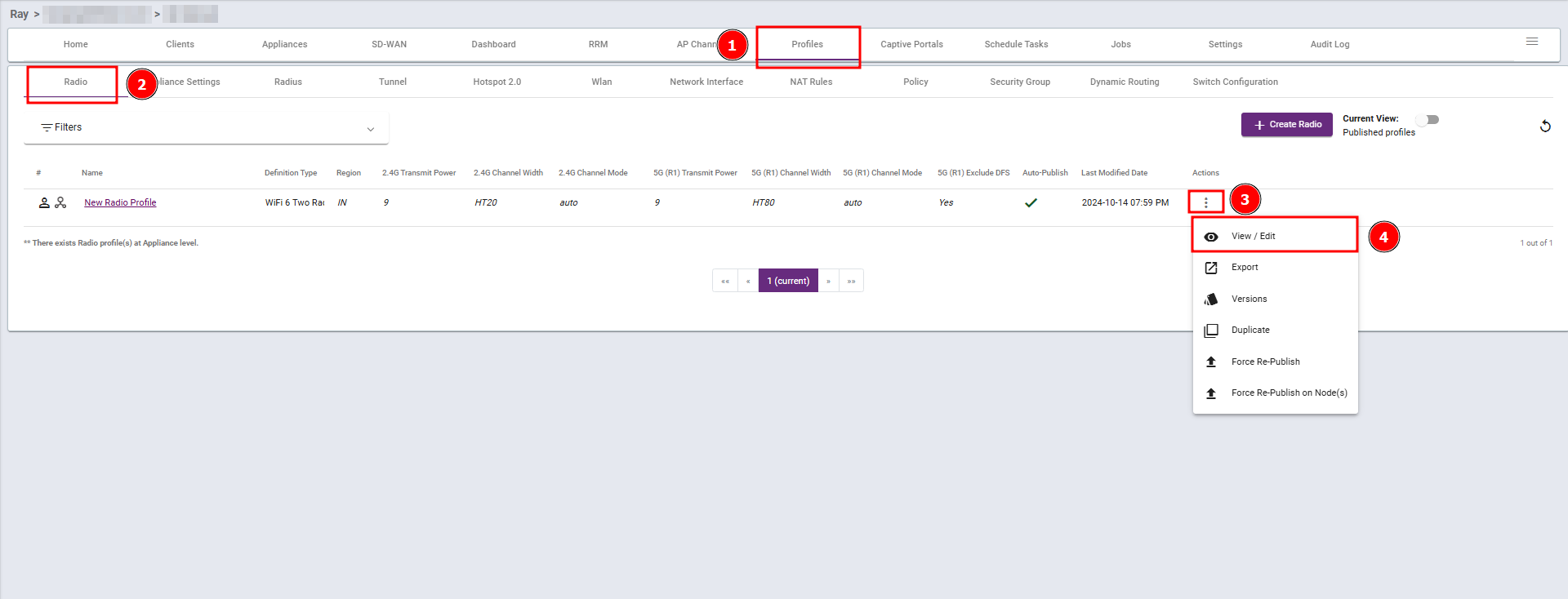
Steps 1: Navigate to the Profiles section, select Radio, then click View/Edit.
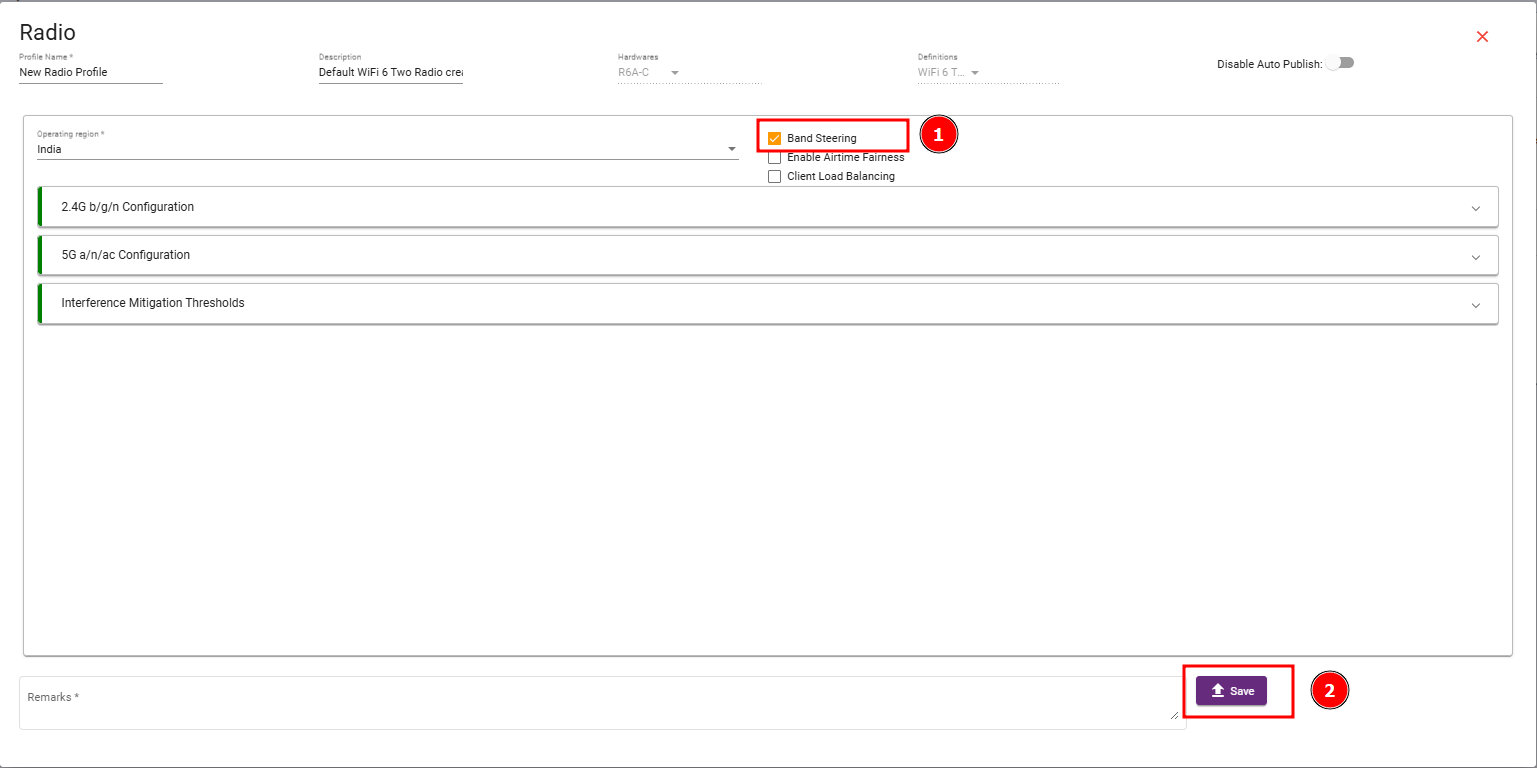
Steps 2 : Enable the Band Steering checkbox, and then save your changes.