Ray Wi-Fi Access Point has RRM and DCS which automatically chooses the best channels available post scanning the environment in a periodic and continuous manner.
However, it is possible to change the channel manually as well.
Please follow the below steps.
Step 1:
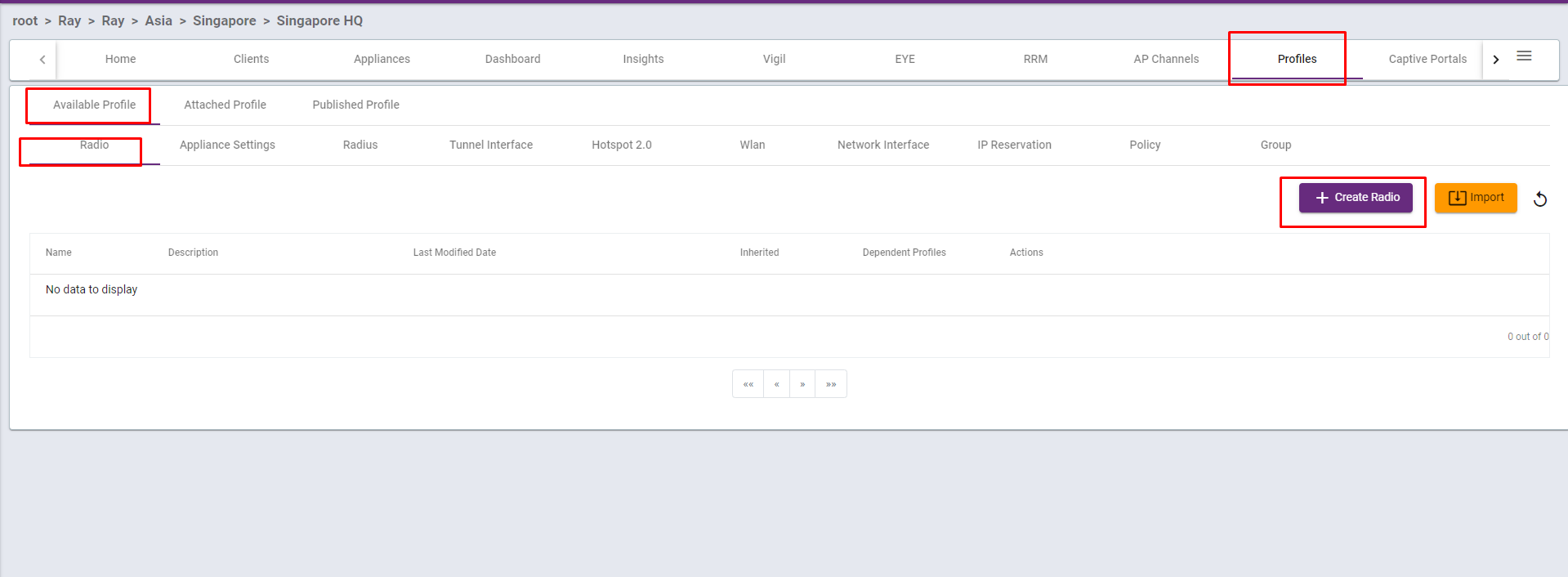
Go to Profiles -> Available Profiles -> Radio
Press Create Profile
Step 2.
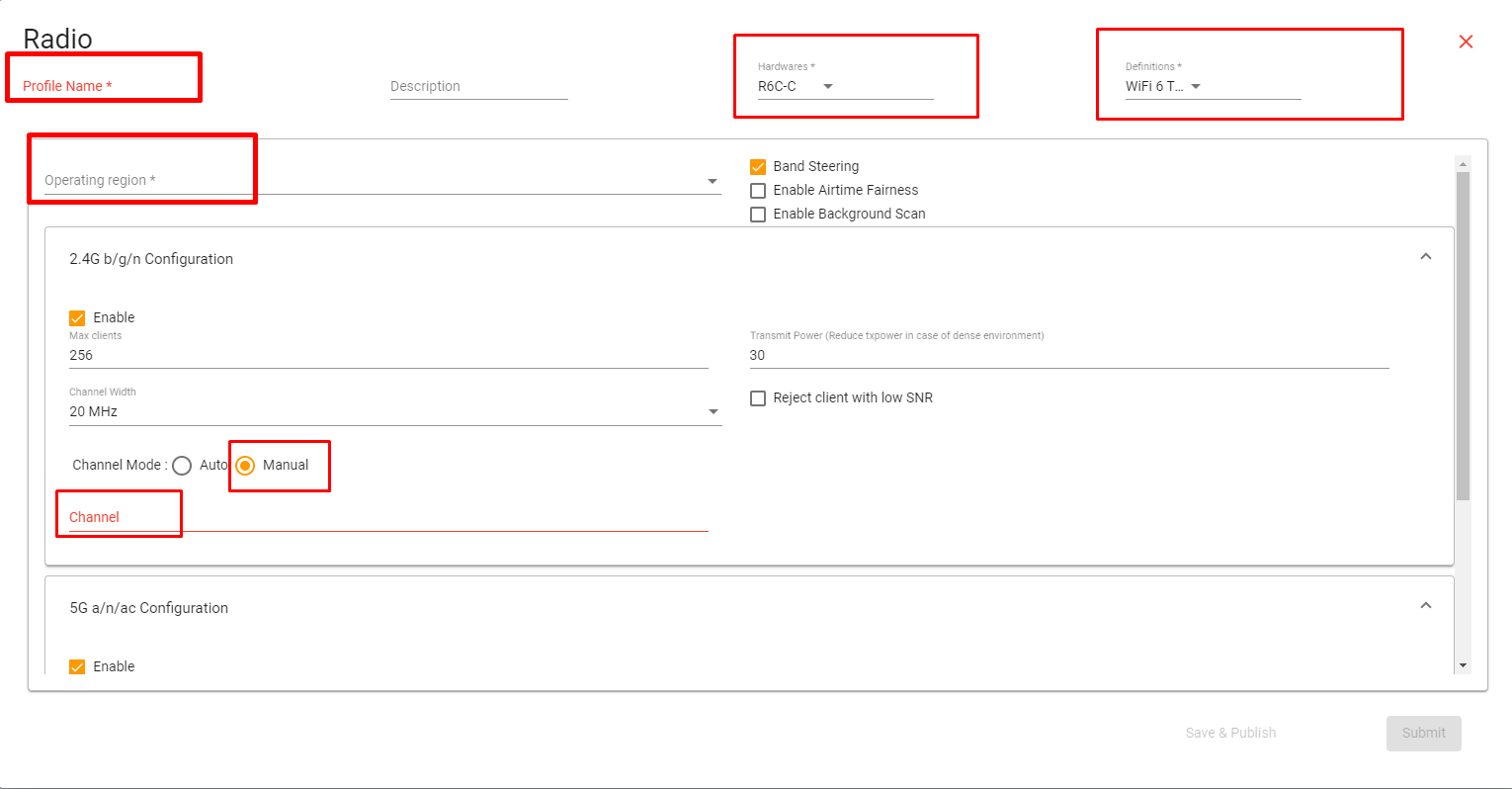
Put a Profile Name
Select the correct Hardware type and the Radio Profile for your Wi-Fi Access Point
Select the Operating Region i.e. the Country.
Select Manual in the Channel Mode
Enter the desired Channel for 2.4 GHz
Enter the desired Channel for 5 GHz
Step 3.
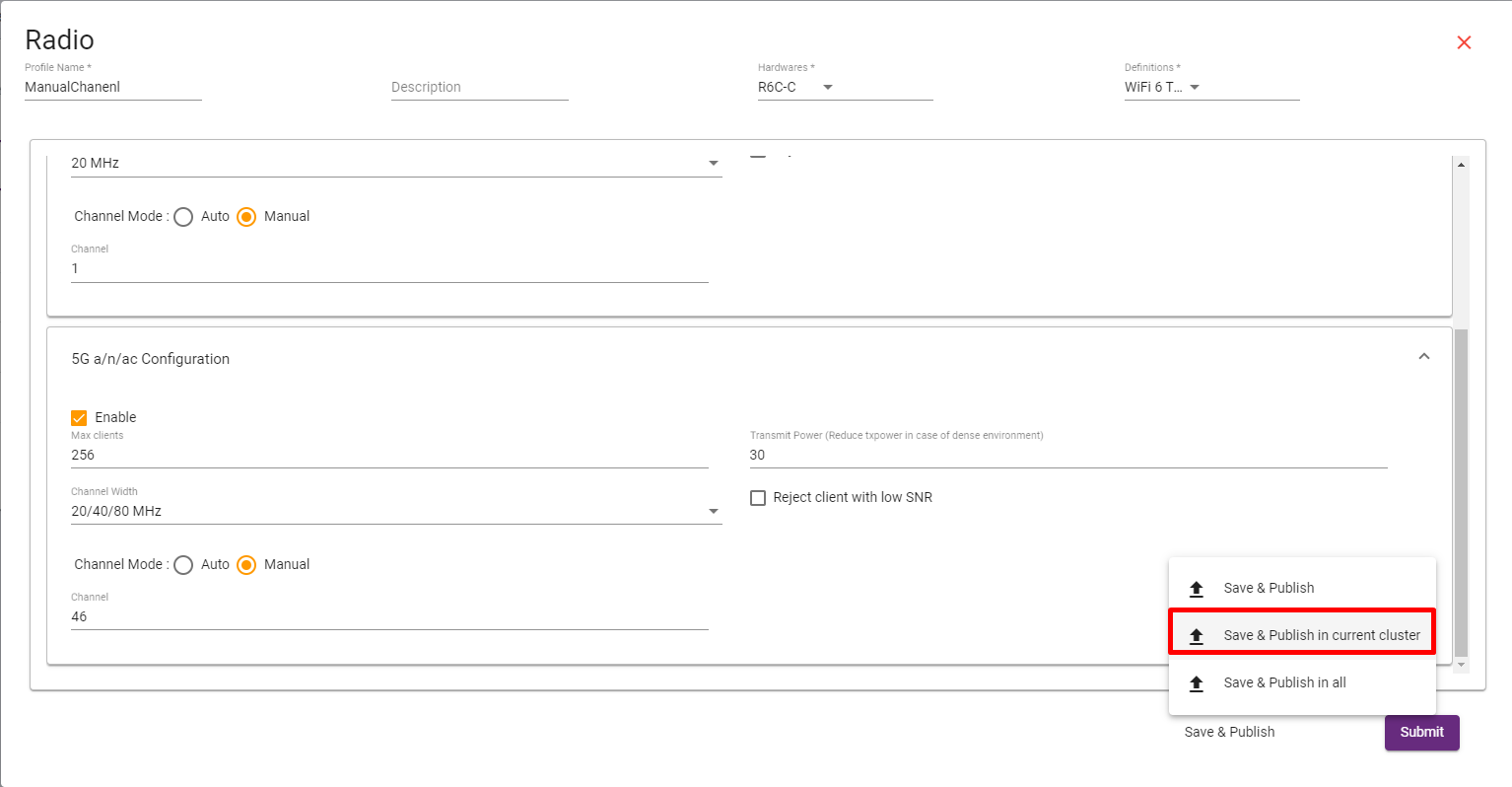
Put the required comments regarding the change.
and press “Save and Publish”
Thank You


