Importance of Verifying Male and Female Connectors in Wi-Fi Installations.
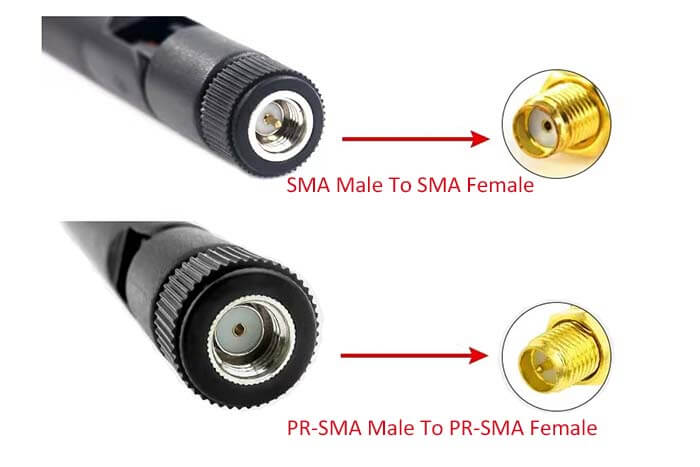
When setting up Wi-Fi equipment, it is essential to verify the types of RF (Radio Frequency) connectors before connecting the access point, antenna, or cable. Wi-Fi devices use different connector types, mainly male and female, and connecting them incorrectly can lead to physical damage or poor signal quality.
Why Verification Is Important #
-
Prevents Physical Damage
Forcing mismatched connectors (e.g., male-to-male or female-to-female) can damage the pins or threads on the connector and the device port. -
Ensures Proper Signal Transmission
A correct male-to-female connection ensures stable RF contact and minimizes signal loss. Wrong connectors can reduce Wi-Fi coverage and speed. -
Avoids Device Downtime
Damaged ports or cables may require replacement, leading to downtime and additional cost.
(1) Recommended Practice #
Before making any physical connection:
-
Inspect both connectors visually.
-
Verify that one side is male and the other side is female.
-
Do not apply pressure if it does not fit easily.
-
Cross-check connector type in device manual or cable label.
#
(2) Antenna-Port Matching Requirement #
Before connecting the antennas, it is essential to verify that each antenna is connected to its correct corresponding port.
-
The 2.4 GHz and 5.8 GHz Wi-Fi antennas must be connected to the 2.4 GHz and 5.8 GHz Wi-Fi ports respectively.
-
The LTE (4G/5G) antennas must be connected only to the LTE 4G/5G ports.
Incorrect antenna-to-port mapping can result in poor Wi-Fi performance, unstable signal, low range, or complete connectivity failure.
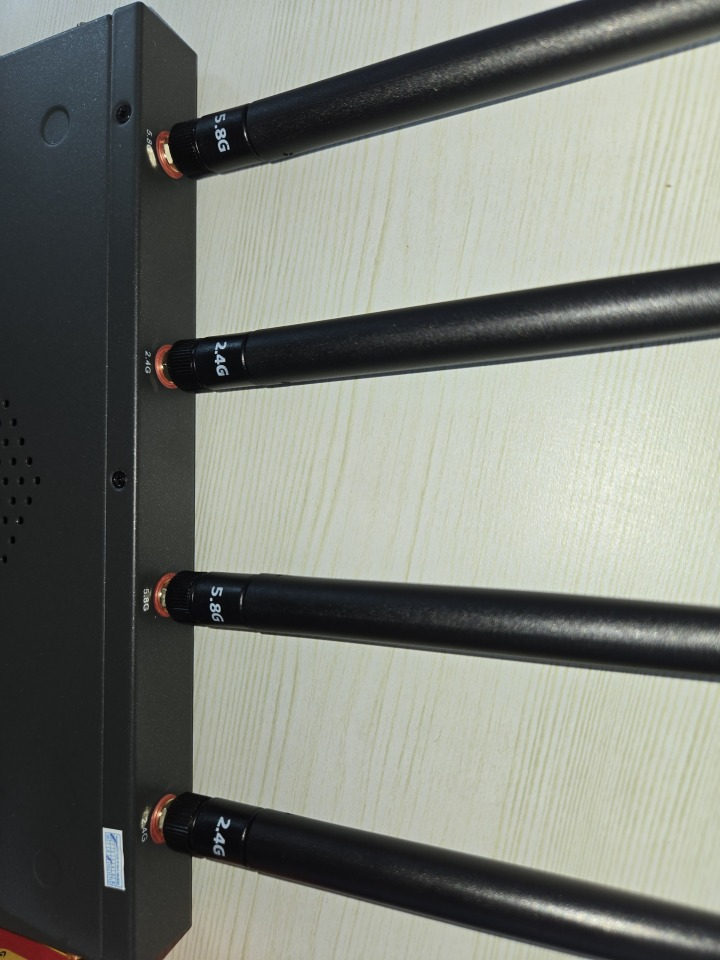
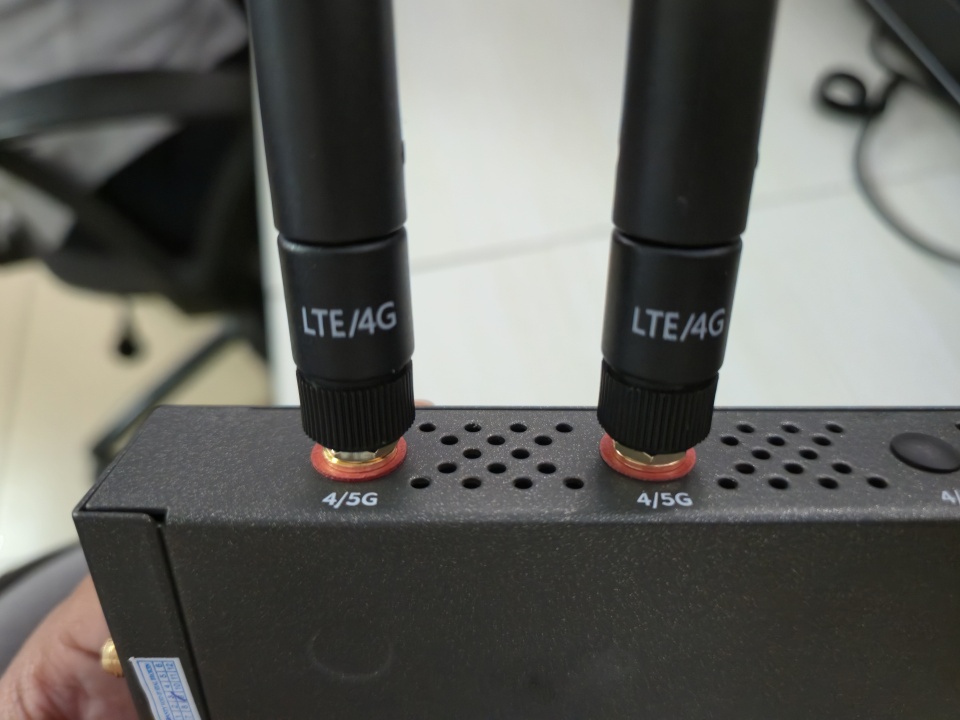
Both the ports and the antennas are clearly labeled/marked for easy identification.
Please ensure that you match the markings correctly while connecting — 2.4 GHz to 2.4 GHz, 5.8 GHz to 5.8 GHz, and LTE (4G/5G) to LTE (4G/5G).


