Security group is collection of multiple policy has been created and it’s attached to WLAN/LAN.
in this case “Block Malicious IP” policy has been created at perent level so it can be use at any child cluster.
all you have to do it crate Security group and attached it to WLAN.
Step 1 : Create Security Group and attach Policy
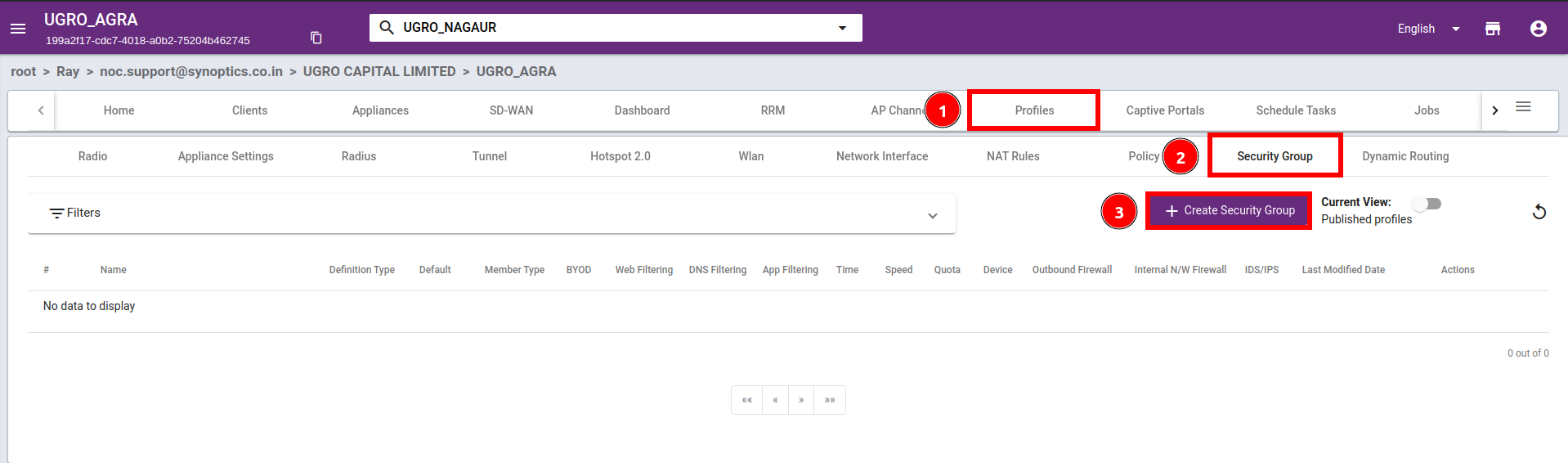
Go to your cluster > Profile > Security Group > and click on “Create Security Group“
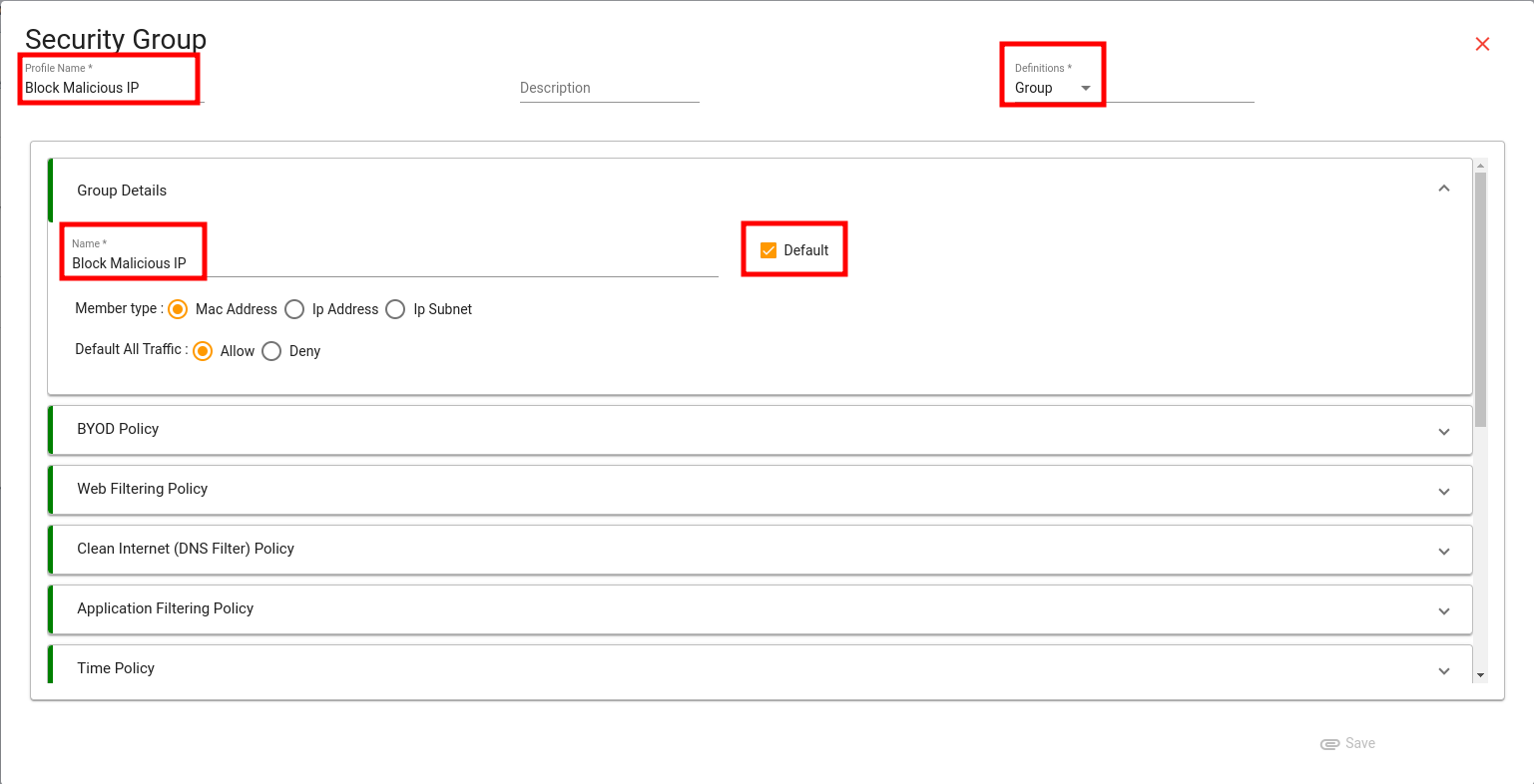
Enter Profile name and Policy name, Select Definition as Group and select Default.
Default means it will apply for all incoming and outgoing traffic.
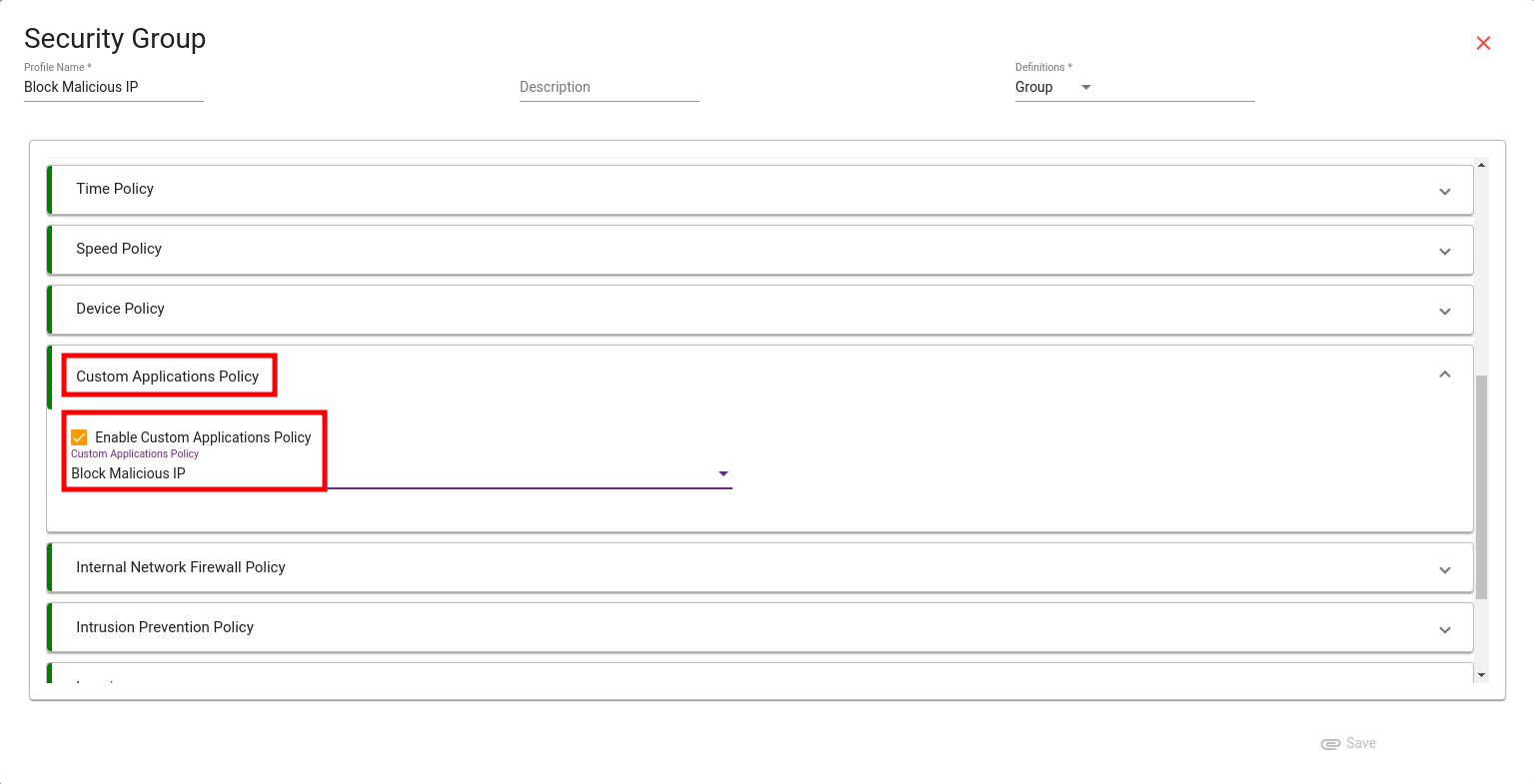
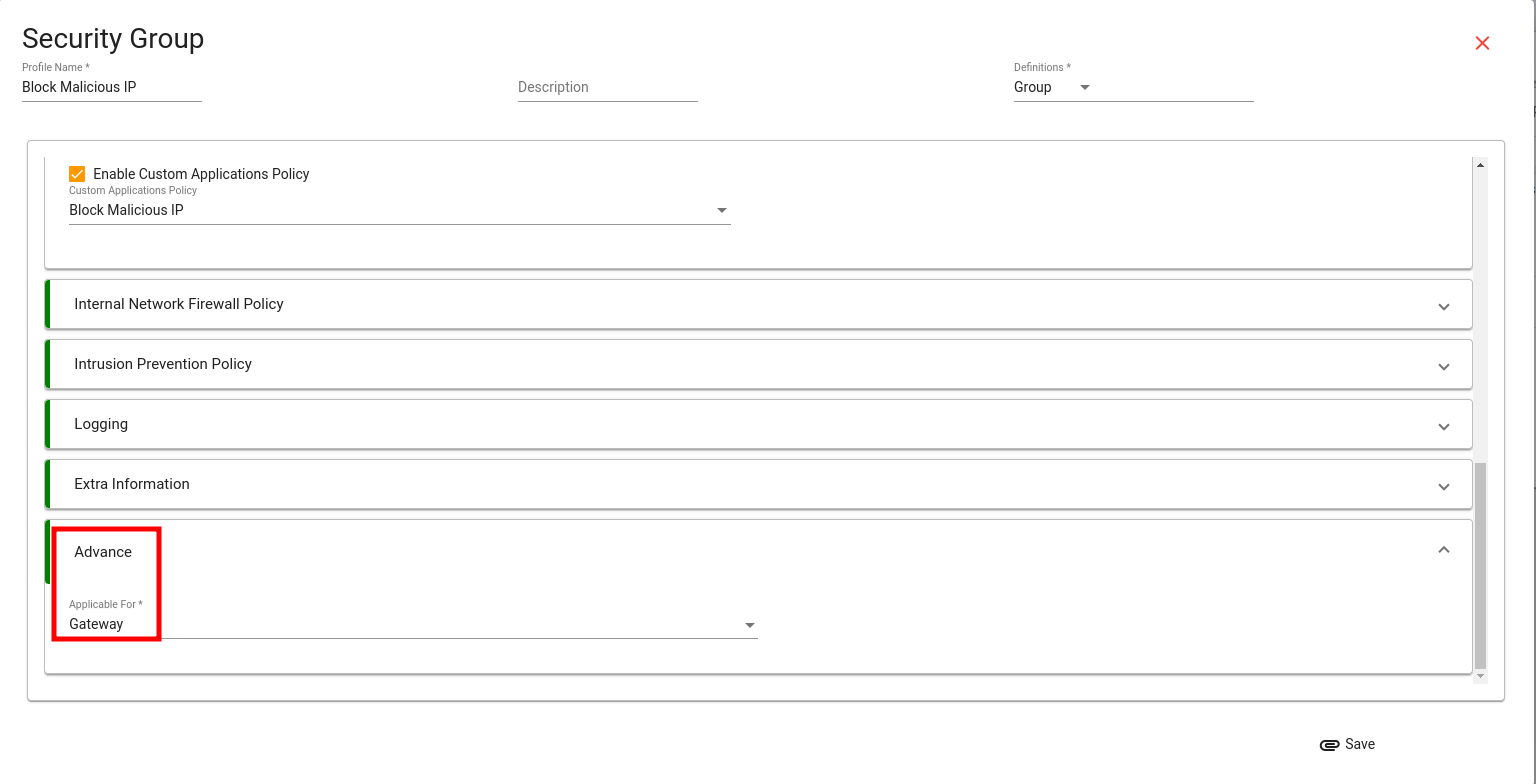
Scroll down and Select Custom Application Policy > and select Policy “Block Malicious IP“.
Scroll down at the end and select applicable for gateway as this policy is going to be applied on ray gateway device and click on save.
Step 2 : Attach Security group to WLAN
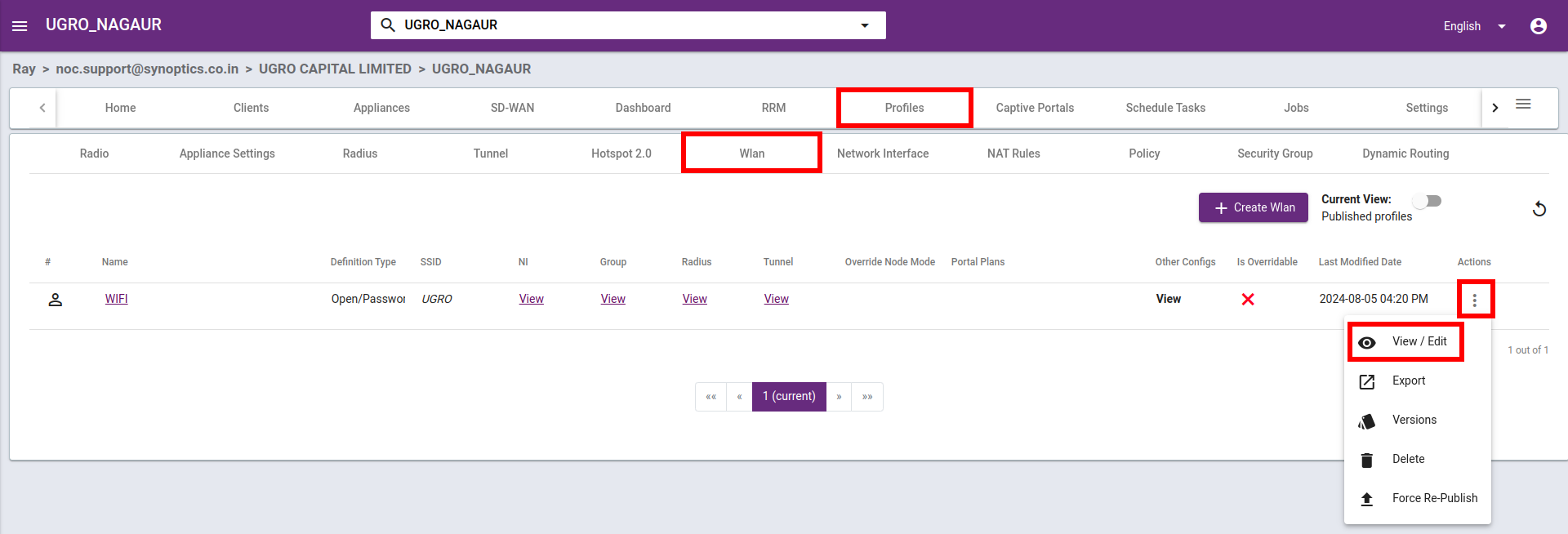
Go to your cluster > Profiles > Wlan and click on applience action button > select View/Edit