#
What is 802.11g? #
802.11g is an older Wi-Fi standard introduced in 2003, operating on the 2.4 GHz band with speeds up to 54 Mbps. It was widely used in early Wi-Fi devices but has since been replaced by faster, more efficient standards like 802.11n, 802.11ac, and 802.11ax (Wi-Fi 6).
Purpose of Disabling 802.11g Legacy Rates #
Disabling 802.11g prevents older, slower clients from connecting to the wireless network using outdated data rates (typically 6, 9, 12, 18, 24, 36, 48, and 54 Mbps).
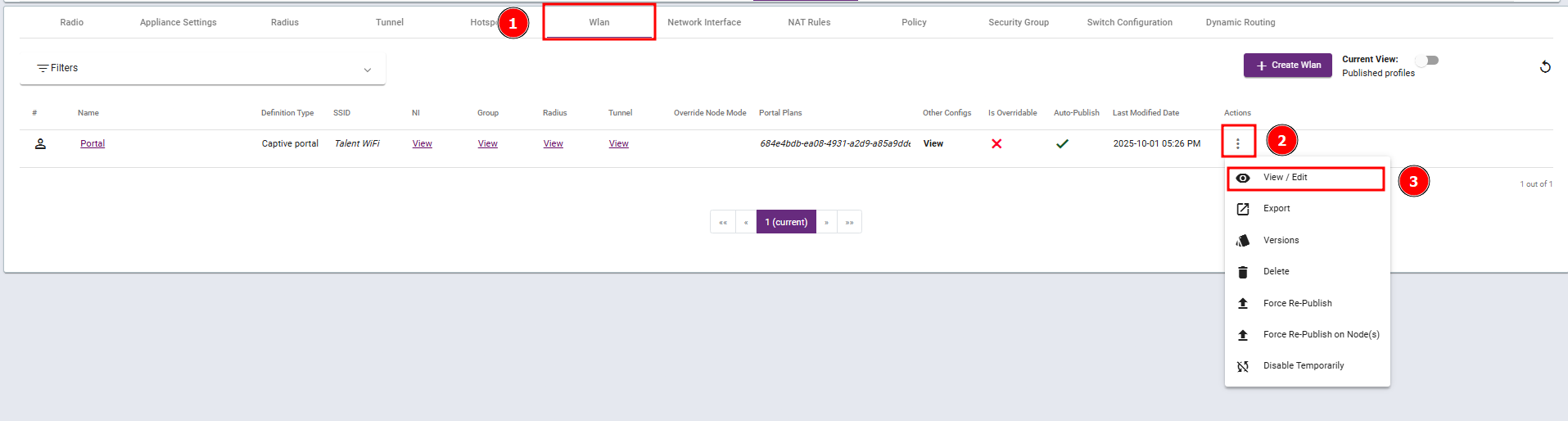
Steps 1: Navigate to the WLAN profile and select View / Edit.
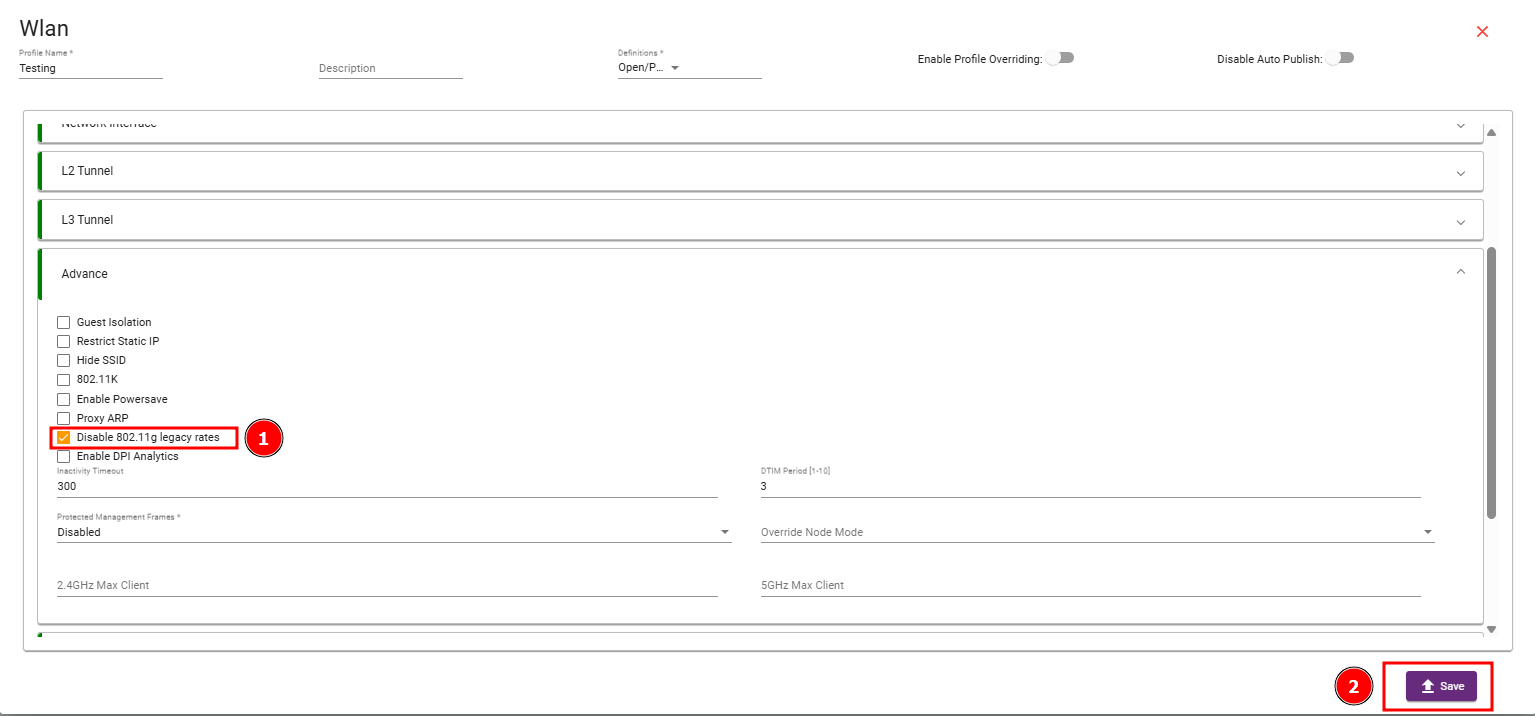
Step 2: Navigate to the Advance Section, enable the Disable 802.11g legacy rates checkbox, and then save your changes.
#
Summary #
Disabling 802.11g legacy rates helps to modernize your wireless network by forcing faster, more efficient connections, reducing airtime waste, and improving overall performance especially in high-density or performance-critical environments.


