#
What is DFS? #
-
DFS channels are special 5 GHz Wi-Fi channels shared with radar systems (like weather or military radar).
-
Wi-Fi devices must listen for radar and switch channels if radar is detected.
-
Common DFS channels are:
52, 56, 60, 64, 100, 104, 108, 112, 116, 120, 124, 128, 132, 136, 140, and sometimes 144 (depending on the region).
Why Exclude DFS Channels? #
-
Avoids Wi-Fi interruptions caused by radar detection.
-
Makes Wi-Fi connections more stable and reliable.
-
Helps APs start faster since they don’t have to scan for radar first.
-
Easier to manage because channels don’t change unexpectedly.
When Should You Exclude DFS? #
-
If your Wi-Fi needs to be very stable without sudden drops.
-
If you are near radar systems or in areas with interference.
-
If your environment (like offices or hospitals) can’t tolerate Wi-Fi interruptions.
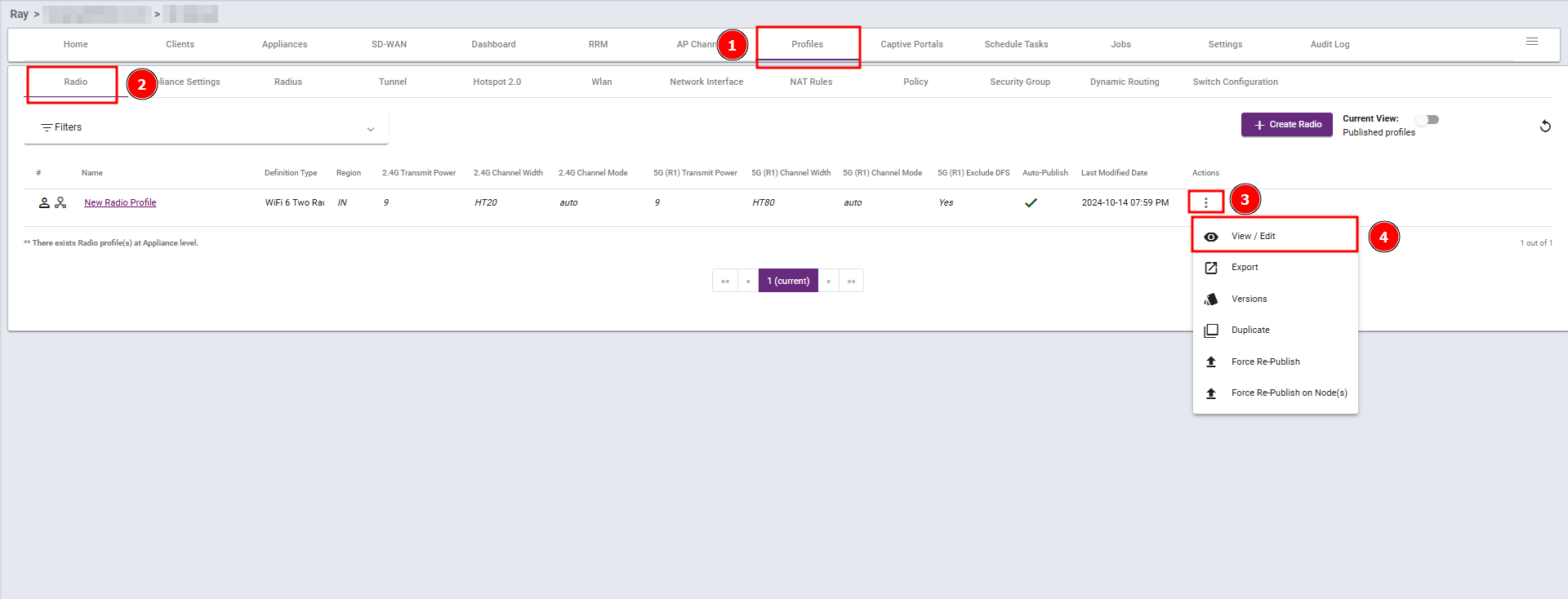
Steps 1: Navigate to the Profiles section, select Radio, then click View/Edit.
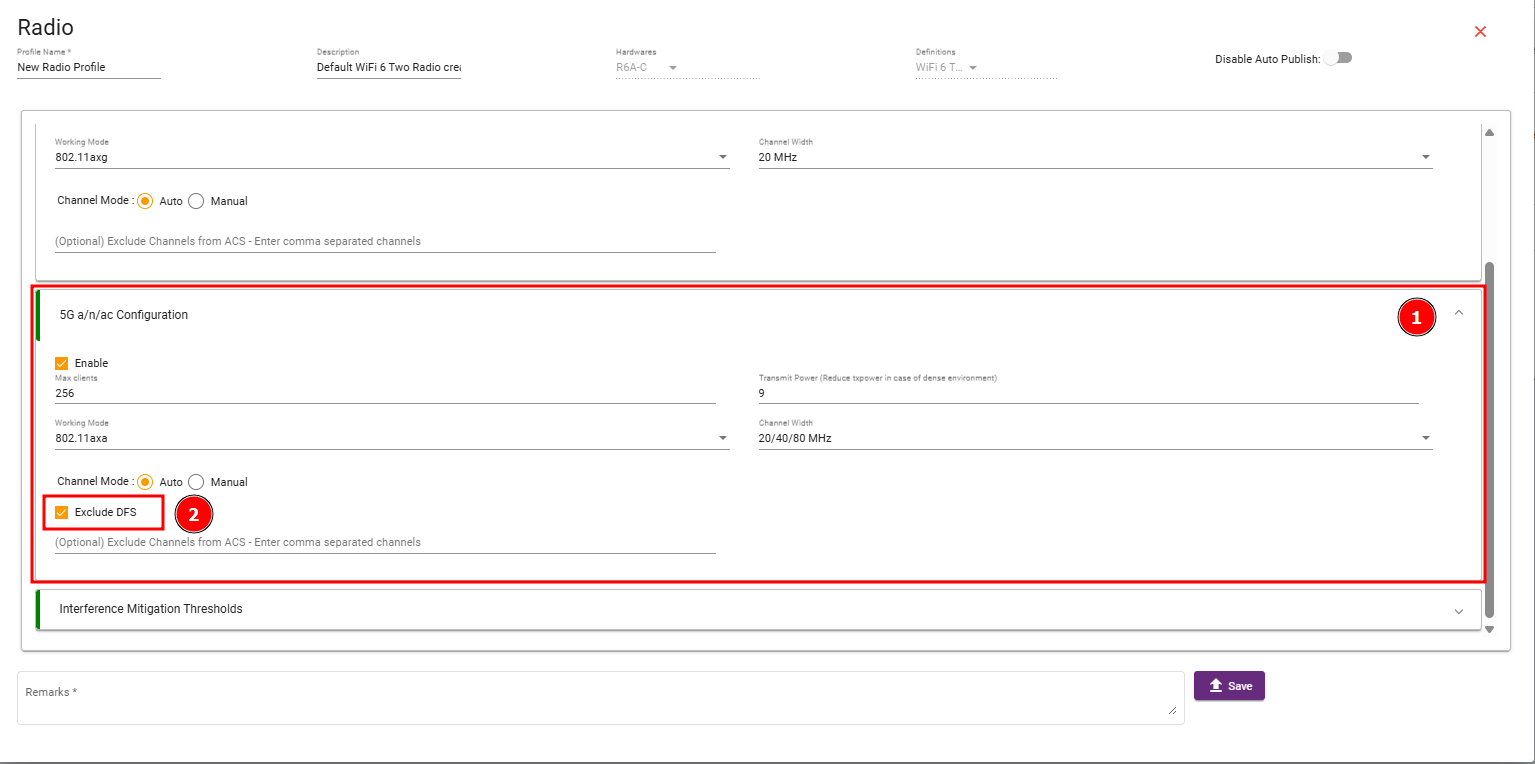
Steps 2 : Enable Exclude DFS checkbox and then save your changes.