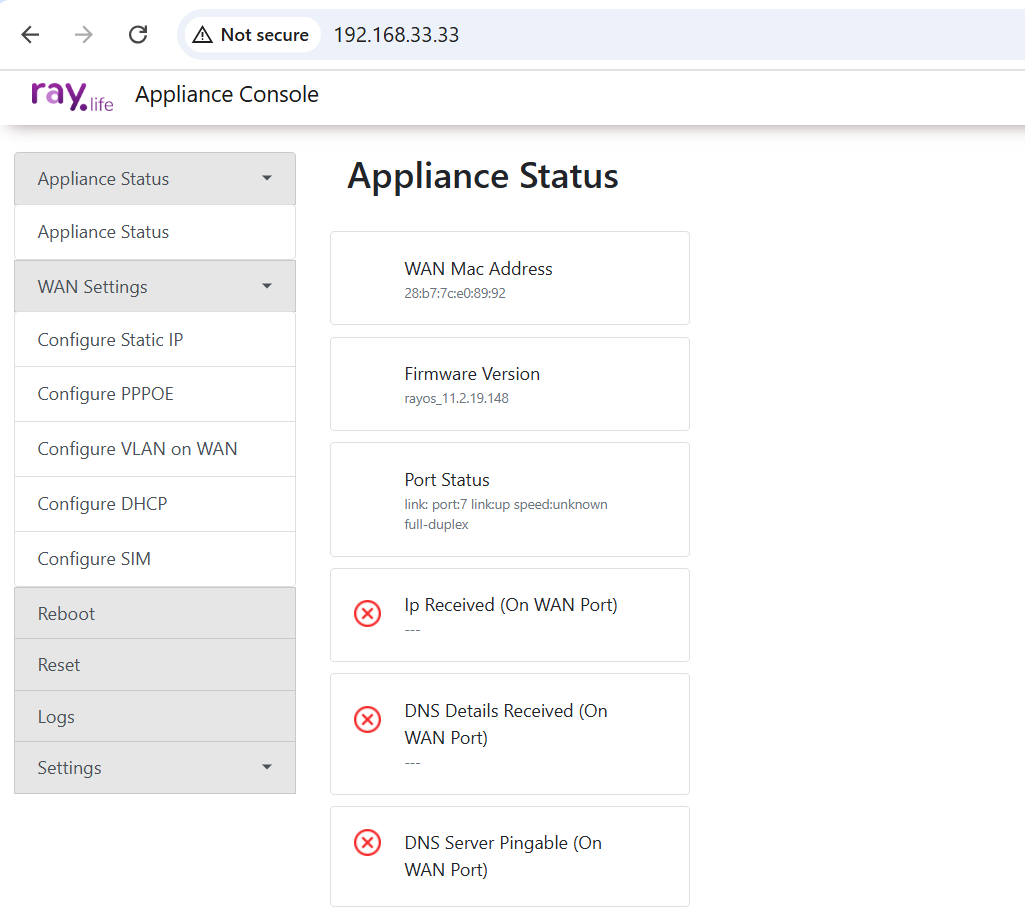
Accessing the Device Console Page #
To setup the WAN port of the device, you can access the Device Console Page to check its status and make necessary configurations.
Steps to Access the Console Page #
-
Enter the Device IP Address
Open a web browser and enter the IP address of the device (The IP Gateway address should follow the format: 192.168.33.33). This will open a sign-in portal to access the device status. The credentials are:- If you cannot obtain the device’s IP address through DHCP, you can statically set the IP address of the device:
- IP Address:
192.168.33.XX (anything except 33.33) - Subnet Mask:
255.255.255.0 - Gateway:
192.168.33.33
- IP Address:
- If you cannot obtain the device’s IP address through DHCP, you can statically set the IP address of the device:
Username: root (or) ray
Password: MAC address of the device without Colon .
2.Log in to the Console Page:
      Once the sign-in portal appears, enter the required credentials.
3.Console page: After logging in, you can view the device status and configure it according to your Requirements. Refer to the image below for an example of the sign-in portal.