ChatGPT said:
A Click-to-Login Captive Portal is the simplest type of captive portal where users can access the internet just by clicking a login or continue button, without entering any credentials. It is commonly used in public places like cafés, restaurants, malls, or airports to provide quick and easy Wi-Fi access. Businesses often use it to display a welcome message, brand logo, or promotional content before granting internet access. This method ensures hassle-free connectivity for users while still allowing the provider to showcase information or terms of use.
Creating WLAN with CLICK TO LOGIN captive portal is divided into 4 main steps:
1). Create POLICY
2). Inherit POLICY into SECURITY GROUP
3). Create CAPTIVE PORTAL
4). Create WLAN
STEP 1: Create POLICY
Create policy as per your requirements.
You can also refer to the link below to learn how to create a POLICY.
STEP 2: Inherit POLICY into SECURITY GROUP
Inherit the policy which you have create in a security group.
You can also refer to the link below to learn how to create a SECURITY GROUP.
STEP 3: Create CAPTIVE PORTAL
Create Click to Login CAPTIVE PORTAL.
You can also refer to the link below to learn how to create a CAPTIVE PORTAL.
STEP 4: Create WLAN
4.1:
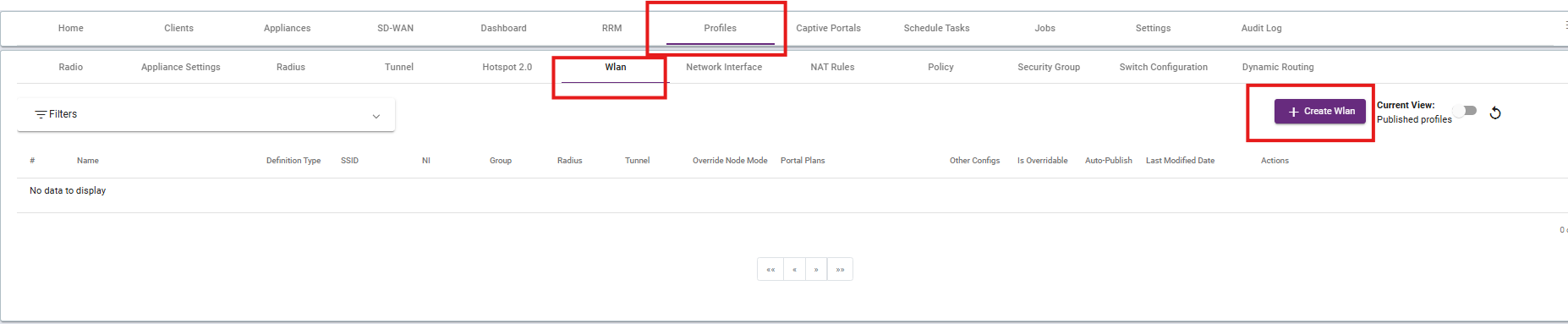
To create a WLAN go to the WLAN under PROFILES section. Click to the +Create WLAN.
4.2:
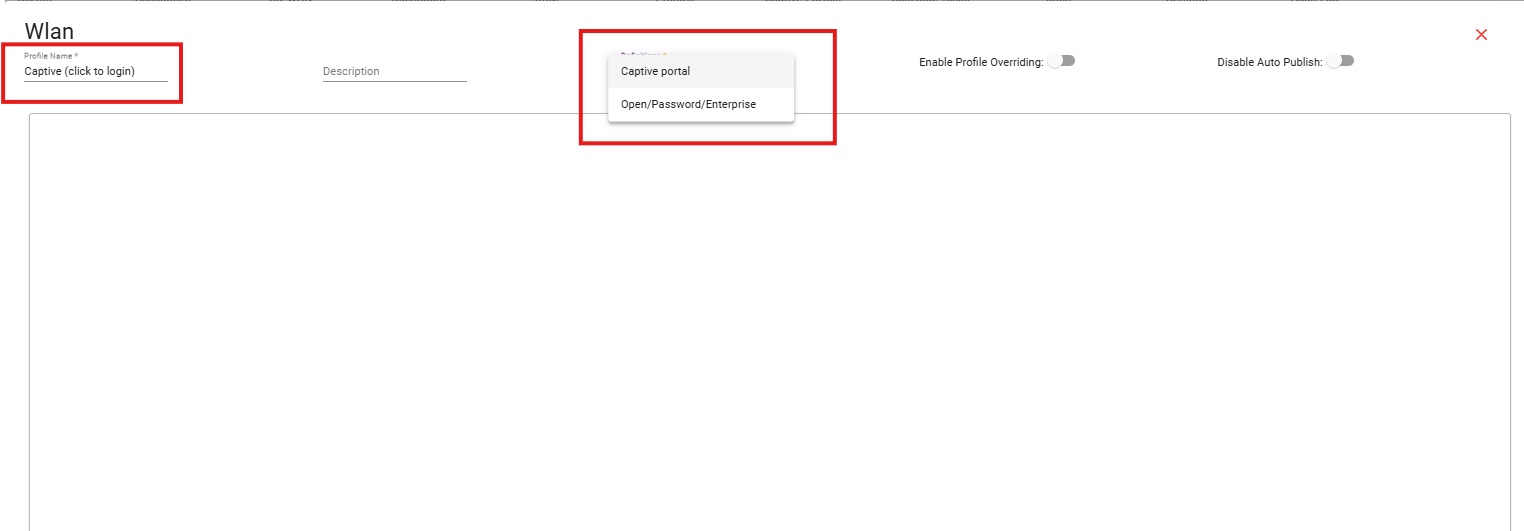
Set a name for the WLAN as per your requirement, and under Definitions, select Captive Portal.
4.3:
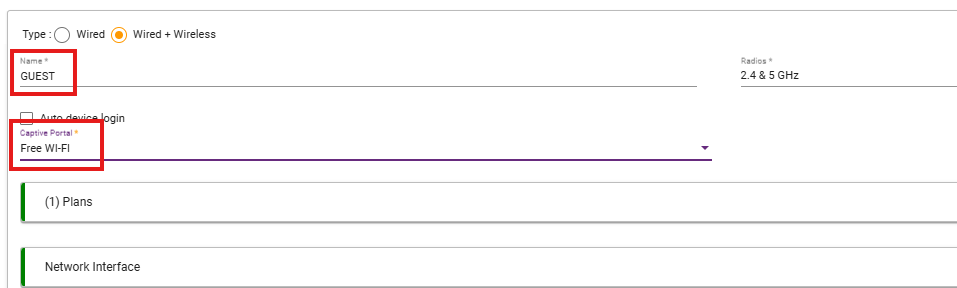
Give the SSID name which you want to broadcast. Select the CAPTIVE PORTAL which you have created.
4.4:
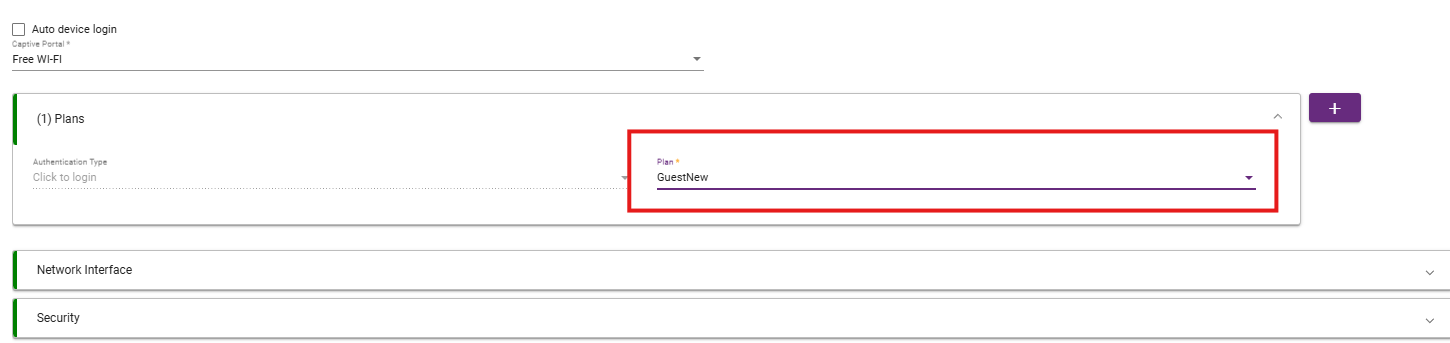
In the Plans tab, select the security groups you want to apply to this captive portal. To add multiple groups, click the “+” icon on the right side of the tab.