An RMA (Return Merchandise Authorization) is a process used by companies to manage the return and replacement of defective products. When a customer encounters an issue with a product, they can request an RMA from the company to return the item for repair, replacement, or refund. The RMA process typically involves obtaining authorization from the company, returning the product according to specific instructions, and then receiving a replacement or refund.
Validate the below points to replace the RMA device successfully.
1. License shifting.
After RMA, the first process is to shift the license from the old device to the new device. For the RAY device, you have to contact your supplier or raise a ticket to the support.life.ray.
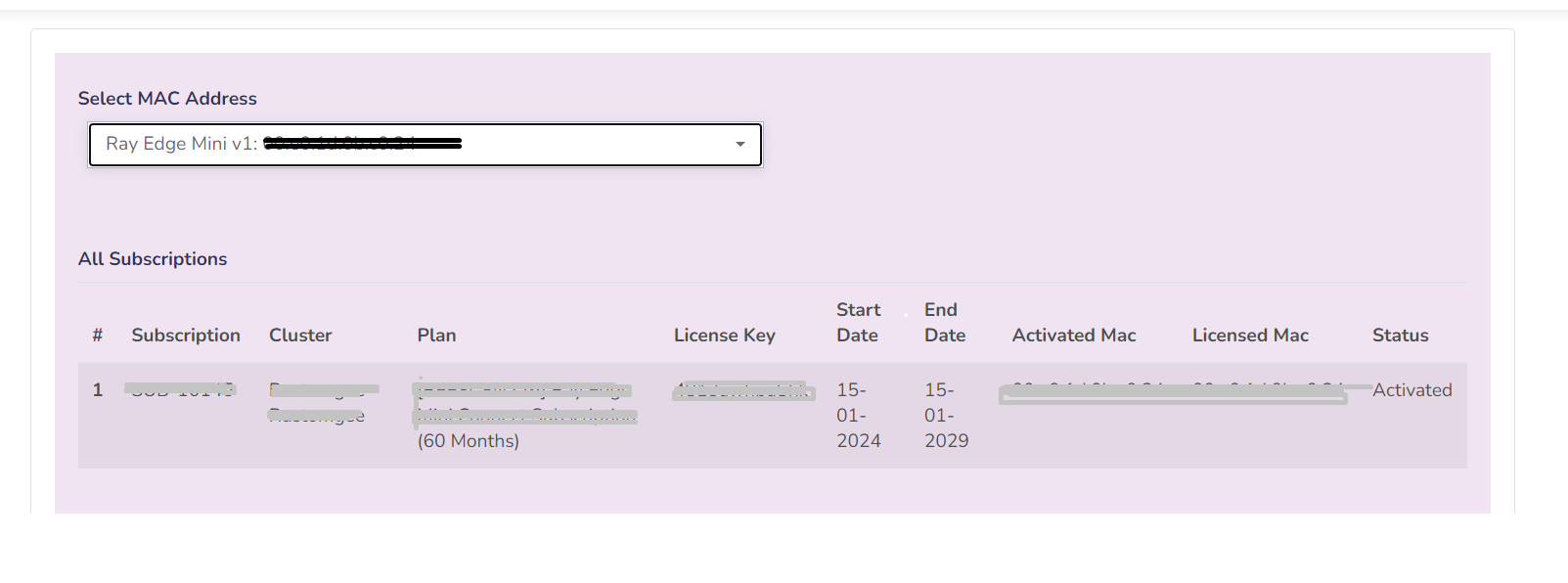
To check the status of the license go to https://store.ray.life/ After login, here you can see the details.
2. Existing Device model.
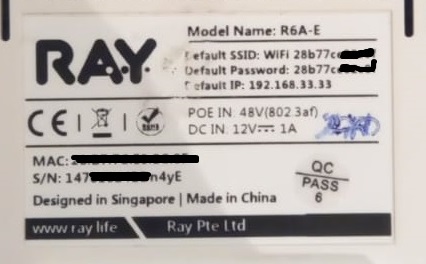
Verify the make model of the device with the old device to the replacement device. Also, validate the ports of the device.
To check the make model or other details see the sticker which is present on the back side of the device.
for reference see the below image.
3. Profile configuration.
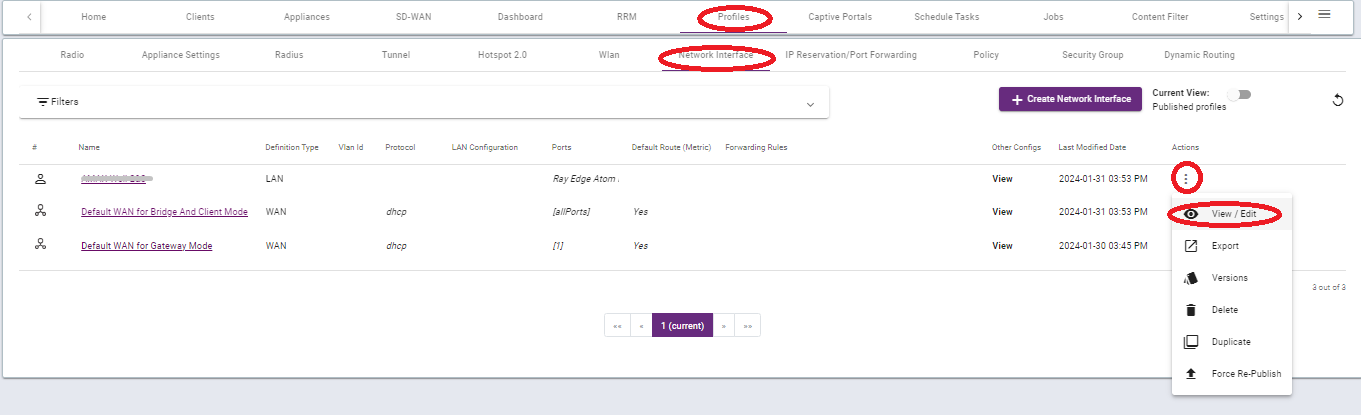
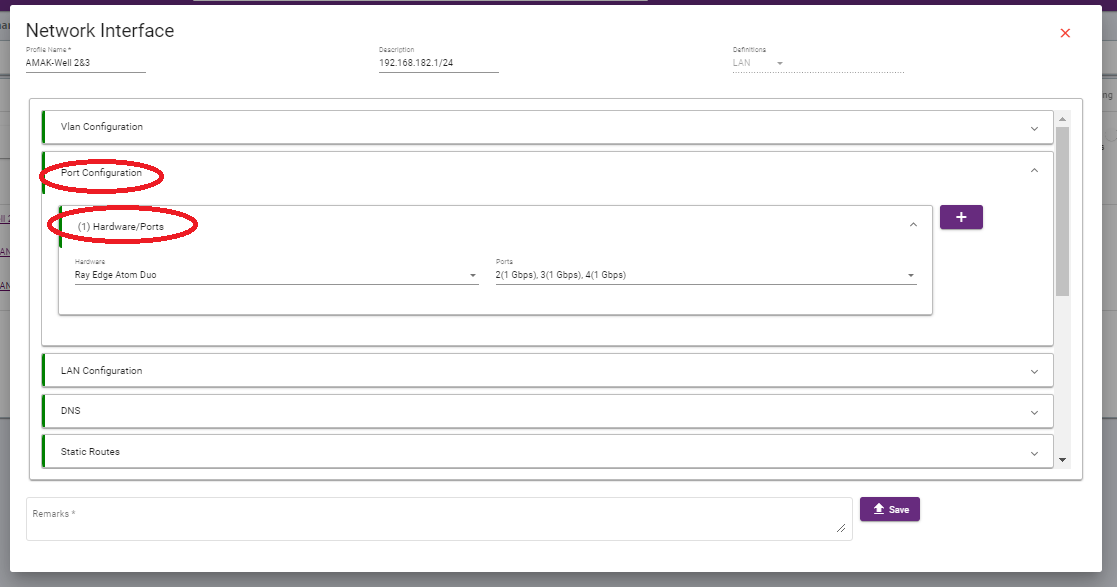
Validate that the make model of the device is the same in the hardware ports in the profiles.
To check the hardware ports, Go to > Profiles > Network Interfaces > select profiles and click on the three dots > View and Edit > port configuration > hardware ports.
Thank you,
Ray support Team