Topic: How to Upgrade the Nodes
Setup via Laptop
Welcome to Ray,
- Log in to https://cloud.ray.life/ with your credentials.


2. Navigate to the Access Points tab and note your Modal No

3. Navigate to the Settings tab in the menu bar of your Home Screen.
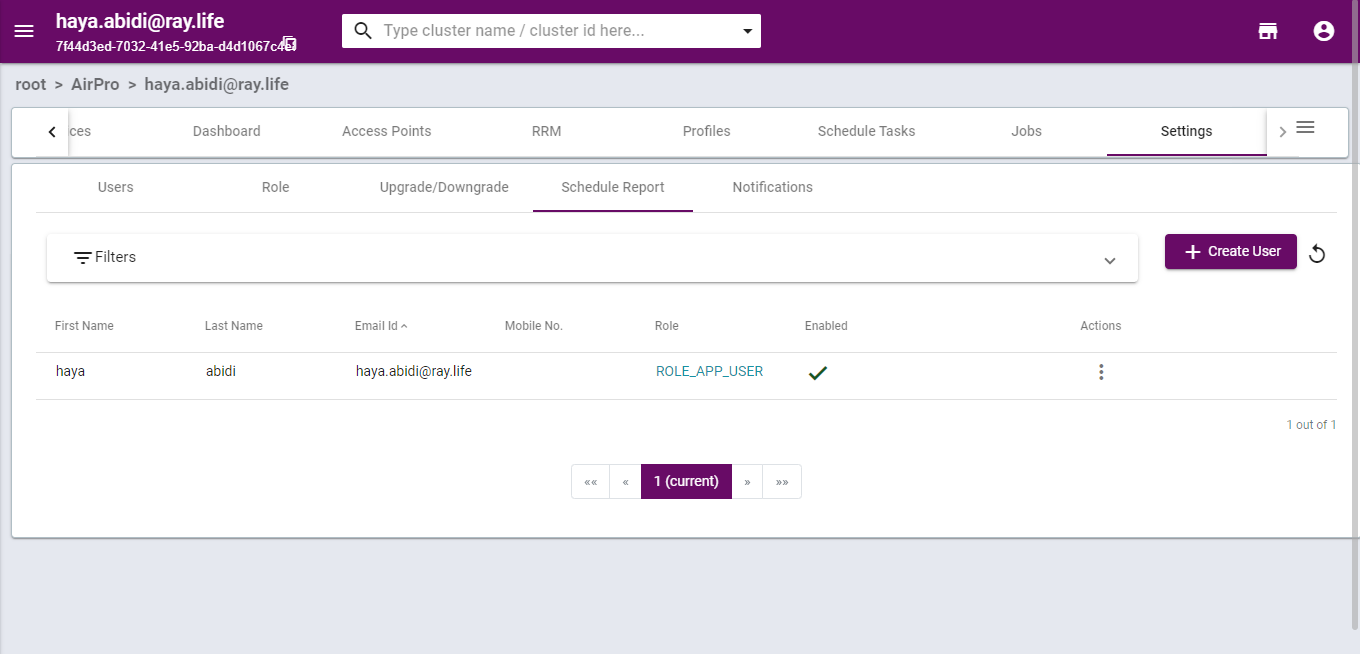
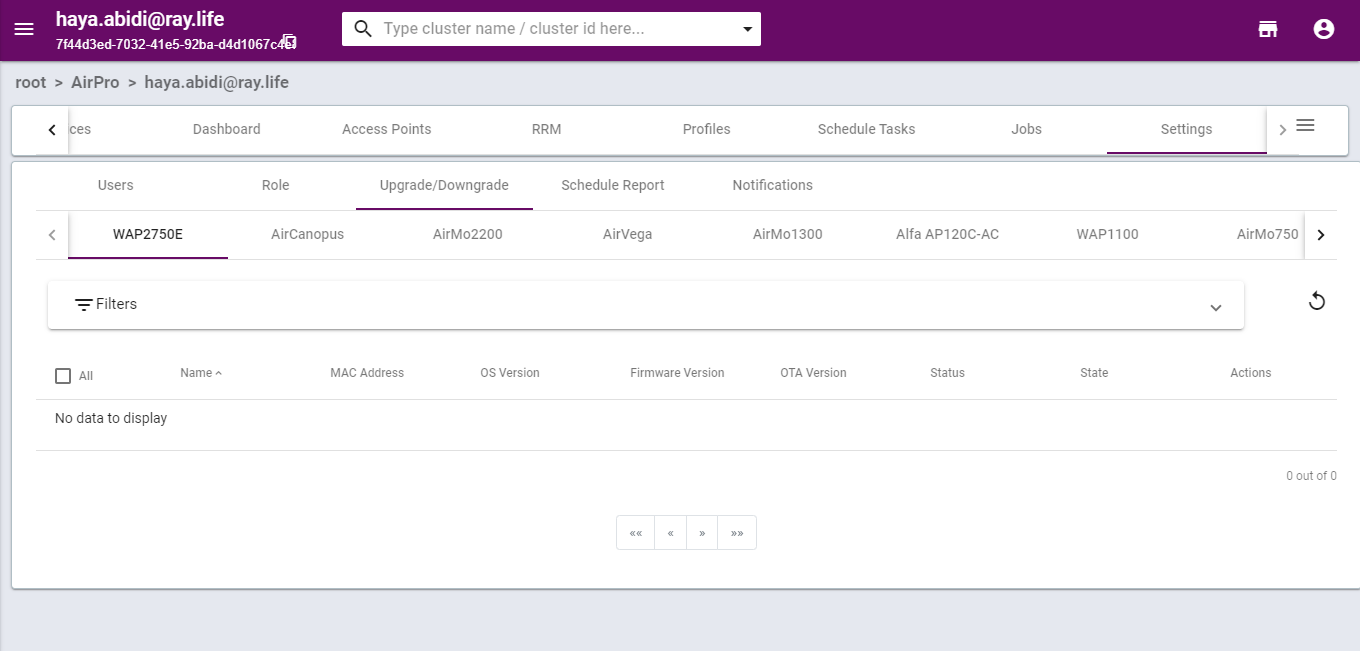
4. Click on Upgrade/Downgrade Tab and select your modal, noted earlier from the Access Points tab
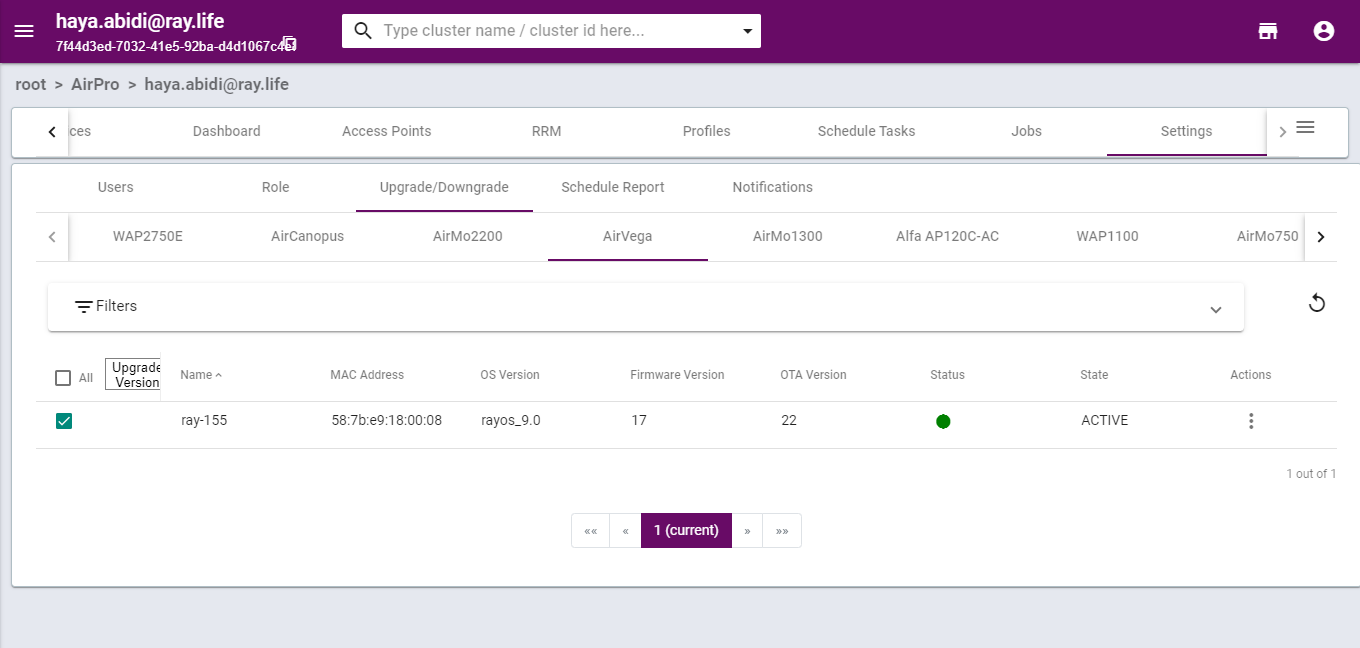
5. Select the checkbox next to the selected modal and click on the Upgrade Version Tab that appears at the top.
Alternatively, you can click on the three dots at the extreme right of the modal and select the option of Upgrade/Downgrade from there.
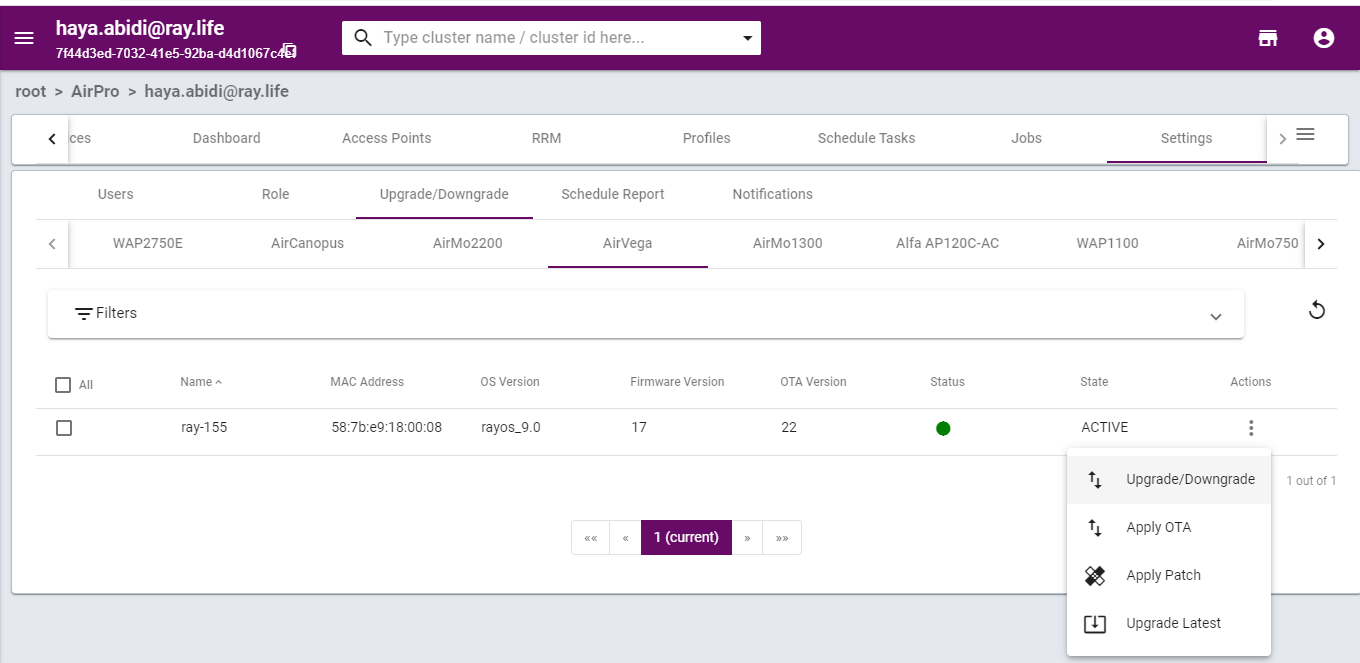
6. Choose your version from the popup drop-down menu and click the Upgrade button.

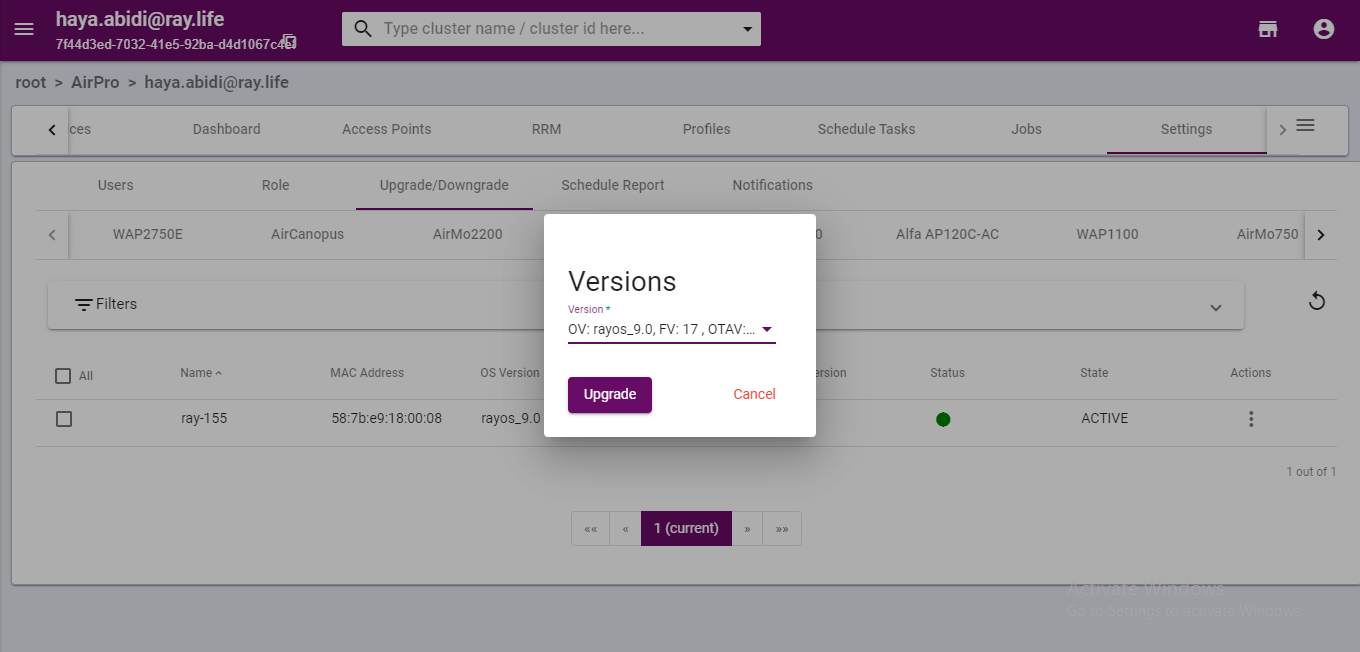
7.Voila! You are done. A popup message confirming that Node(s) has been upgraded will appear confirming your change.
Thank you,
Ray support


