#
What It Does #
Client Load Balancing is a feature that helps spread wireless clients across multiple Access Points (APs) in a network.
When one AP is overloaded with too many devices, this feature can redirect or delay new clients from connecting to that busy AP and encourage them to connect to a less crowded nearby AP instead.
How It Works #
-
When a device tries to connect, the AP checks how many clients it already has.
-
If the AP is busy, it may delay the device’s connection or reject it temporarily.
-
The device then scans and connects to another AP with fewer clients, balancing the load.
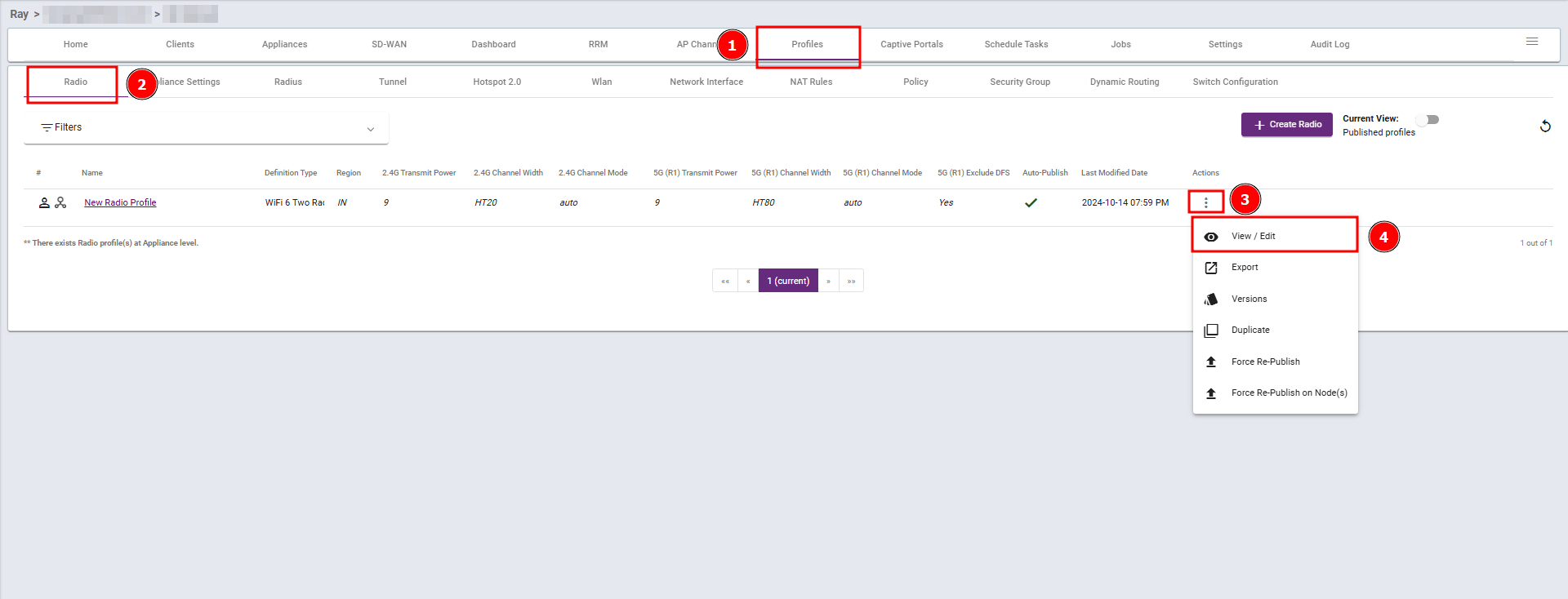
Steps 1: Navigate to the Profiles section, select Radio, then click View/Edit.
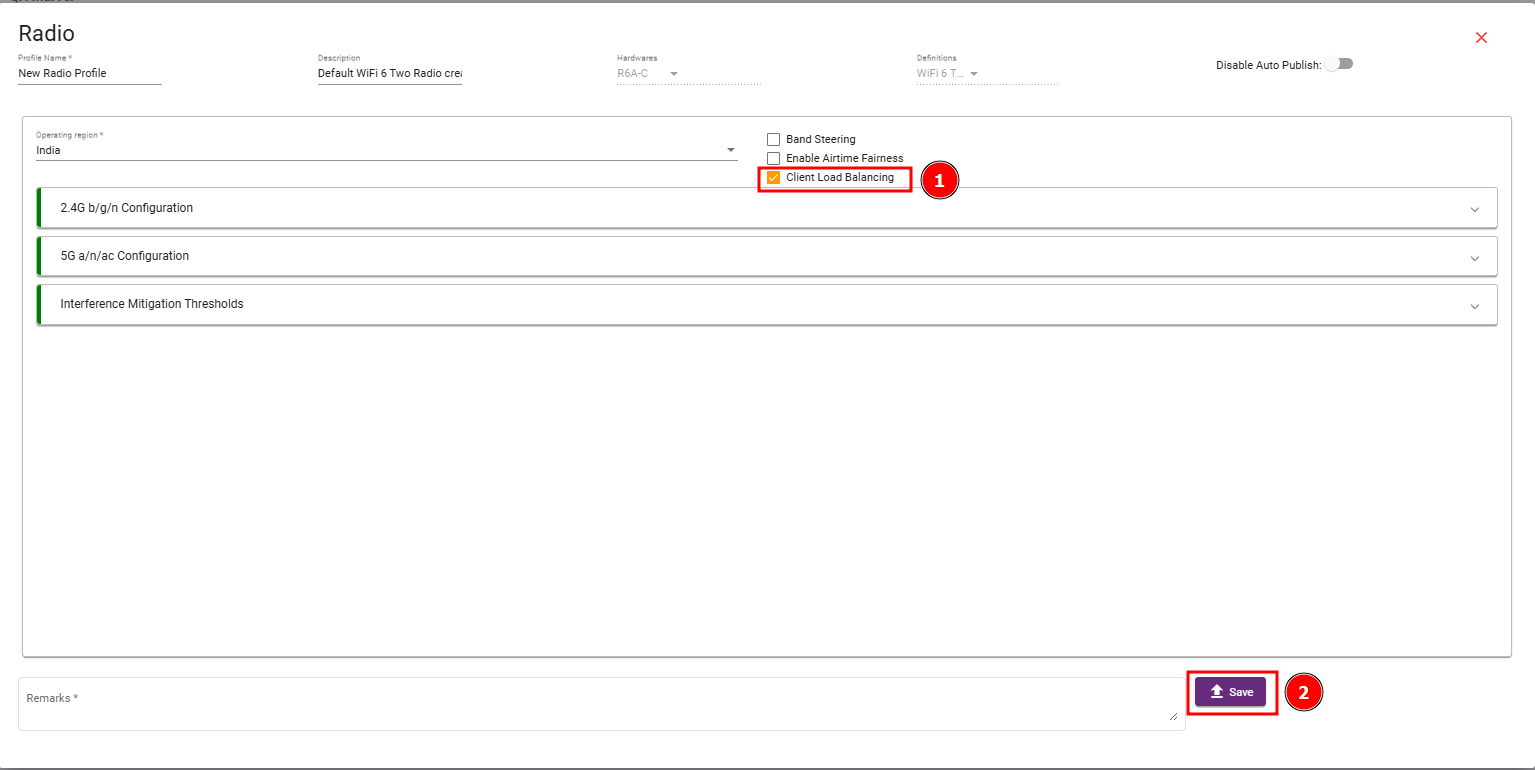
Steps 2 : Enable Client Load Balancing checkbox and then save your changes.