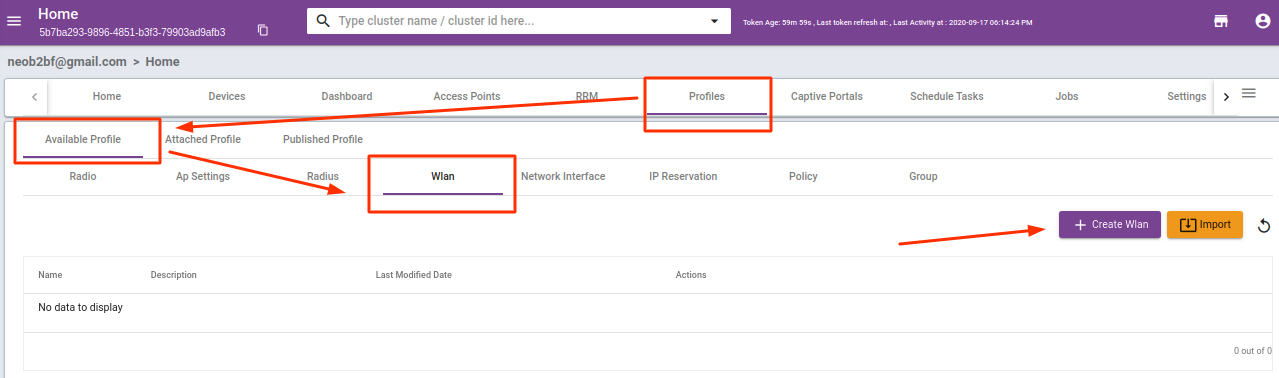
In the case in the child cluster, you don’t see any interfaces then follow the interface creation procedure to make it possible.
a) Go to Profile > Available Profile >Network Interface, click “Create Network Interface“.
These steps are to create LAN interface for the SSID you want to broadcast.
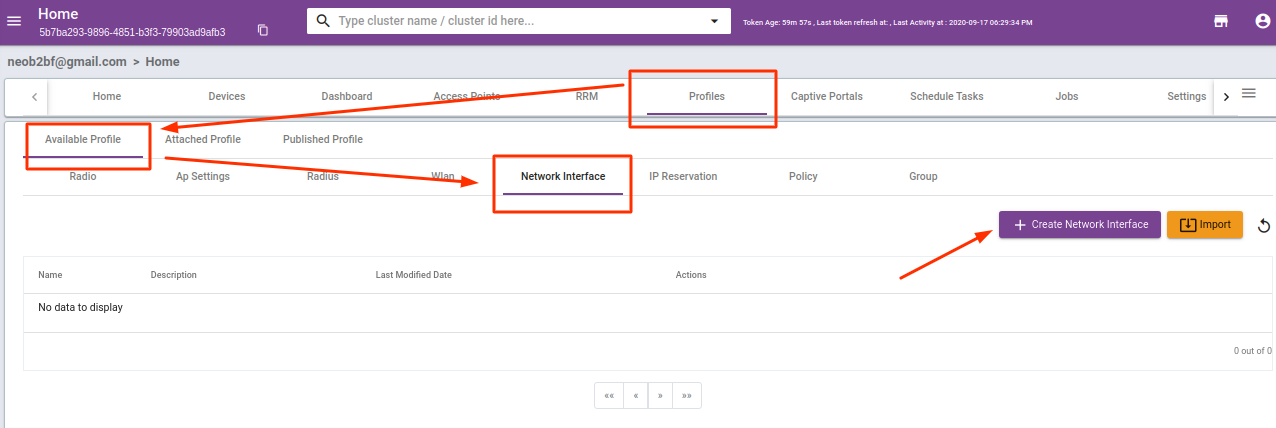
b) As soon as you click on “Create Network Interface“, the below page will be popping up asking for
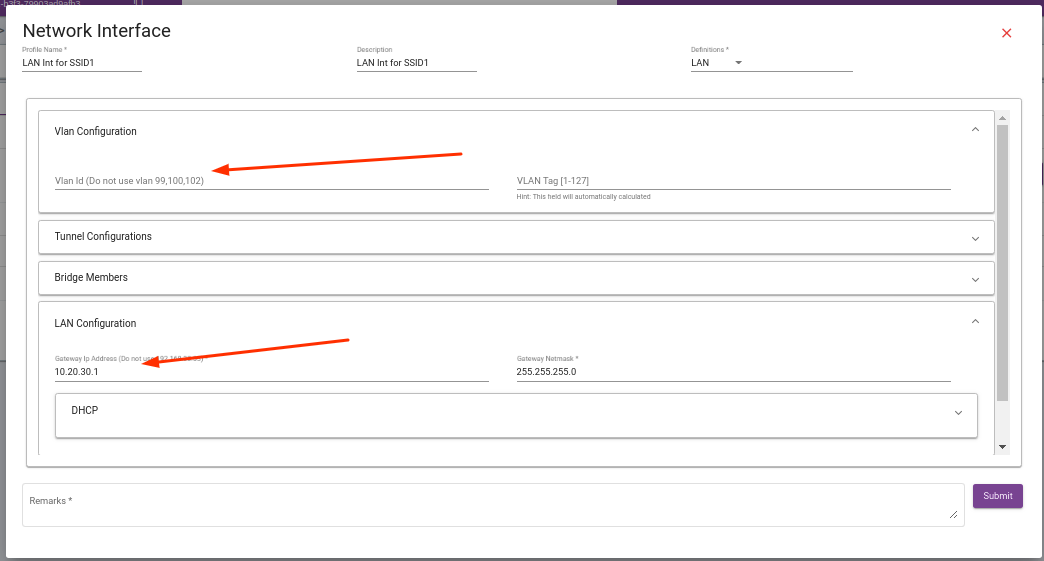
the basic details about the interface you want to create like VLAN, in this case, we are creating a single SSID.
Kindly note that few options are not mandatory, hence those are optional.
( The IP address needs to be given to the interface.)
fillup you desired IP address range details and click ” Submit”
c) Create a WAN interface :
1) Go to the Profile tab of your cluster and then Available Profile > Wlan, click “Create WAN“.