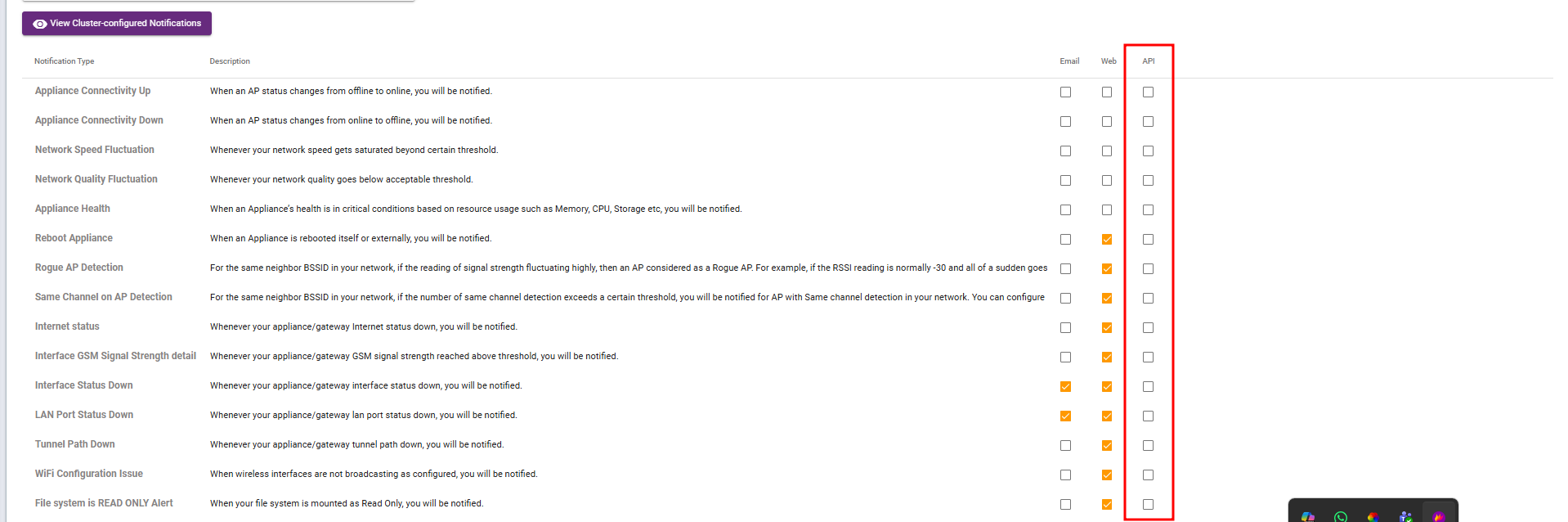
A notification is a message or alert sent to inform a user about an event, update, alert, or other relevant information
Typesof notification via Email, Web and API
Email Notifications:
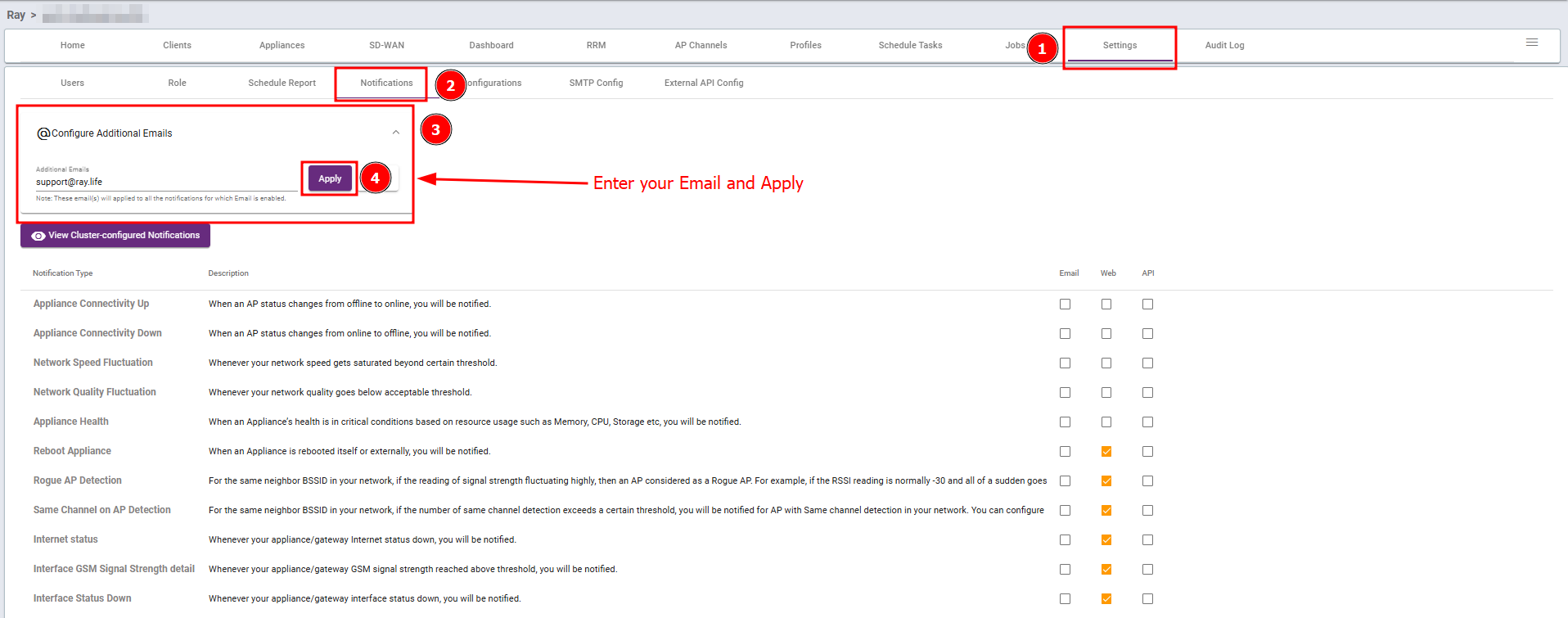
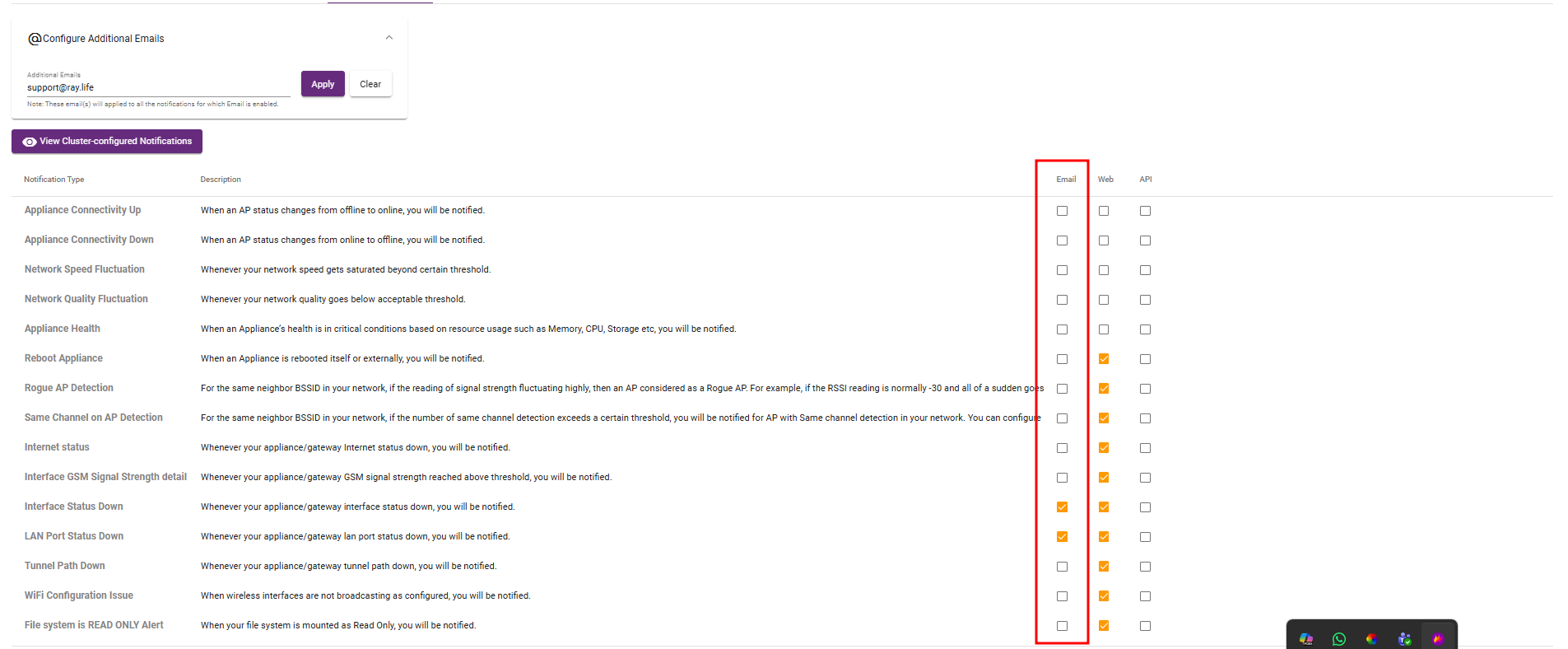
An email notification is a message sent via email to inform the recipient about a specific event or update selected by the user.
Steps: Go to Settings → Notifications, enter the email addresses (for multiple emails, separate them with commas, e.g., yahoo.com, google.com), select the desired notification checkboxes, and save your changes.
Web Notifications:
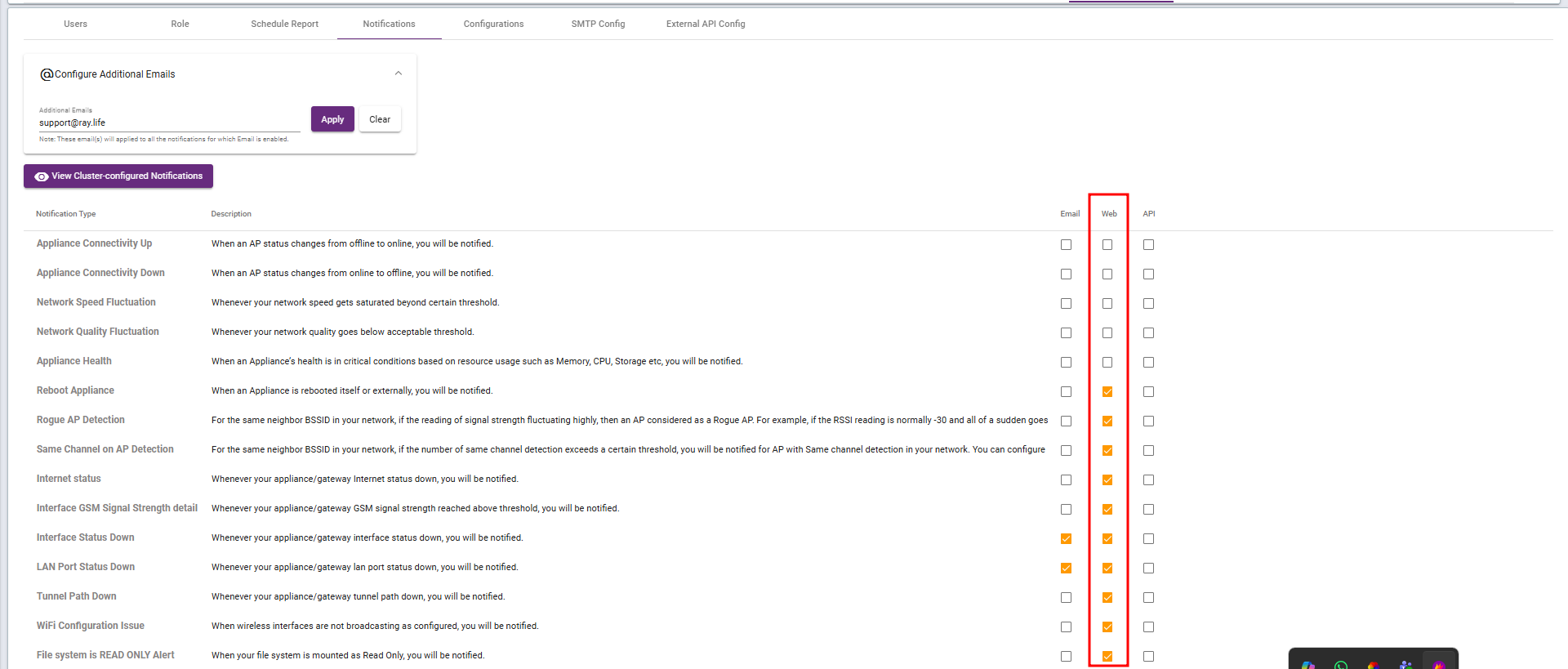
An Web notification is on Ray Controller to inform the recipient about a specific event or update selected by the user.
Steps: Go to Settings → Notifications select Web, choose the required checkboxes to enable web notifications, and receive these notifications on the RAY controller.
API Notifications:
An Web notification is on Ray Controller to inform the recipient about a specific event or update selected by the user.
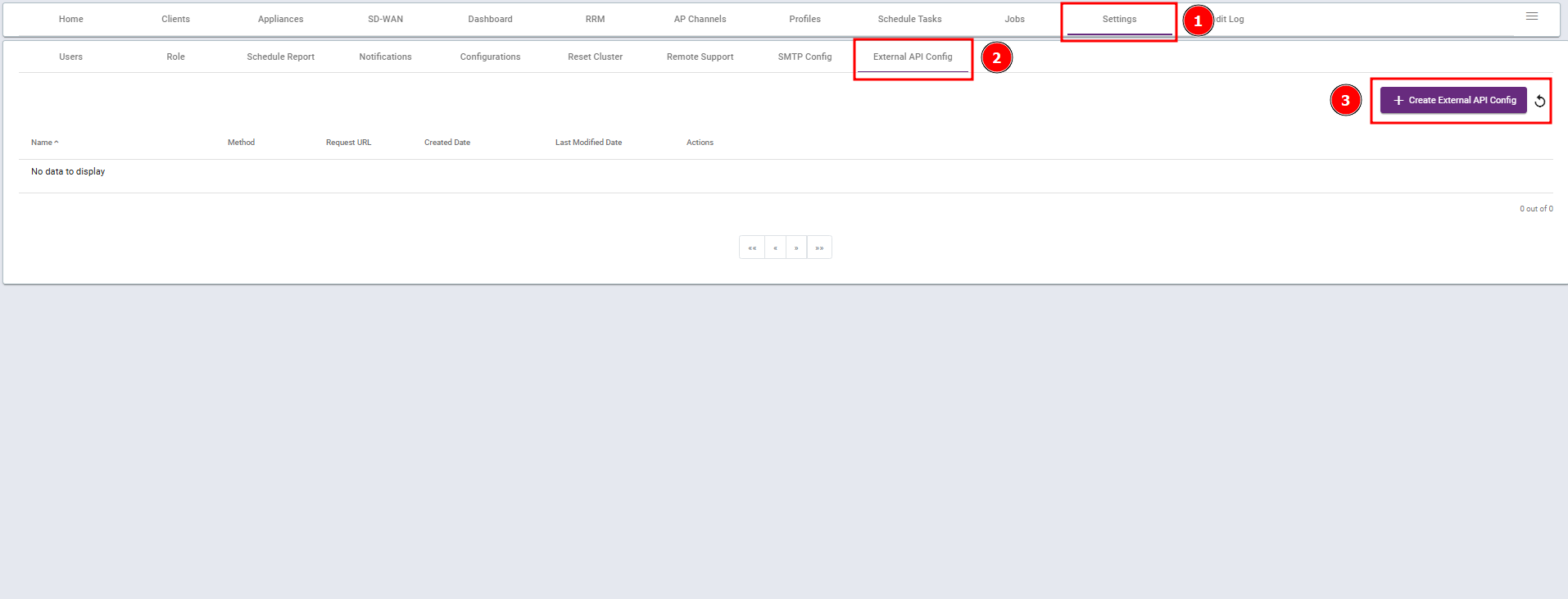
Steps 1: Go to Settings → External API Config and create External API Config,
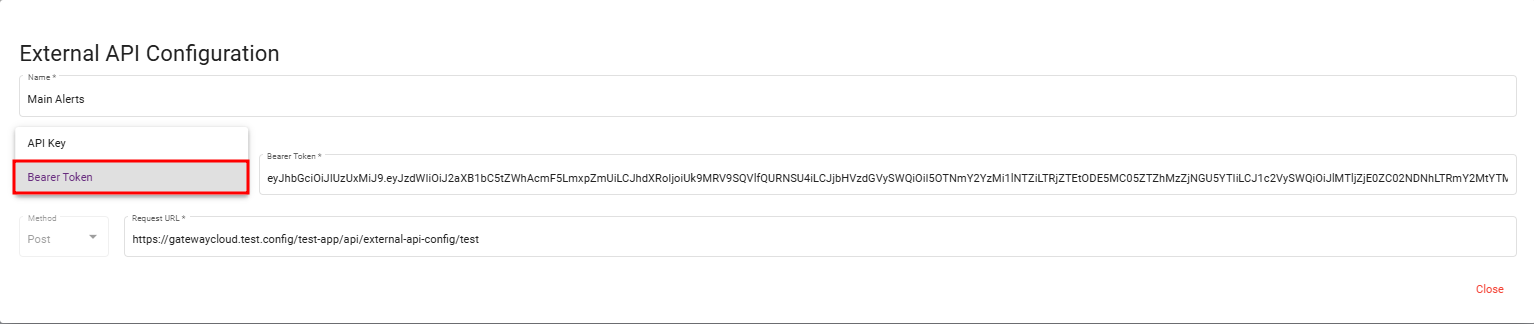
Steps 2: Enter the Name and select the appropriate Authorization. Then input the selected data, enter the URL where the data will be received, and click Save.
Note: The authorization should be valid for long-term use.
The External API configuration is now complete.
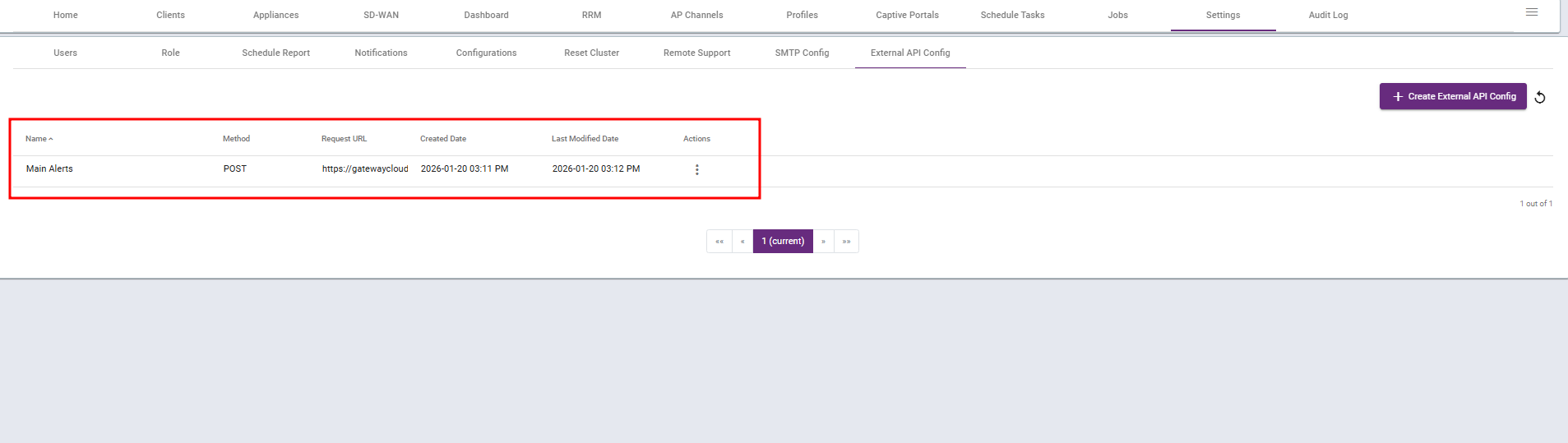
Steps 3: Go to Settings → Notifications and select the required checkboxes to enable API notifications, and receive the data at the provided URL.