Subscription process with license CSV file upload method: #
The subscription method is very easy and handy, which barely takes a minute to activate the license keys you have purchased.
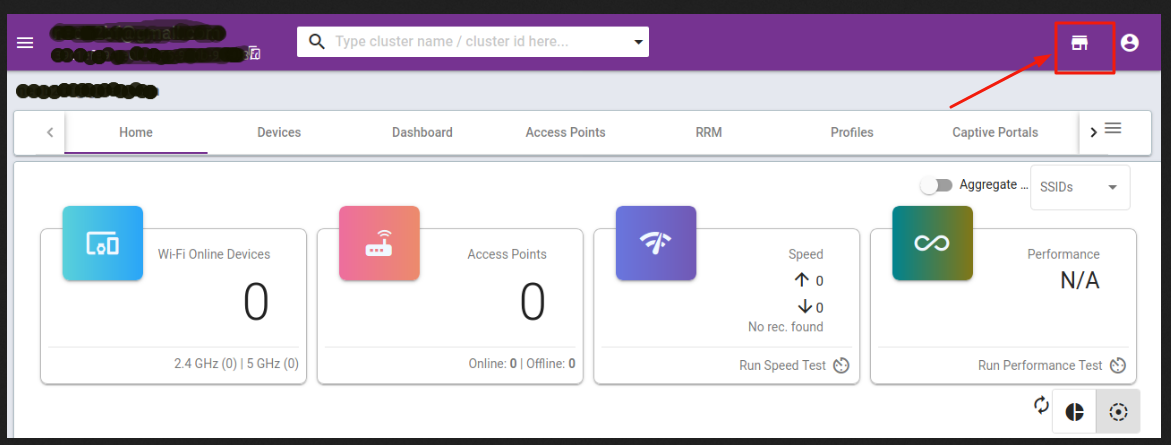
1) Firstly, you need to login to your Ray Cloud account, then click on the “App Store” button given right side top
corner icon, as given in the below image.
2) As soon as you click on “App Store” it will take you to a Unique app store which is having value-adding features
available on the list.
Go to Your A/c name icon right side top corner pointed in the below image and click on the “Activate License” option. will take you to the License subscription activation page. just like the below image.
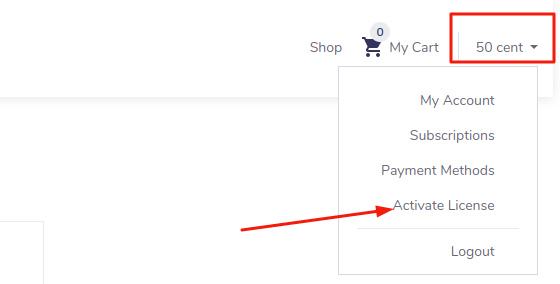
3) Click on “Activate license”, which will take you to the License subscription activation page. just like the below image.
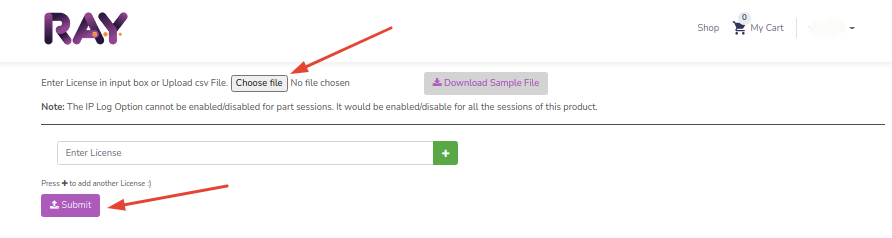
Click the “Choose file” button and upload your subscription license key CSV file and click the “Submit” button. and that will activate your services.