
Android / IOS App Install
Last updated: Mar 05, 2020
Ray AppUninstall any Beta/Existing version of the Ray app.Go to Play Store / App StoreSearch for ray.lifeIt will show Ray.life (Beta) by...
Ray App
- Uninstall any Beta/Existing version of the Ray app.
- Go to Play Store / App Store
- Search for ray.life
- It will show Ray.life (Beta) by Meditab
- Download the App
- Get QR Code
- QR code from back of your AP.
- Login to Controller.
- Go to Access Point.
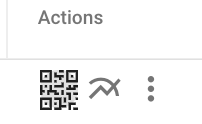
- Click Actions -> QR code image.
- Click No if there is any prompt.
- Put your username
- Put your password
- Click Remember Me (Optional)
- Click Login.
Prev
What are your feelings
🙂😐🙁