
Checking Speed via Internal Speed test
Last updated: Jul 07, 2026
SCENARIO : Checking Speed via Internal Speed test CATEGORY : Diagnostics PURPOSE / USE CASE : Measure actual throughput from AP to client STEPS TO TEST : Run speed test via...
SCENARIO : Checking Speed via Internal Speed test
CATEGORY : Diagnostics
PURPOSE / USE CASE : Measure actual throughput from AP to client
STEPS TO TEST : Run speed test via Ray UI
STEPS TO CHECK AP SPEED:
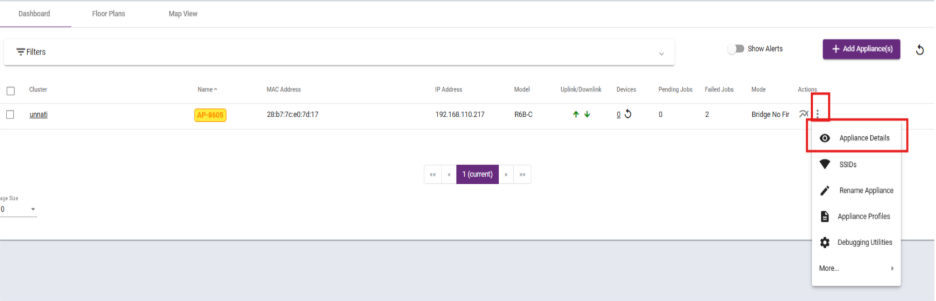
Step 1:
Click on Appliances details under Appliances section.
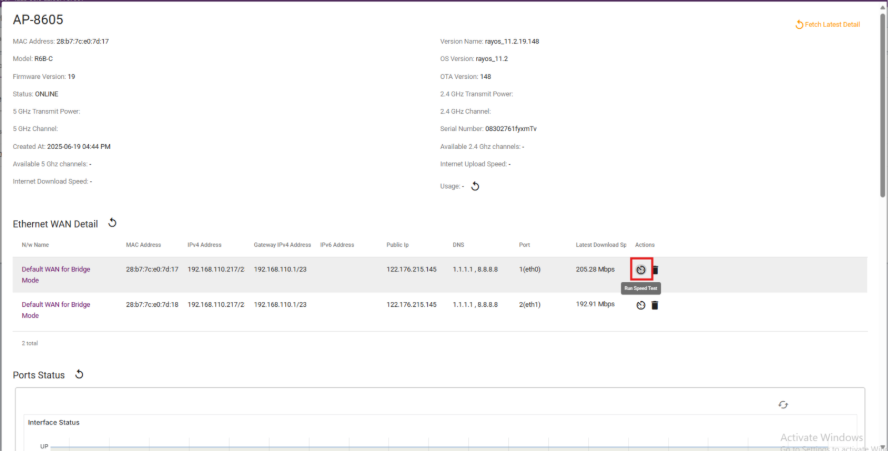
Step 2:
Click on the speed test symbol under Ethernet WAN Detail.
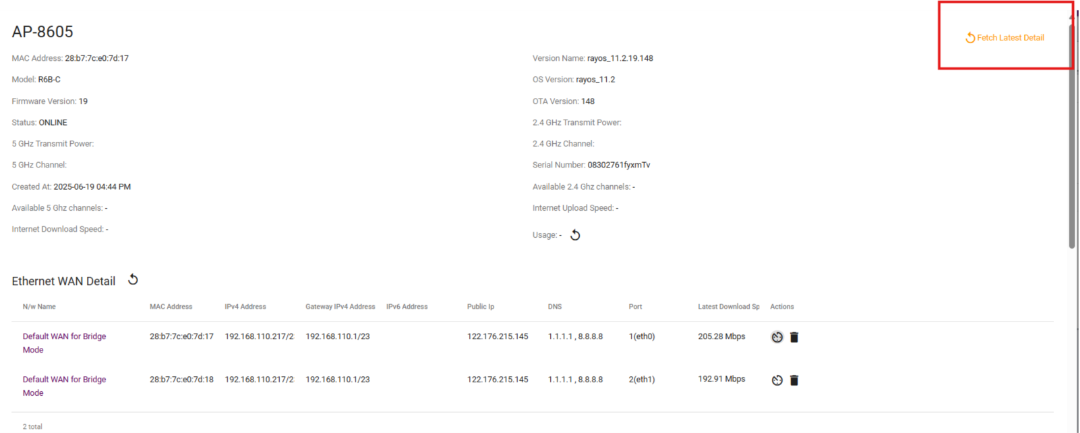
Step 3:
Click on the FETCH LATEST DETAIL to get the latest details.
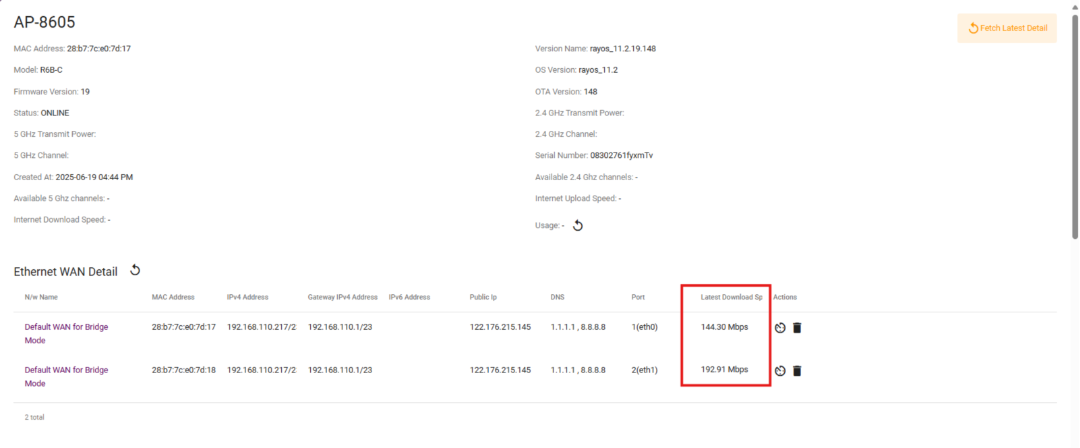
Step 4:
It will display the latest speed of the device.
What are your feelings
🙂😐🙁