
Load Balancing in Wi-Fi: Avoiding Overloaded Access Points
Last updated: Jul 07, 2026
What It Does Client Load Balancing is a feature that helps spread wireless clients across multiple Access Points (APs) in a network....
What It Does
Client Load Balancing is a feature that helps spread wireless clients across multiple Access Points (APs) in a network.
When one AP is overloaded with too many devices, this feature can redirect or delay new clients from connecting to that busy AP and encourage them to connect to a less crowded nearby AP instead.
How It Works
-
When a device tries to connect, the AP checks how many clients it already has.
-
If the AP is busy, it may delay the device’s connection or reject it temporarily.
-
The device then scans and connects to another AP with fewer clients, balancing the load.
When a device tries to connect, the AP checks how many clients it already has.
If the AP is busy, it may delay the device’s connection or reject it temporarily.
The device then scans and connects to another AP with fewer clients, balancing the load.
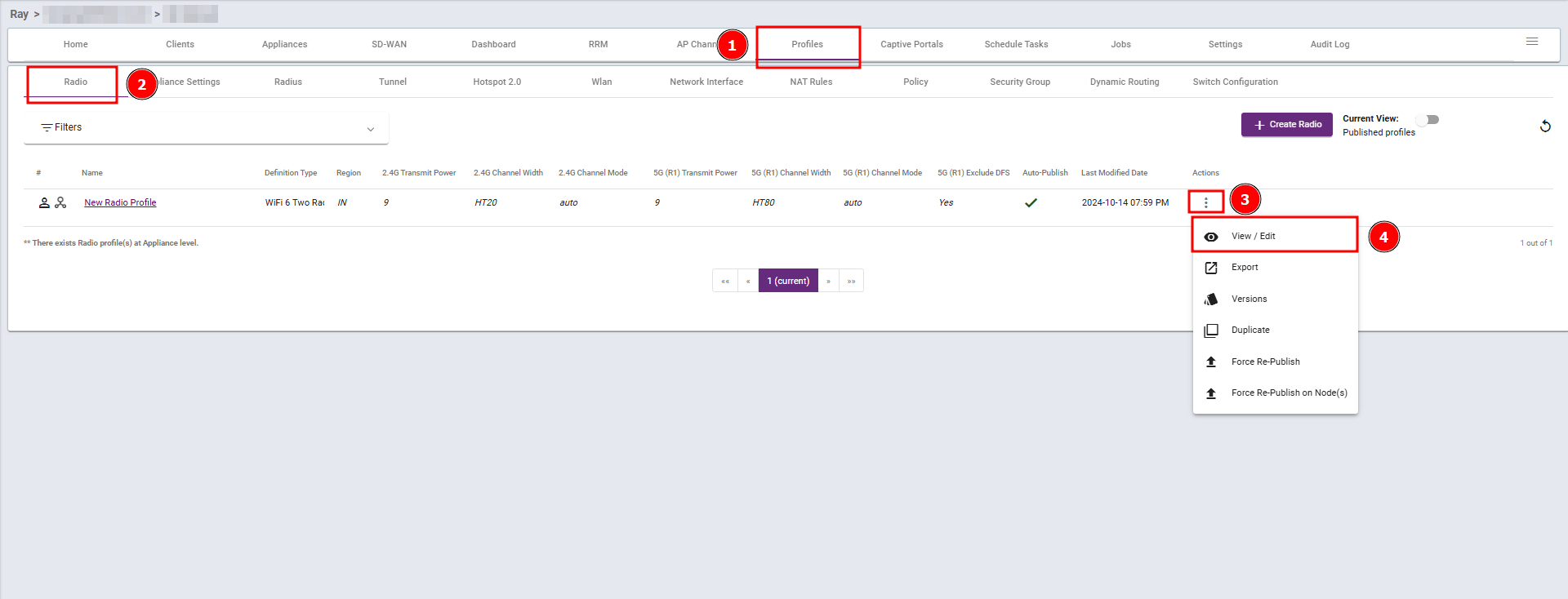
Steps 1: Navigate to the Profiles section, select Radio, then click View/Edit.
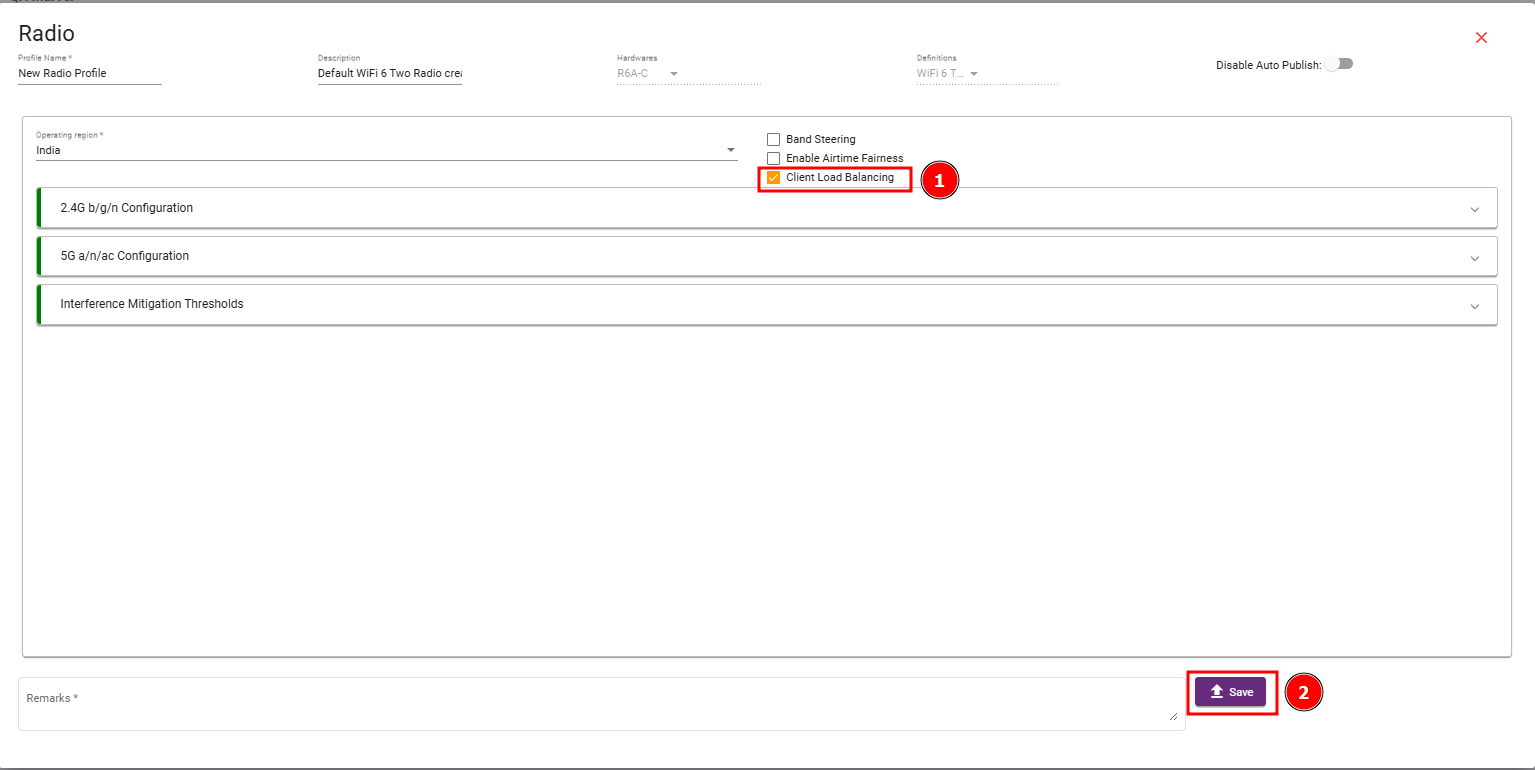
Steps 2 : Enable Client Load Balancing checkbox and then save your changes.
What are your feelings
🙂😐🙁