
Disabling 802.11g Legacy Rates: Improving Speed and Reducing Airtime Waste
802.11g is an older Wi-Fi standard introduced in 2003, operating on the 2.4 GHz band with speeds up to 54 Mbps. It was widely used in early Wi-Fi devices but has since been replaced by faster, more efficient standards like 802.11n, 802.11ac, and 802.11ax (Wi-Fi 6).
Purpose of Disabling 802.11g Legacy Rates
Disabling 802.11g prevents older, slower clients from connecting to the wireless network using outdated data rates (typically 6, 9, 12, 18, 24, 36, 48, and 54 Mbps).
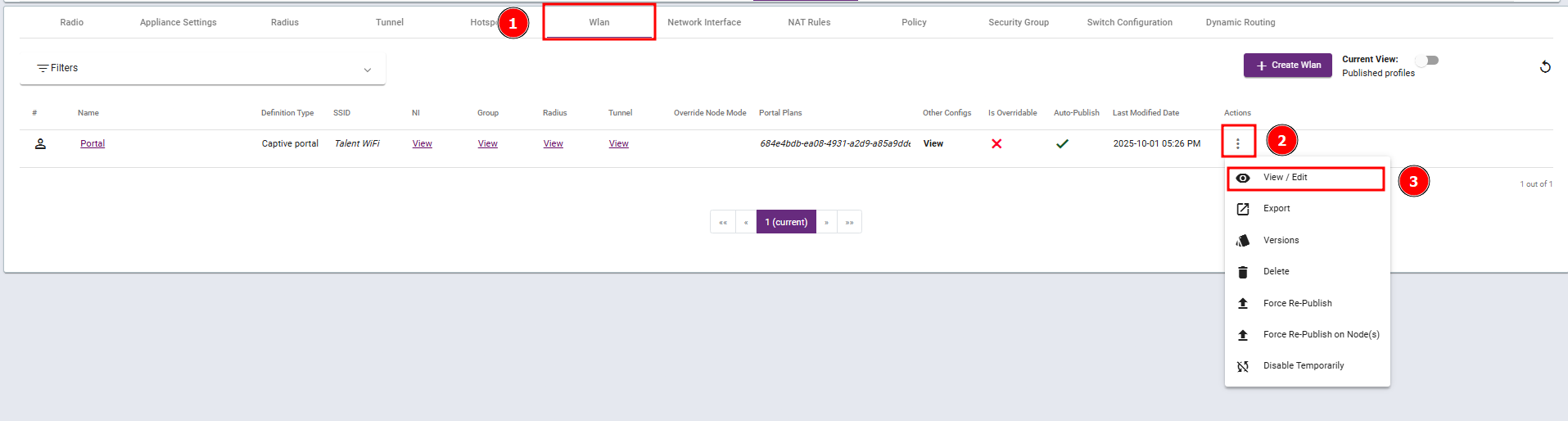
Steps 1: Navigate to the WLAN profile and select View / Edit.
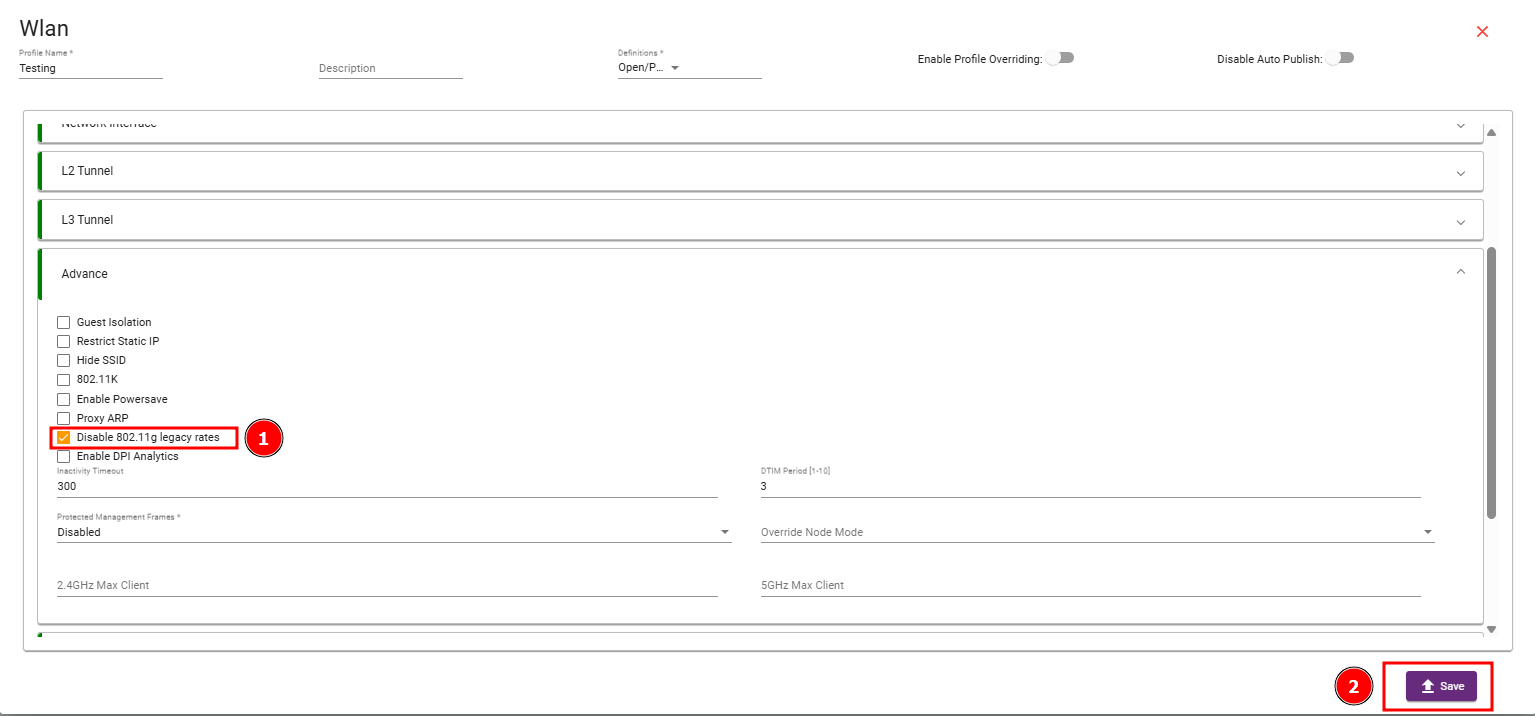
Step 2: Navigate to the Advance Section, enable the Disable 802.11g legacy rates checkbox, and then save your changes.
Disabling 802.11g legacy rates helps to modernize your wireless network by forcing faster, more efficient connections, reducing airtime waste, and improving overall performance especially in high-density or performance-critical environments.