
Move Device From one Cluster to Another Cluster
Last updated: Jul 06, 2026
Overview This document explains the steps to move a device from one cluster to another cluster in Ray Cloud. For example, if...
Overview
This document explains the steps to move a device from one cluster to another cluster in Ray Cloud.
For example, if you want to move a device from the default1 cluster to the default cluster, follow the steps below.
Steps to Move a Device
1. Identify Source and Destination Cluster
First, identify both clusters:
- Source Cluster: The cluster where the device is currently available
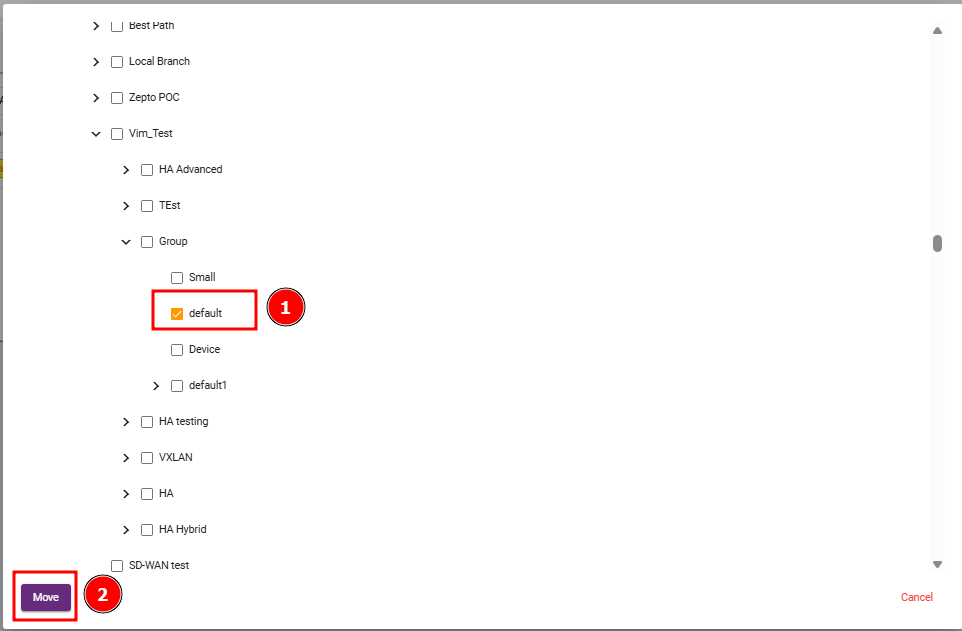
Example:default1 - Destination Cluster: The cluster where you want to move the device
Example:default
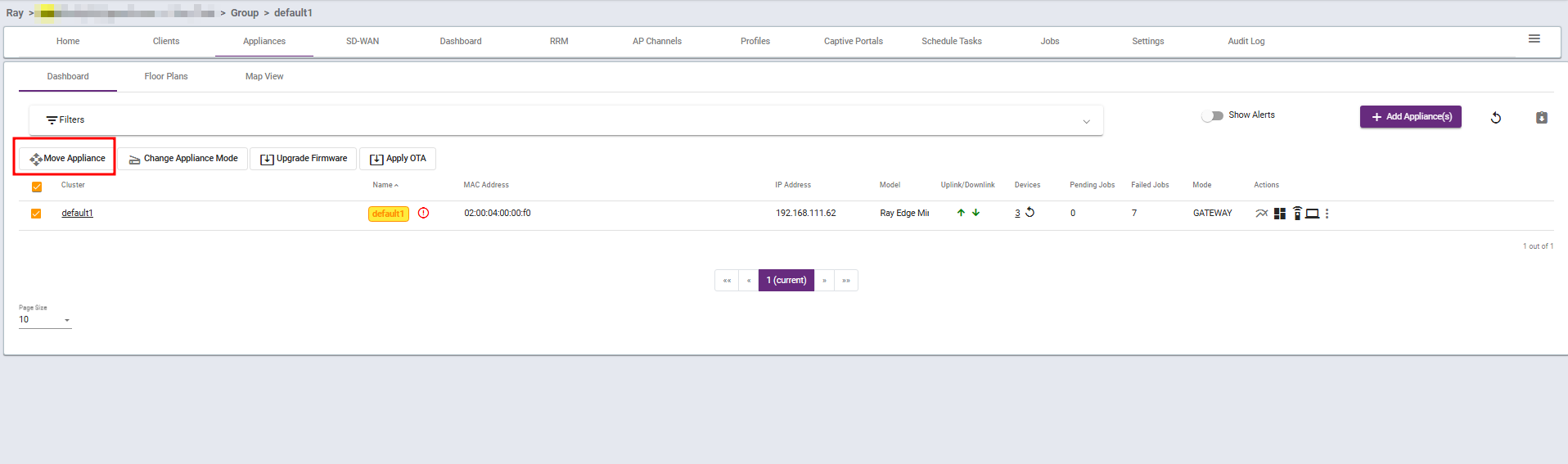
2. Go to the Source Cluster
Log in to Ray Cloud and open the source cluster.
Example:
Go to the default1 cluster.
3. Open the Appliance Section
Navigate to the Appliance section.
From the appliance list, find the device that you want to move.
4. Move the Device
After locating the device:
- Click on the Action button.
- Select Move.
- Choose the destination cluster.
- Confirm the move operation.
5. Verify the Device
After publishing, check the destination cluster.
The moved device should now be visible in the new cluster.
What are your feelings
🙂😐🙁