
Hidden SSID: A Basic Wi-Fi Privacy Feature
Last updated: Jul 07, 2026
Hiding the SSID makes your Wi-Fi name invisible during scans, adding a small privacy layer. Steps 1: Navigate to the WLAN profile...
Hiding the SSID makes your Wi-Fi name invisible during scans, adding a small privacy layer.
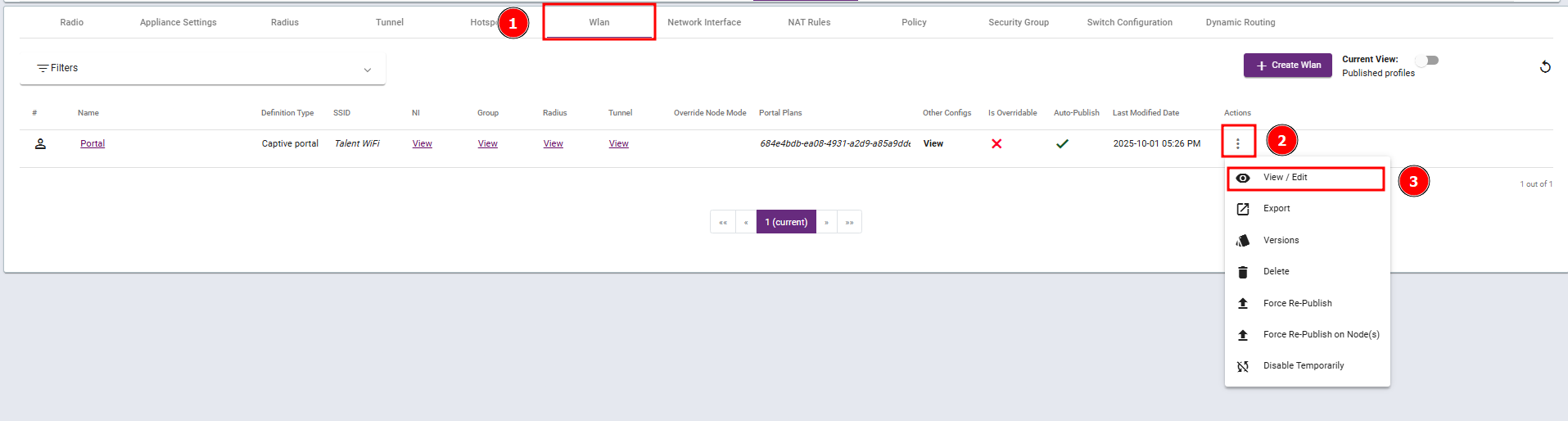
Steps 1: Navigate to the WLAN profile and select View / Edit.
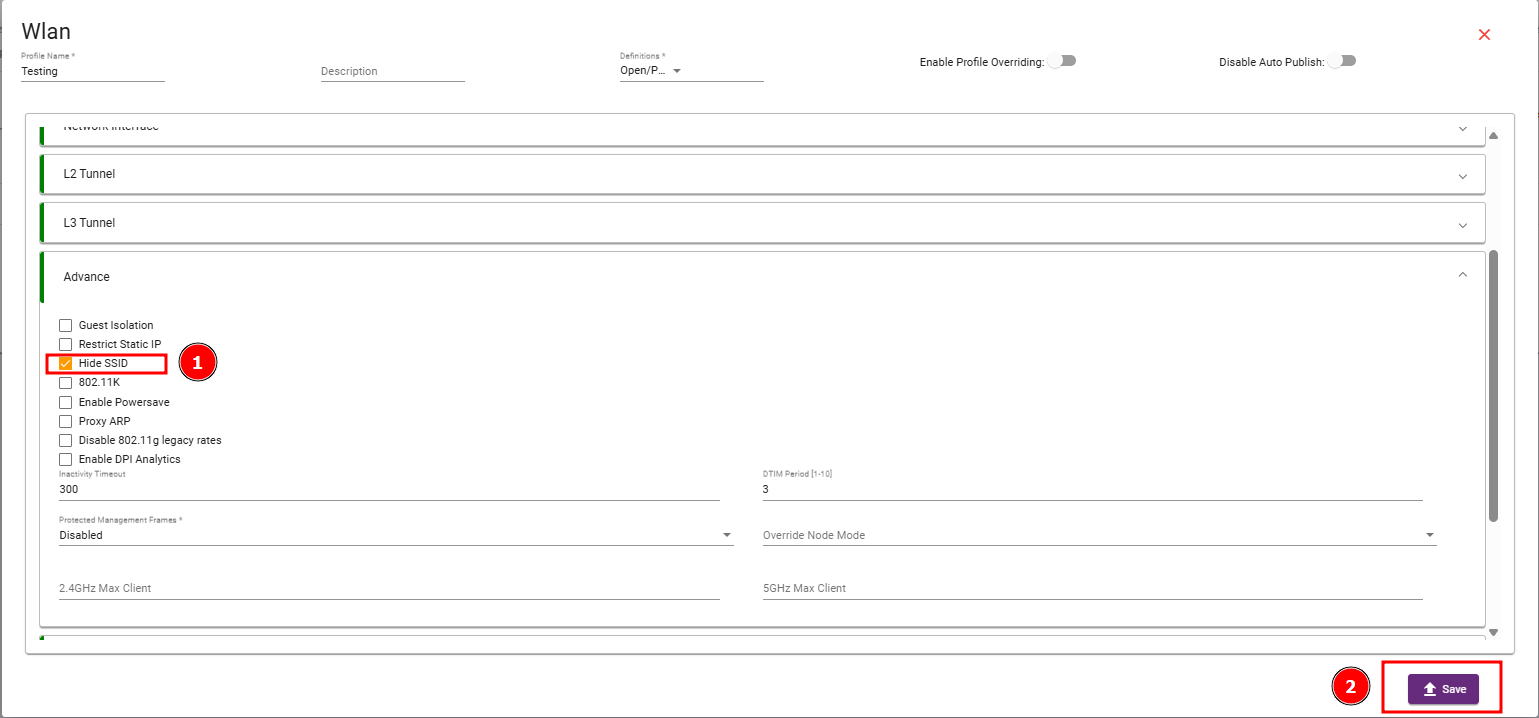
Step 2: Navigate to the Advance Section, enable the Hide SSID checkbox, and then save your changes.
What are your feelings
🙂😐🙁