
Restrict Static IP: Enforcing DHCP for Secure Wi-Fi Access
Last updated: Jul 06, 2026
Restrict Static IP is a wireless network feature that prevents devices from manually setting their own IP addresses when connecting to the...
Restrict Static IP is a wireless network feature that prevents devices from manually setting their own IP addresses when connecting to the Wi-Fi network.
Instead, it forces all clients to use DHCP (Dynamic Host Configuration Protocol) to automatically receive an IP address from the network.
Purpose
- To block clients from using self-assigned (manual/static) IP addresses.
-
To enforce DHCP-only IP assignment for better control and stability.
- To block clients from using self-assigned (manual/static) IP addresses.
-
To enforce DHCP-only IP assignment for better control and stability.
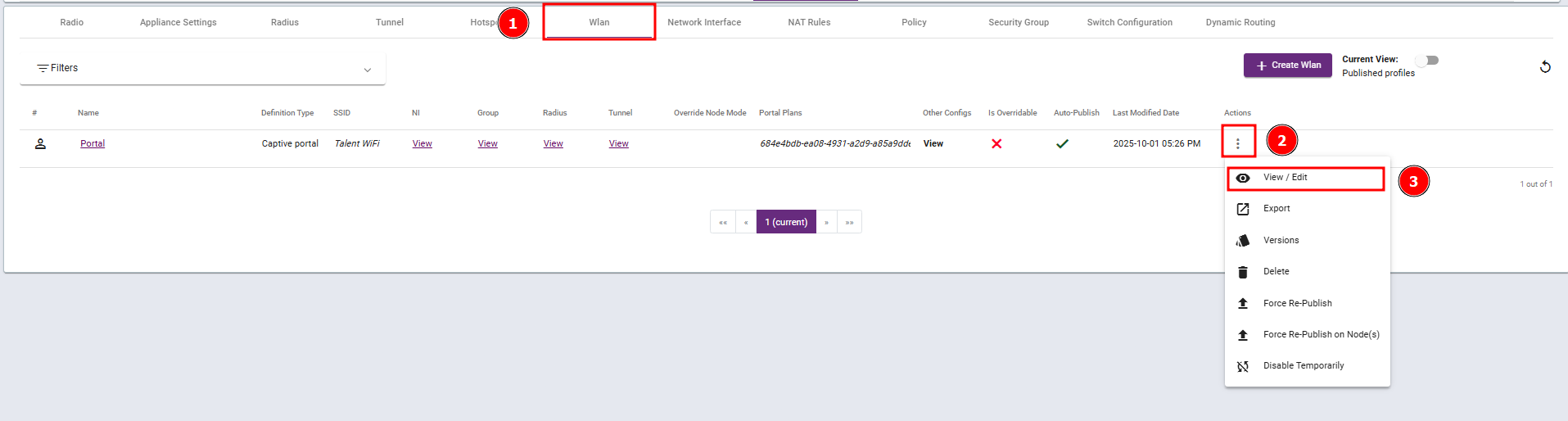
Steps 1: Navigate to the WLAN profile and select View / Edit.
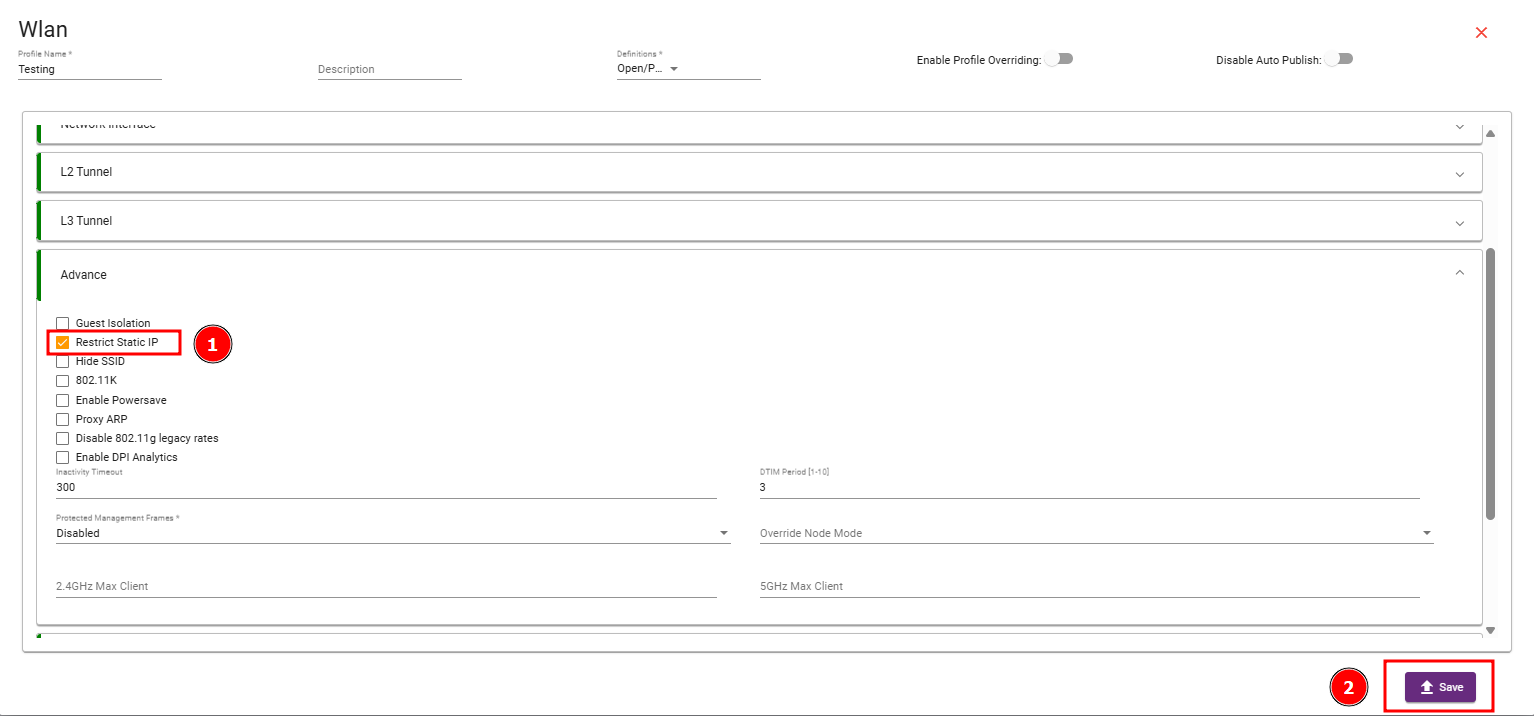
Step 2: Navigate to the Advance Section, enable the Restrict Static IP checkbox, and then save your changes.
What are your feelings
🙂😐🙁