
How to Update Your Wi-Fi (SSID) Password
Last updated: Jul 06, 2026
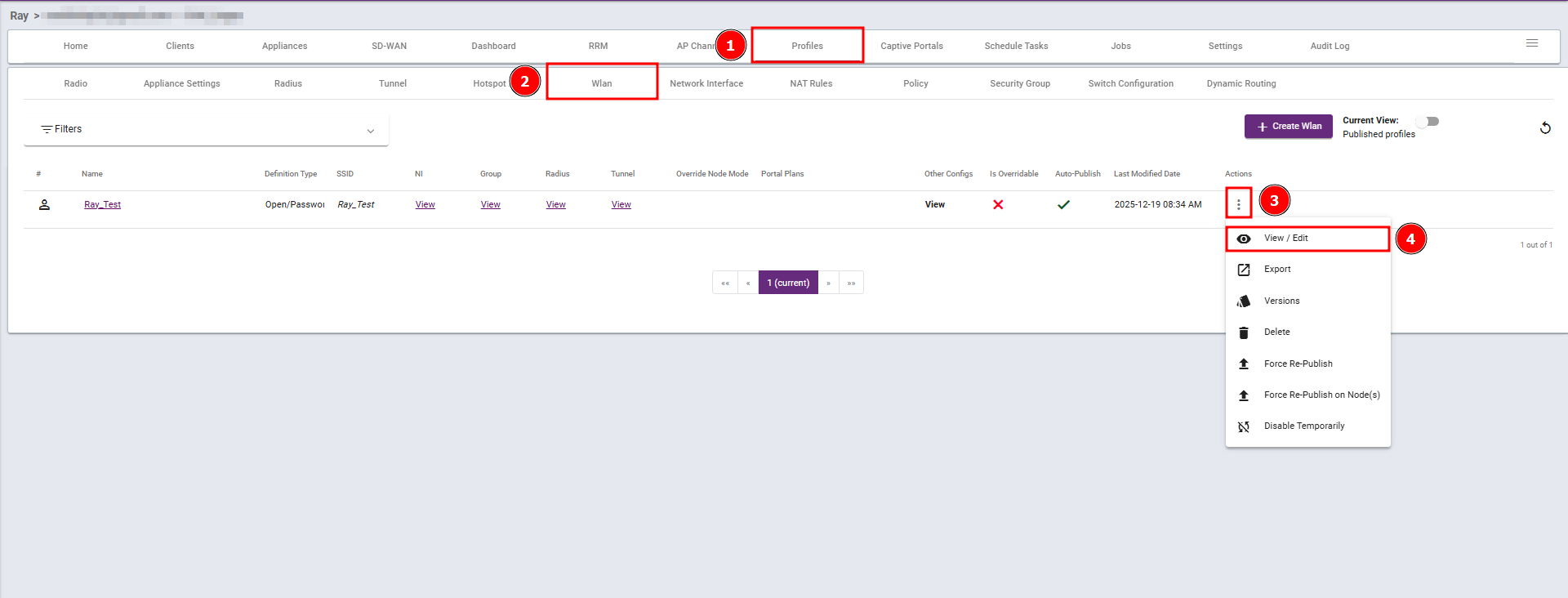
Steps 1: Navigate to the Profiles section, select Wlan, then click View/Edit. Steps 2: Enter the Password as per your requirement and then...
Steps 1: Navigate to the Profiles section, select Wlan, then click View/Edit.
Steps 2: Enter the Password as per your requirement and then save your changes. 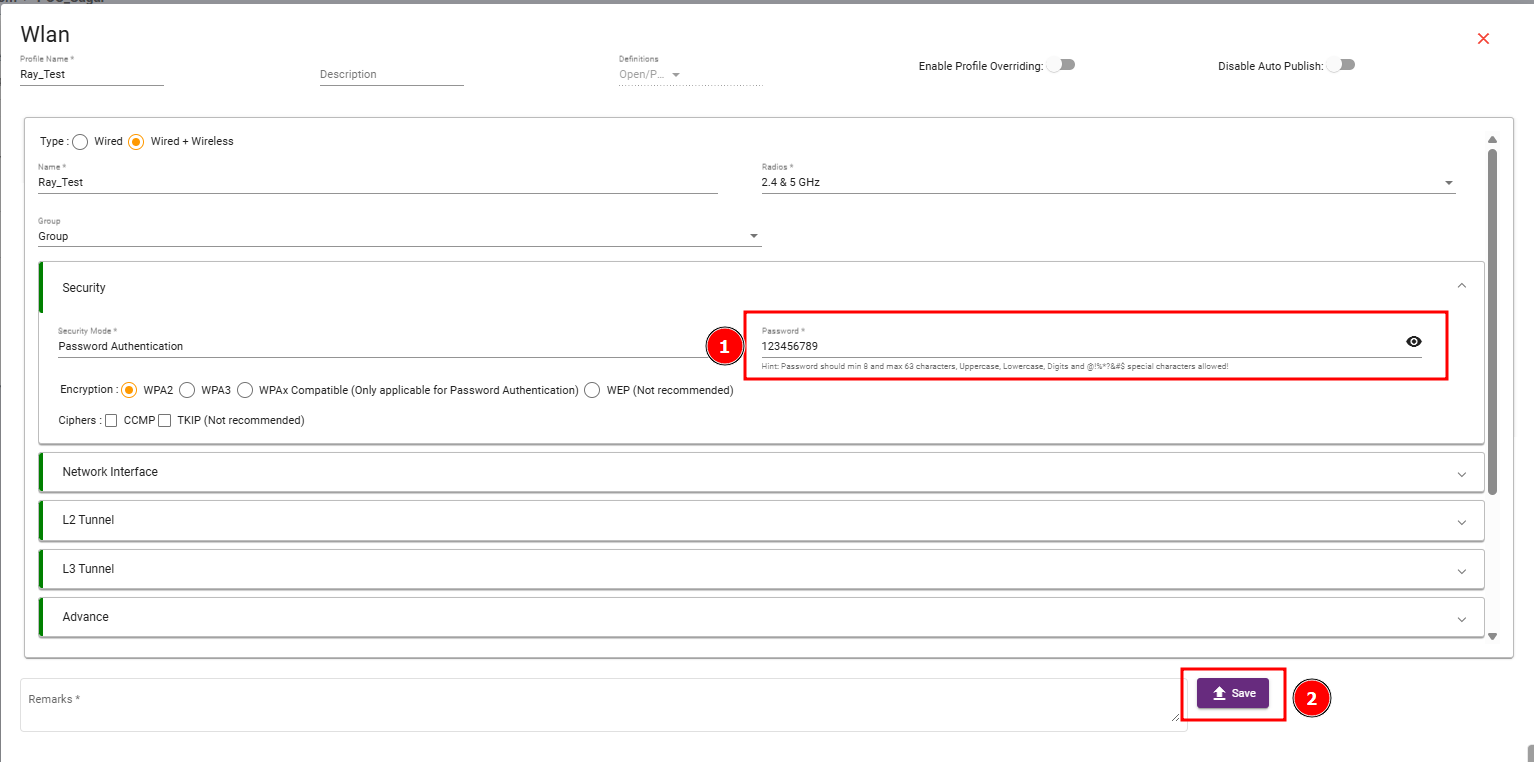
What are your feelings
🙂😐🙁