
Introduction to Settings
Introduction to Settings
Table of Contents
- Overview
- Users
- Roles
- Schedule Report
- Notifications
- Configurations
1. Overview
The Settings section is used to manage administrative and system-level configurations in the Ray Cloud Cluster.
This section allows administrators to perform the following activities:
- User creation, editing, and deletion
- Role allocation and access control
- Scheduled report configuration
- Notification management
- System configuration settings
The Settings section includes the following modules:
- Users
- Roles
- Schedule Report
- Notifications
- Configurations
2. Users
The Users module is used to create and manage users who require access to the Ray Cloud Cluster.
Administrators can use this section to:
- Create new users
- Edit existing user details
- Delete users
- Assign roles to users
- Provide cluster login access
This helps ensure that only authorized users can access and manage the Ray Cloud Cluster.

3. Roles
The Roles module is used to define access permissions for users.
Roles help administrators restrict or allow access to specific features of the Ray Cloud Cluster based on the user’s responsibility.
For example:
A Manager role may be allowed to access:
- Reports
- User browsing data logs
- Application monitoring
- Cluster analytics
A normal user may only have limited access based on the permissions assigned by the administrator.

Using roles, administrators can allow or restrict access to different features of the Ray Cloud Cluster.
This ensures better security, controlled access, and proper user management.


4. Schedule Report
The Schedule Report module is used to configure automatic report generation and delivery through email.
Reports can be scheduled based on business requirements.

Supported schedule options include:
- Daily reports
- Weekly reports
- Monthly reports
- Annual reports
This feature helps administrators receive regular reports without manually generating them every time.

5. Notifications
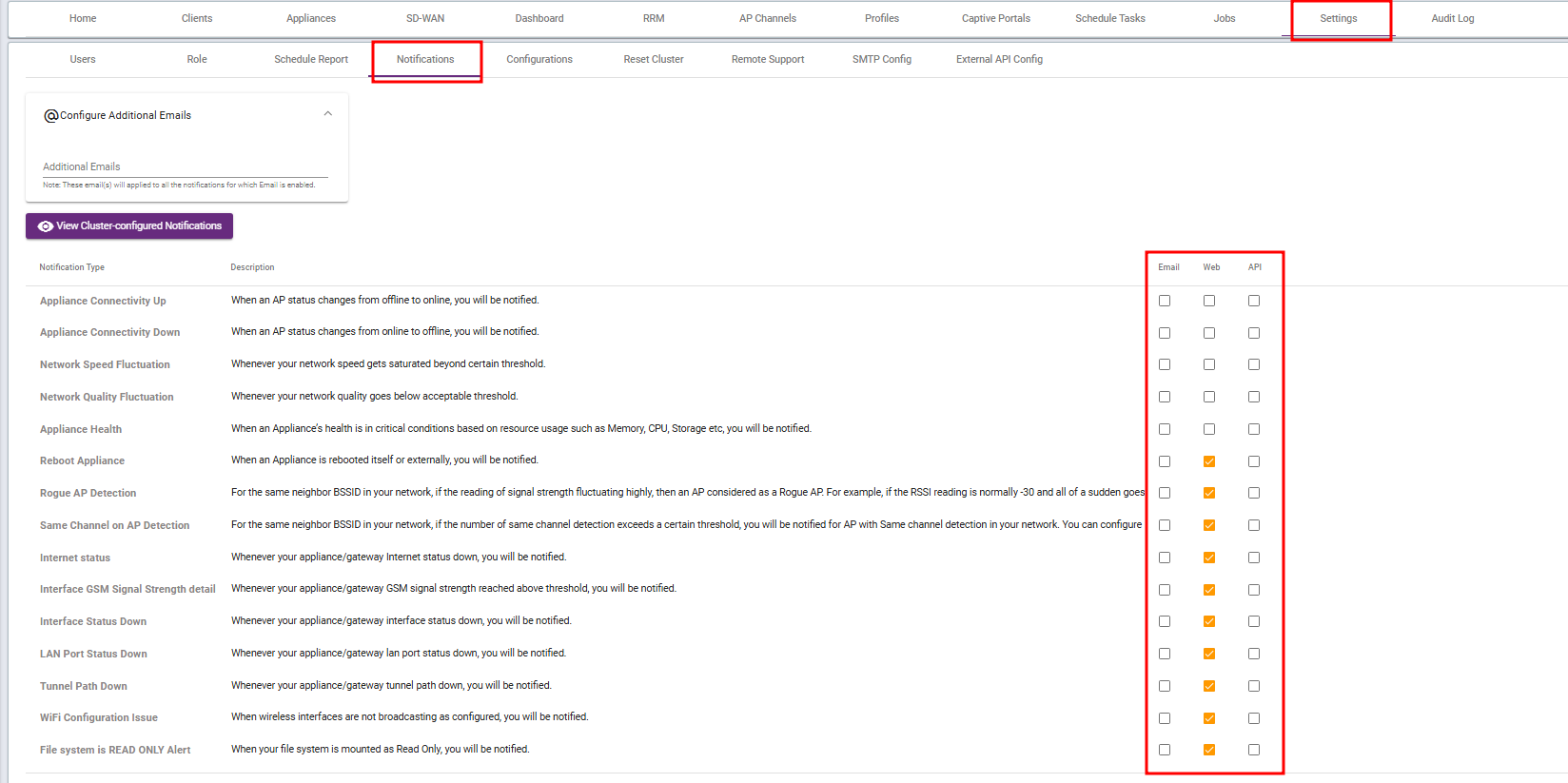
The Notifications module is used to configure alerts for system events, faults, and service-related activities.
Notifications can be triggered when an event occurs or when a fault is detected in the Ray Cloud Cluster.
Supported notification methods include:
- Web notifications
- Email notifications
- Mobile app notifications
Note: Mobile app notification support depends on product release availability.
Notifications can be configured for predefined events, health parameters, and service quality parameters.
This helps administrators monitor the system proactively and respond quickly to issues.
6. Configurations
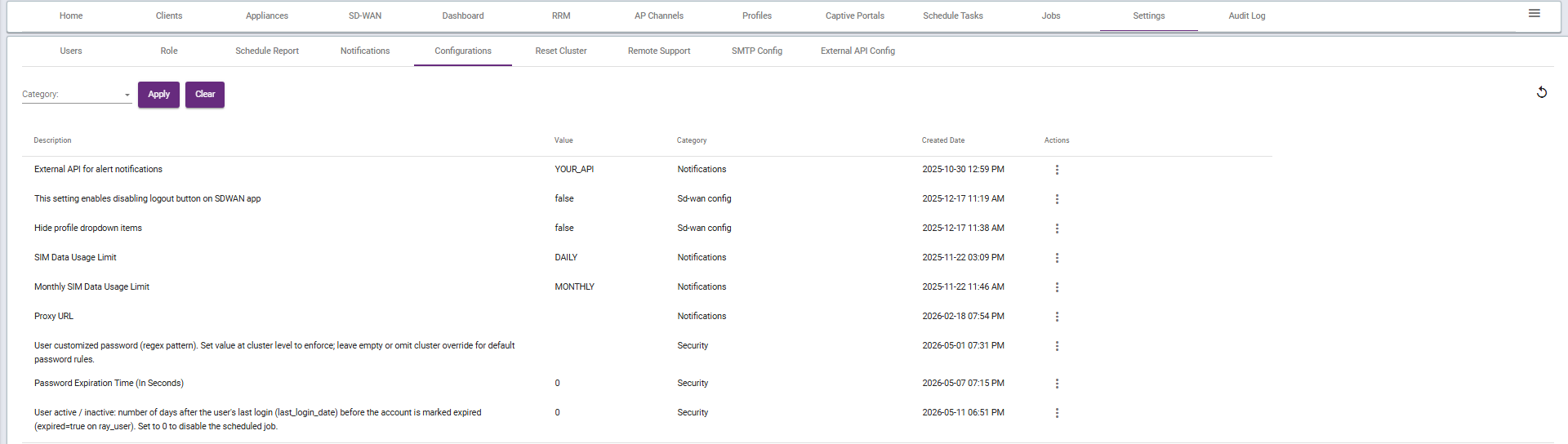
The Configurations module is used to define default system values required for Ray Wi-Fi services.
Administrators can configure important system parameters such as:
- Hardware usage threshold values
- CPU utilization threshold
- Memory utilization threshold
- Disk usage threshold
- OTP authentication token validity
- Default service parameters
These settings help maintain system performance, security, and operational consistency across the Ray Cloud Cluster.


Summary
The Settings section provides centralized control for user administration, access management, scheduled reporting, notifications, and system configuration.
It helps administrators manage the Ray Cloud Cluster securely, efficiently, and in an organized manner.