
IPsec Troubleshooting
Last updated: Jul 06, 2026
Tunnel status is down Device 1 and Device 2: Steps 1: Go to the Profile Interface section, select Tunnel and click Tunnel Status. ...
Tunnel status is down Device 1 and Device 2:


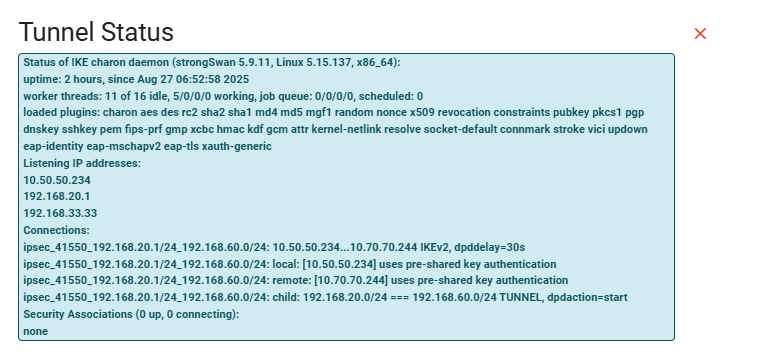
Steps 1: Go to the Profile Interface section, select Tunnel and click Tunnel Status.

Steps 2: Verify the IPsec tunnel configuration on both sides to ensure they are identical. For guidance, refer to: How to Configure an IPsec Tunnel.
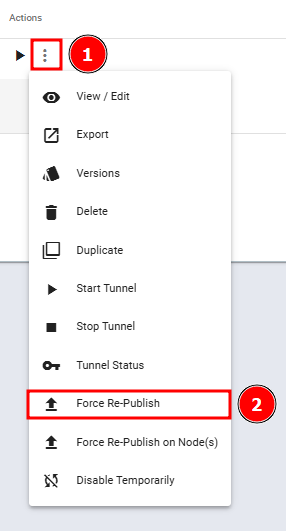
Steps 3: Click Force Re-Publish on both sides (this will restart the tunnel), then verify that the job status on both sides shows as “FINISHED”
Tunnel status is UP Device 1 and Device 2:


What are your feelings
🙂😐🙁