
Ray Lyte Vega Throughput Test using OpenSpeedTest
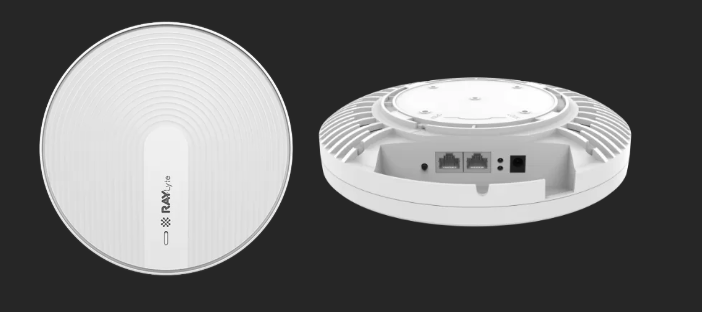
Device: Ray Vega
Wi-Fi Throughput
1. Test Objective
To measure and compare wireless throughput (download/upload speeds) over two different WLAN profiles (5 GHz and 2.4 GHz) and running an internal OpenSpeedTest server. ( https://openspeedtest.com/selfhosted-speedtest )
2. Server Setup
|
Parameter |
Details |
|
Device |
Gateway Device (Router with LAN & WLAN) |
|
Service |
openspeedtest-server |
|
Deployment |
Local (running directly on Access points) |
|
Port |
3000 |
3. WLAN Profiles
|
WLAN Profile |
Frequency |
Subnet |
SSID |
|
Profile 1 |
5 GHz |
192.168.160.1/24 |
5ghz |
|
Profile 2 |
2.4 GHz |
192.168.160.1/24 |
2.4ghz |
4. Client Test Setup
|
Parameter |
Details |
|
Client Device |
Wi-Fi enabled device (laptop/phone) |
|
Browser |
Chrome / Firefox / Safari |
|
Test Tool |
OpenSpeedTest Web UI |
5. Test Cases
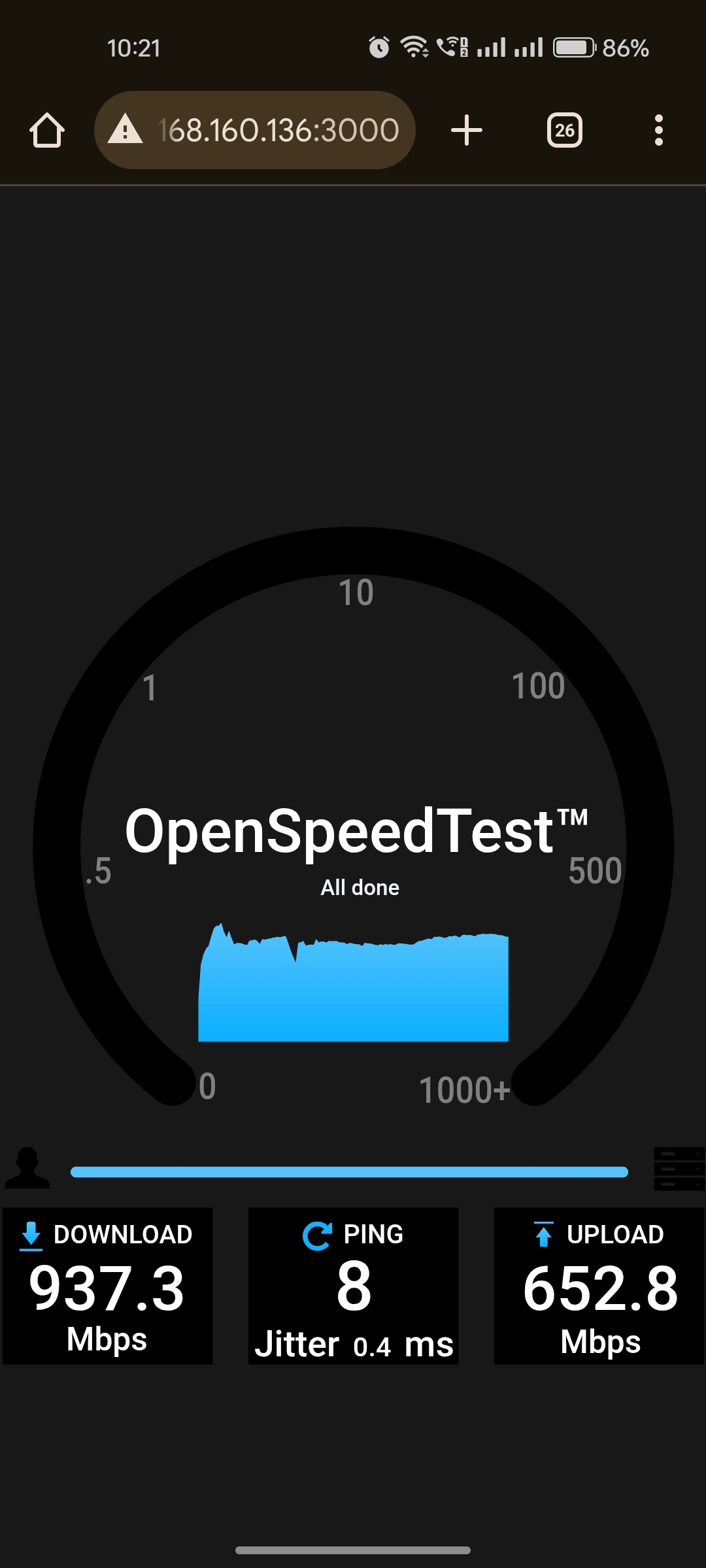
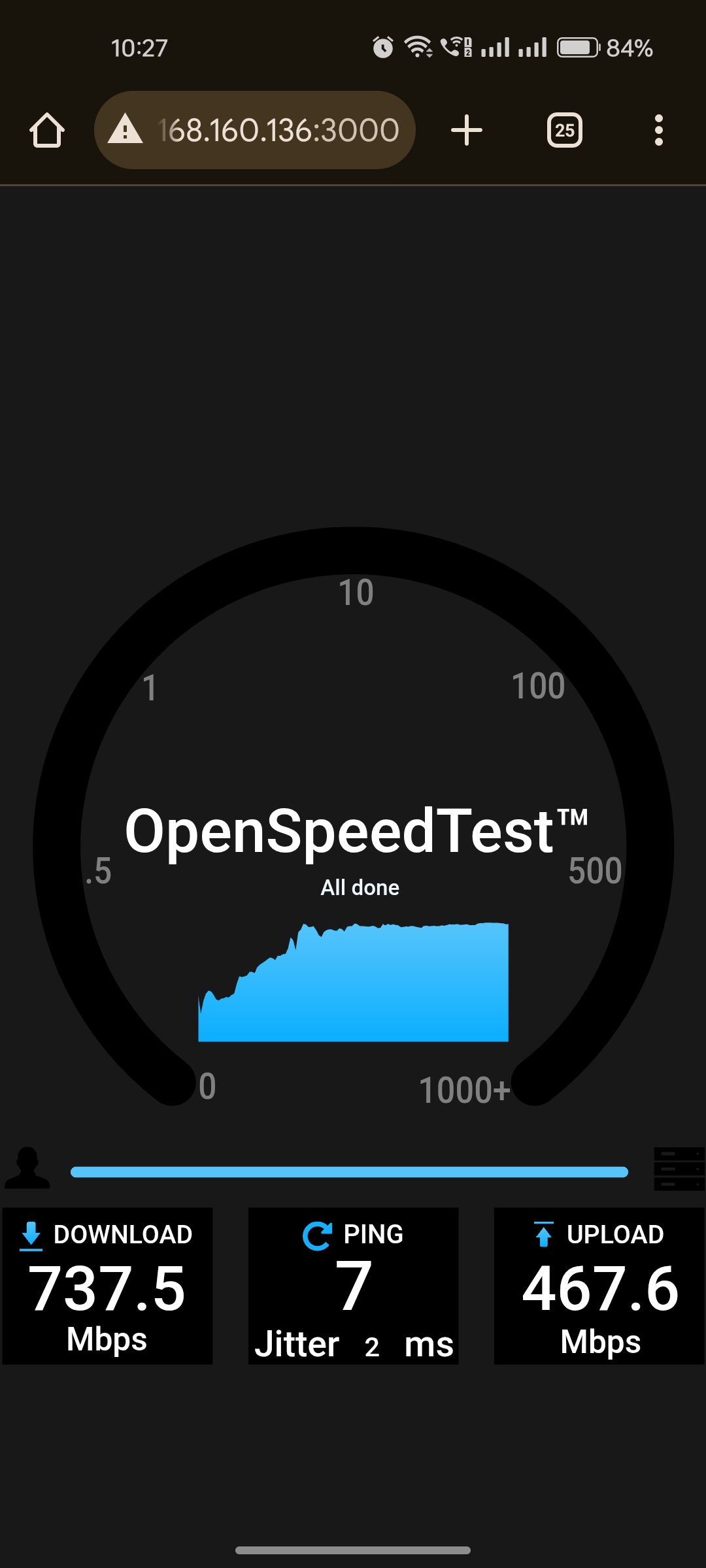
Test Case 1: 5 GHz Band Throughput
-
SSID: 5ghz
-
Gateway IP: 192.168.160.1
-
Steps:
-
Connect client to SSID: 5ghz
-
Open browser: http://192.168.160.136:3000
-
Start OpenSpeedTest
-
Record results
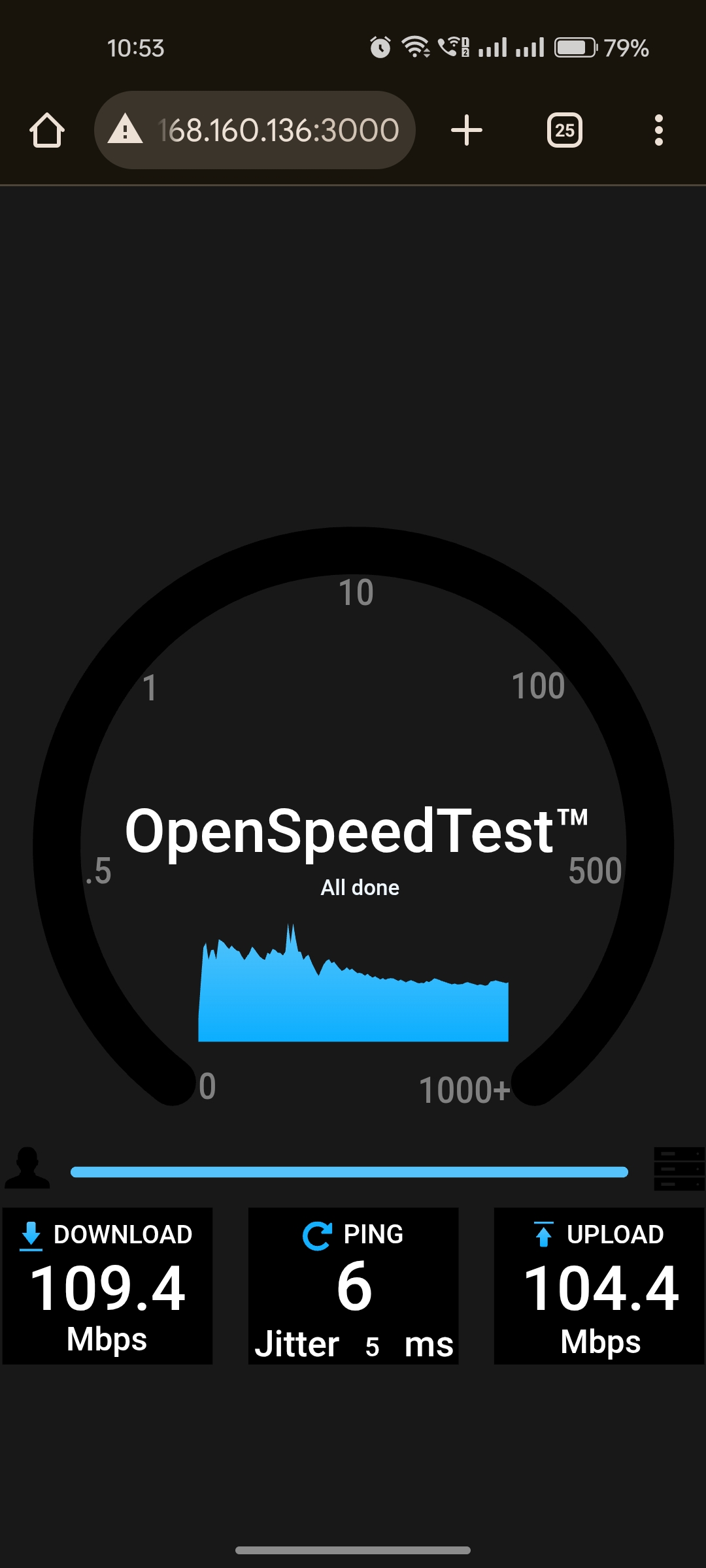
Test Case 2: 2.4 GHz Band Throughput
-
SSID: 2.4ghz
-
Gateway IP: 192.168.160.1
-
Steps:
-
Connect client to SSID: 2.4 ghz
-
Open browser: http://192.168.160.136:3000
-
Start OpenSpeedTest
-
Record results
6. Test Results Table
|
Test Case |
SSID |
Frequency |
Gateway IP |
Download (Mbps) |
Upload (Mbps) |
Ping (ms) |
|
TC-01 |
5ghz |
5 Record results GHz |
192.168.160.1 |
737.5 – 937.5 Mbps |
46.8 – 667.7 Mbps |
8 |
|
TC-02 |
2.4ghz |
2.4 GHz |
192.168.160.1 |
100.5 – 109.2 Mbps |
90.6 – 104.5 Mbps |
6 |
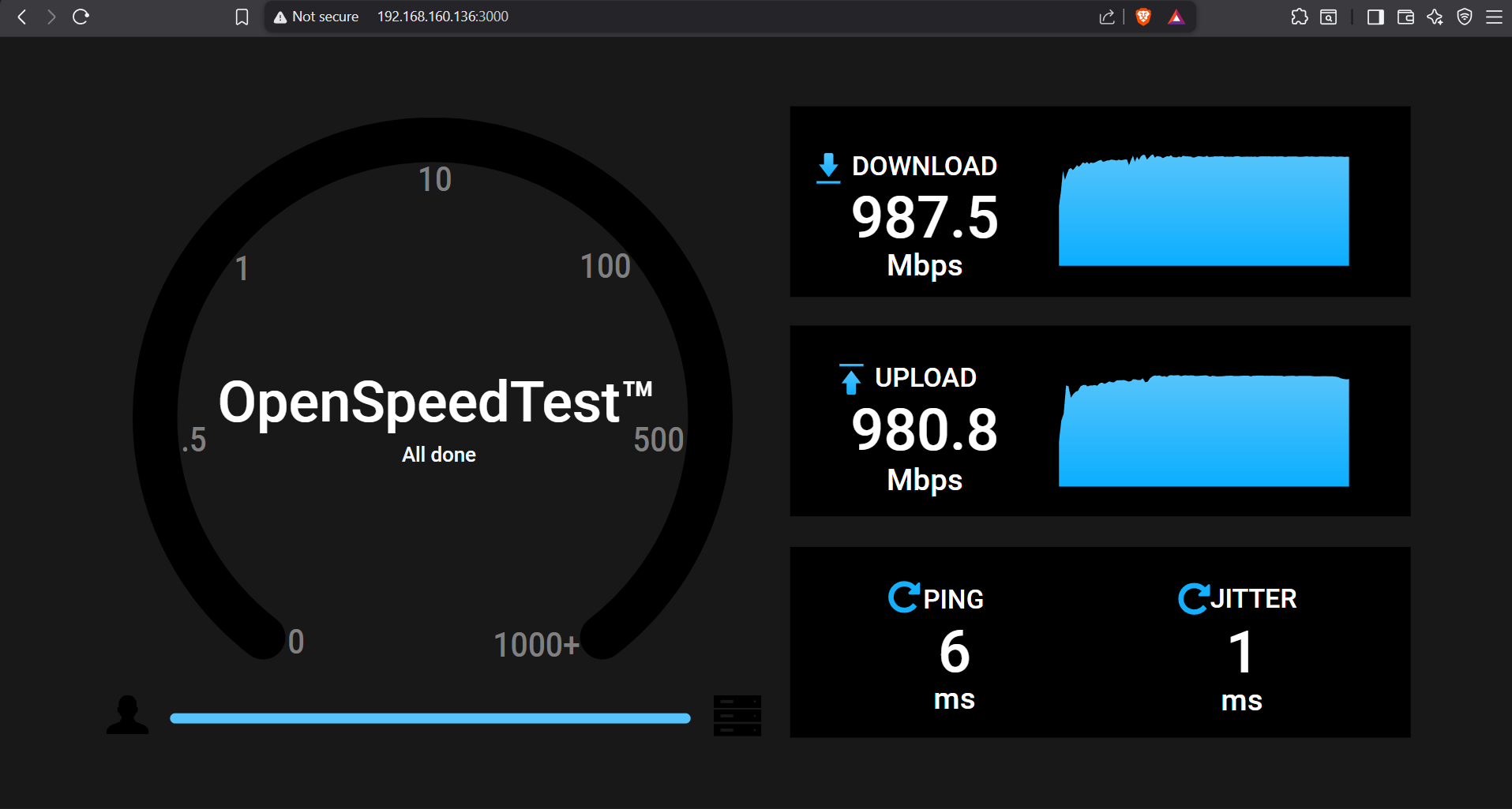
Wired Throughput (Bridge mode)
-
Gateway IP: 192.168.160.1
-
Steps:
-
Testing was performed directly through the port to measure throughput.
-
Open browser: http://192.168.160.136:3000
-
Start OpenSpeedTest
-
-
Record results:
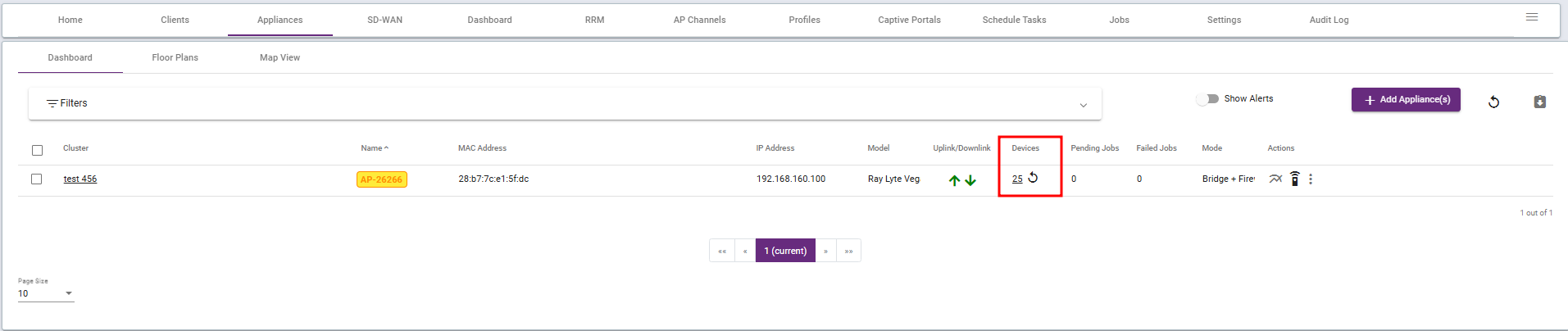
Client Connectivity Test
-
Steps:
-
Access Point IP Assignment
The access point assigns an IP address to each client. (Documents)User Connections
Currently, 25 users are connected to this access point. -
Record results:
-
-
