
Ray Cloud Connectivity & Service Availability Guide
Ray is a cloud-native networking platform consisting of two primary components:
- RayOS – Runs locally on the Ray Access Point (AP).
- Ray Cloud Controller – Runs in the cloud and centrally manages all Ray devices.
The Ray Cloud Controller is hosted on a highly available and scalable Amazon Web Services (AWS) infrastructure, ensuring maximum reliability, redundancy, and uptime for device management.
Ray Connectivity Architecture
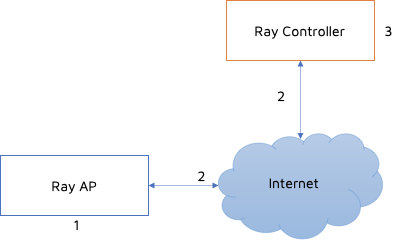
Connectivity Scenarios
The overall operation of a Ray deployment depends on three key components:
- Ray Access Point (AP)
- Internet Connectivity (AP ↔ ISP)
- Ray Cloud Controller
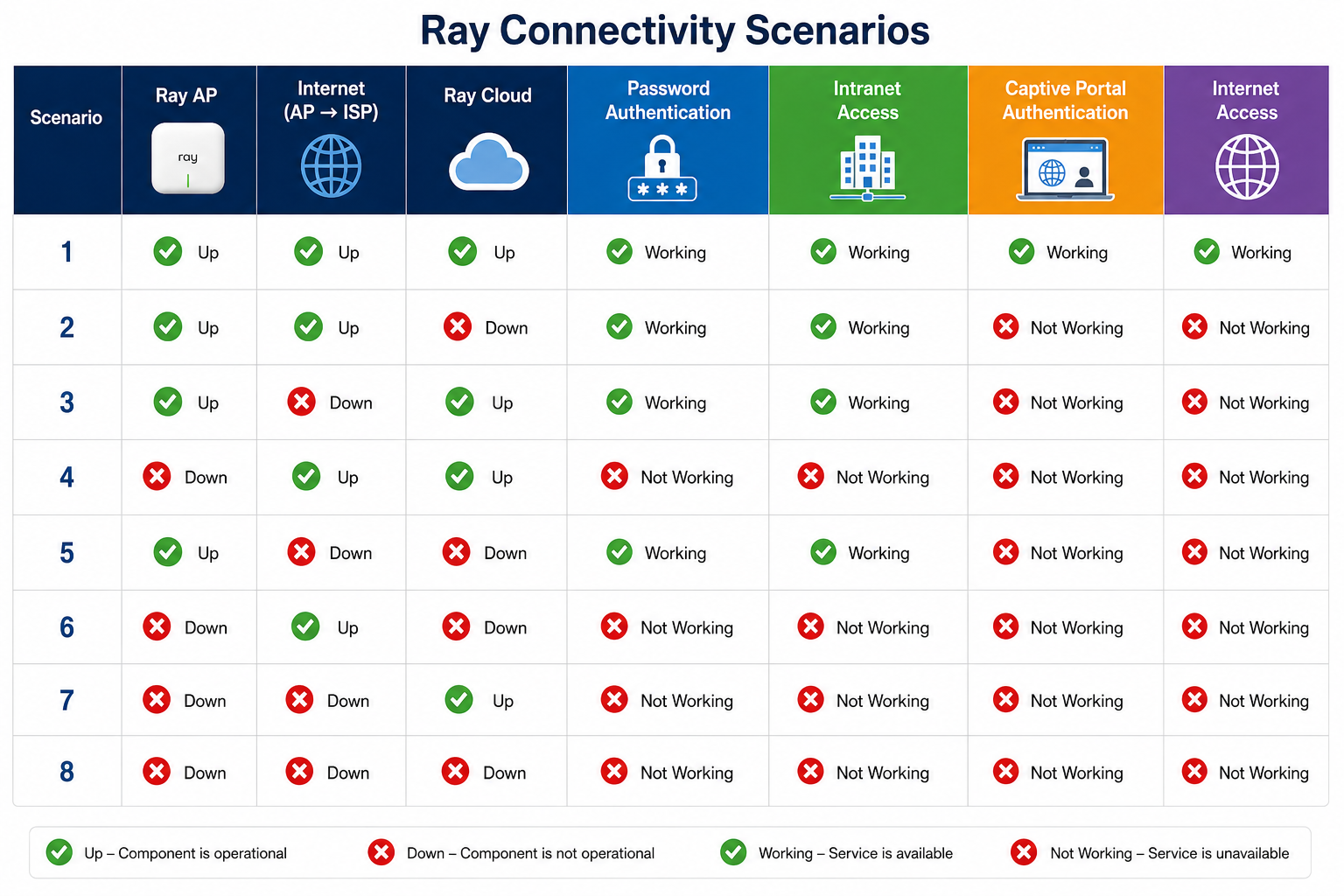
The following table illustrates how different combinations affect user experience.
Key Observations
- Password-based authentication continues to function as long as the Ray AP is operational, even if the cloud or internet connection is unavailable, provided the user credentials and configuration are already synchronized locally.
- Captive Portal authentication requires connectivity to the Ray Cloud. Therefore, users cannot authenticate through the captive portal if either the cloud or internet connectivity is unavailable.
- If the Ray Access Point itself is offline, no wireless services are available regardless of internet or cloud availability.
- Local network (Intranet) access remains available for password-authenticated users as long as the AP is operational.
Summary
Ray follows a cloud-managed architecture while maintaining local intelligence on the Access Point. Critical operational configurations are synchronized to the AP, allowing password-based authentication and local network access to continue even during temporary cloud outages. Cloud connectivity is primarily required for centralized management, configuration updates, firmware upgrades, monitoring, and captive portal authentication.
Conclusion
This architecture provides an optimal balance between centralized cloud management and uninterrupted local network operation, ensuring high availability and resilience for enterprise deployments.