How to create Guest SSID
To create Guest SSID for isolate network follow the below steps.
Create Network Interface profile.
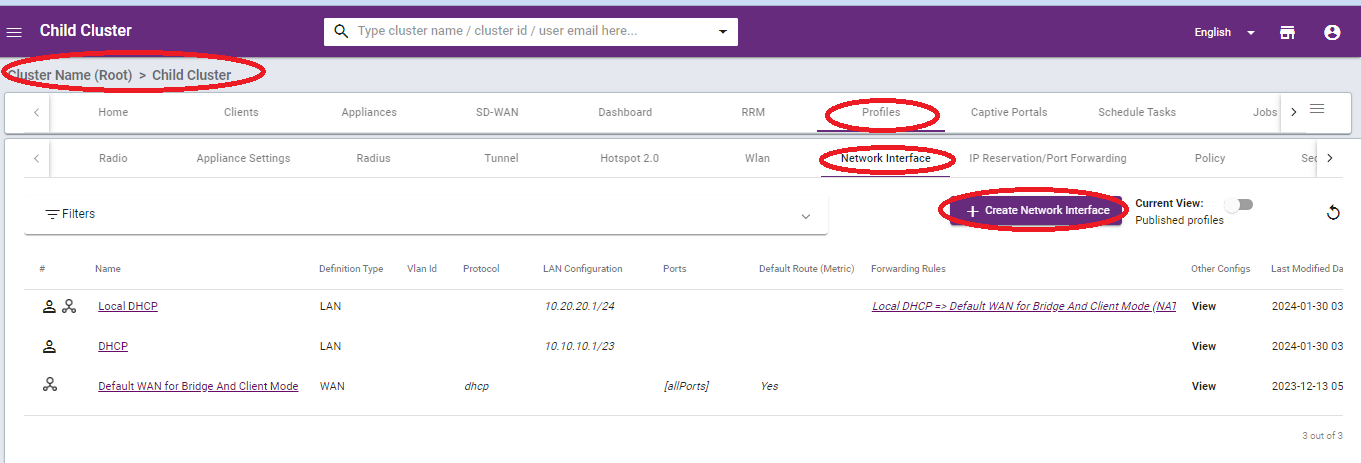
1. Go to cluster.
2. Go to profiles > Network Interface > +Create Network Interface.
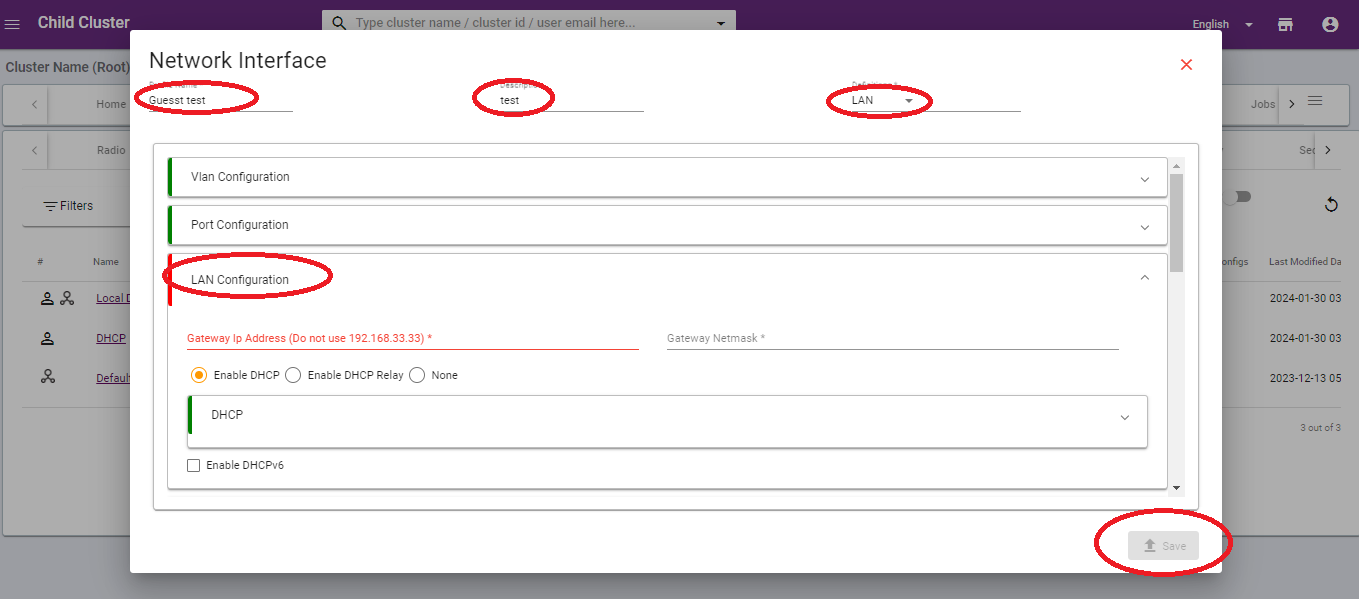
3. A new window will be pop-up, see the below image as reference.
4. Provide Gatway ip address in the LAN configuration .
5. Click on the save button.
Create wlan Profile for isolate network
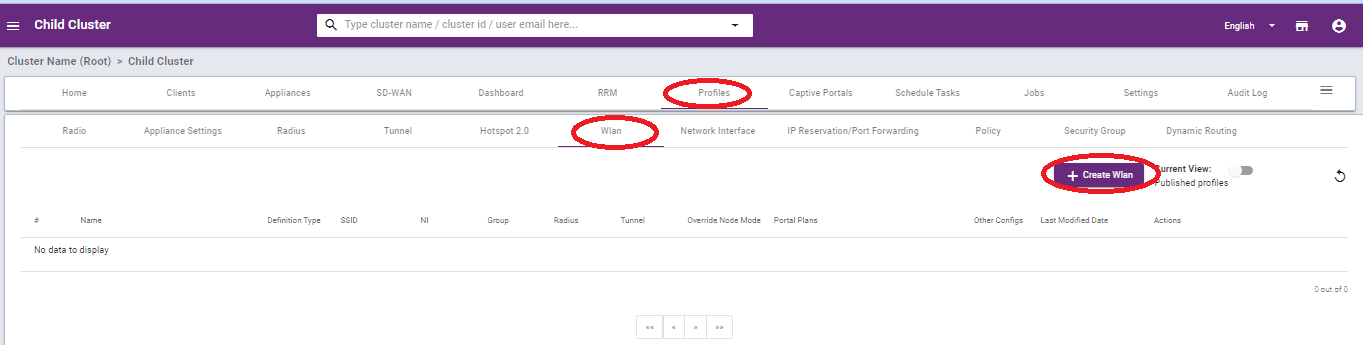
1. Go to Profiles.
2. Click on the WLAN then click on +Create Wlan see image as below.
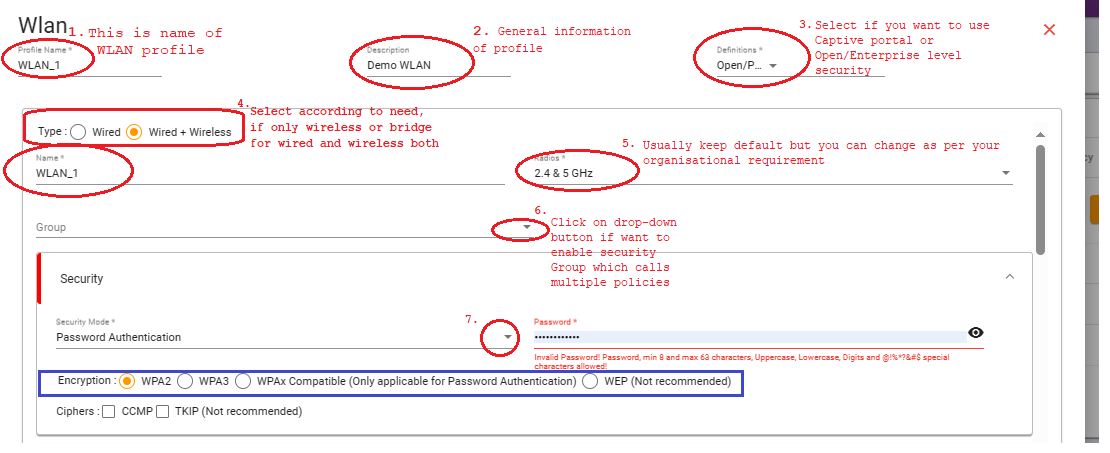
3. Fill the basic information as mentioned in screenshots with marks 1 to 7
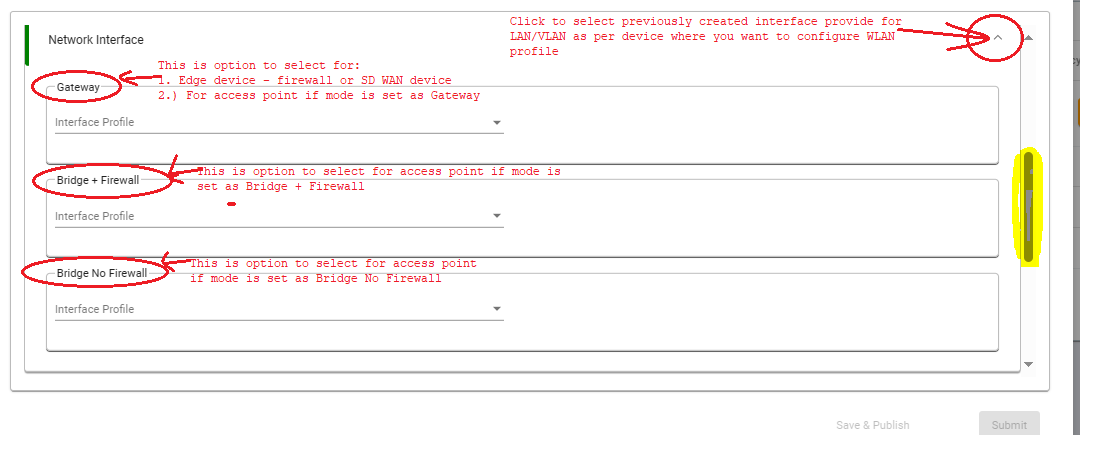
4. Configure network interface for WLAN profile for mapping LAN/VLAN as per user network requirements.
for Guest network select bridge mode.
The port config validation will be skipped only if you are “applicble for -bridge+firewall
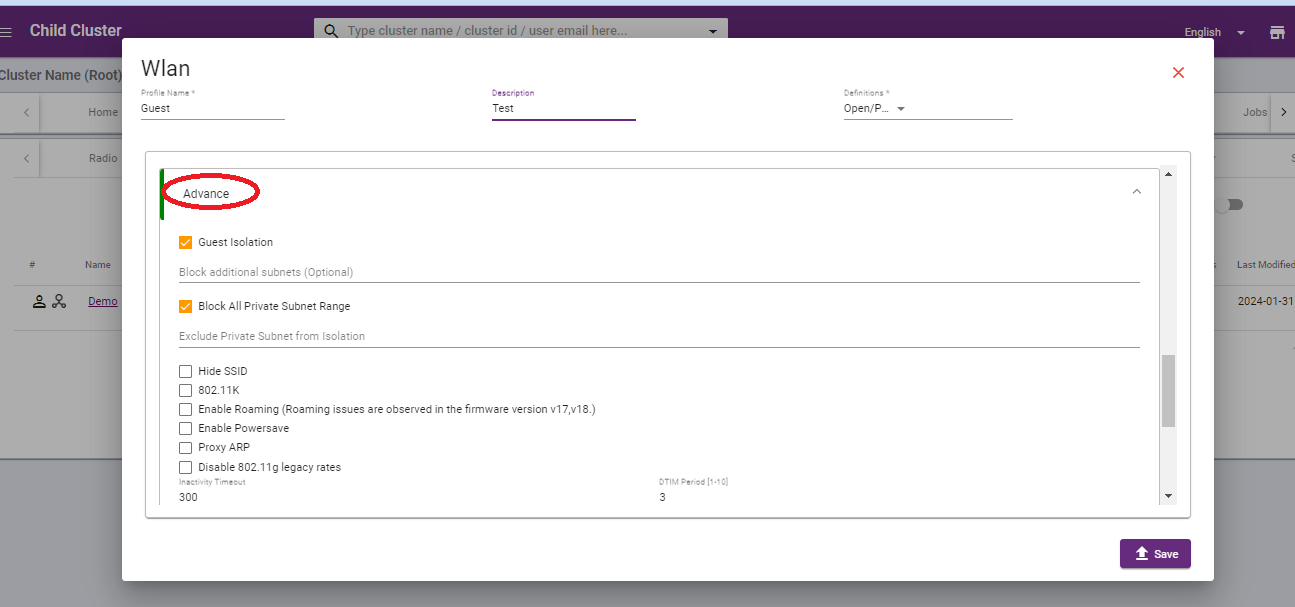
 5. Click on advance and fill check box of Guest isolation and Block all private subnet range.
6. Click on the save button. to save configuration.
Thank you,
Ray support Team